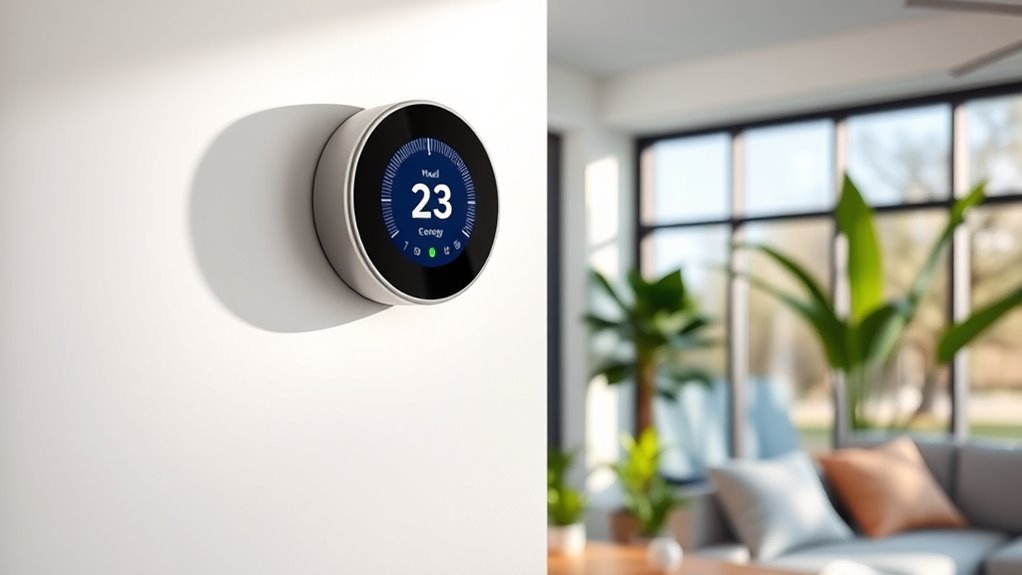

A smart thermostat can be worth it if you want easier scheduling, remote control, or help adjusting heating and cooling around your routine; savings depend on your home, habits, and energy costs. I’d choose the ecobee Smart Thermostat Enhanced as the best overall balance, while the Amazon Smart Thermostat is a simpler pick for Alexa households and the ecobee Premium adds richer home monitoring features. The main tradeoffs are upfront cost, compatibility with your HVAC wiring, and whether you’ll use the added automation. A thermostat alone cannot guarantee lower bills, especially if your schedule rarely changes or your system is already well managed. Read on for how these 10 models differ and which buyer is most likely to benefit.

Get cleaning gear delivered free — and shop member deals
- Fast, free delivery on millions of items
- Access to Prime Big Deal Days deals on October 6–7
- Prime Video, Amazon Music and more included
Complete the kit



Key Takeaways
- ecobee Enhanced is the roundup’s balanced pick: it offers more capability than a basic remote-control thermostat without the Premium model’s broader feature set.
- Amazon Smart Thermostat keeps things simple for homes already using Alexa, but buyers who want a richer display or broader ecosystem features should compare it with amazon.com/dp/B0DT9MC2Z9?tag=bestvacuumexpert-20&ascsubtag=dc-596269″ target=”_blank” rel=”nofollow sponsored noopener”>ecobee and Google options.
- ecobee Premium stands apart for buyers who want its added SmartSensor and smart-home features; those who only need schedules may not make use of the extras.
- Sensi Smart Wi-Fi Thermostat ST55 focuses on DIY setup and straightforward controls, while the color-screen Sensi Touch is a better fit for people who value a more visible interface.
- Wiring and HVAC compatibility matter more than the smart label: the Honeywell RTH9585WF specifies a C-wire requirement, so check your system before choosing it.
| Honeywell Home RTH9585WF Wi-Fi Smart Color Thermostat |  | Best for Custom Scheduling | Connectivity: Wi-Fi | Display: Touchscreen | Programming: 7-day programmable | VIEW ON AMAZON | See Our Full Breakdown |
| ecobee Smart Thermostat Essential |  | Best for Broad HVAC Compatibility | Connectivity: Wi-Fi | Display: Color touchscreen | Certification: Energy Star | VIEW ON AMAZON | See Our Full Breakdown |
| Sensi Touch Smart Thermostat by Emerson |  | Best for Guided DIY Setup | Connectivity: Wi-Fi | Display: Color touchscreen | Color: Black | VIEW ON AMAZON | See Our Full Breakdown |
| Sensi Smart Wi-Fi Thermostat ST55 |  | Best for Homes Without a C-Wire | Model: ST55 | Connectivity: Wi-Fi | Certification: ENERGY STAR | VIEW ON AMAZON | See Our Full Breakdown |
| ecobee Smart Thermostat Enhanced |  | Best for Occupancy-Based Comfort | Connectivity: Wi-Fi | HVAC compatibility: Compatible with 90% of HVAC systems, per product data | Smart home compatibility: Amazon Alexa, Google Assistant, Apple HomeKit, and SmartThings | VIEW ON AMAZON | See Our Full Breakdown |
| Google Nest Learning Thermostat 3rd Gen – Programmable Smart Thermostat for Home – Compatible with Alexa (Stainless Steel) |  | Best for Learning Schedules | Color: Stainless Steel | Alexa compatibility: Yes | Schedule feature: Learns schedule | VIEW ON AMAZON | See Our Full Breakdown |
| ecobee Smart Thermostat Premium with Wi-Fi, Siri and Alexa, and SmartSensor |  | Best for Room-by-Room Comfort | Connectivity: Wi-Fi | Voice assistants: Siri and Alexa | Included sensor: SmartSensor | VIEW ON AMAZON | See Our Full Breakdown |
| Honeywell Wireless WiFi Thermostat, 7 Programmable |  | Best for Set-and-Forget Weekly Programming | Alexa compatibility: Works with Alexa | App: Total Connect Comfort | Programming: 7-day programmable | VIEW ON AMAZON | See Our Full Breakdown |
| Amazon Smart Thermostat |  | Best for Alexa Homes on a DIY Install | Certification: ENERGY STAR | Compatibility: Alexa and Ring | Thermostat technology: Honeywell Home Thermostat Technology | VIEW ON AMAZON | See Our Full Breakdown |
| Google Nest Smart Thermostat, Charcoal |  | Best for Simple App-Based Scheduling | Color: Charcoal | Connectivity: Wi-Fi 802.11b/g/n (2.4 GHz) and 802.11a/n (5 GHz) | Wireless interconnect: Bluetooth Low Energy | VIEW ON AMAZON | See Our Full Breakdown |
| is a smart thermostat worth it | Connectivity |
|---|---|
| Honeywell Home RTH9585WF Wi-Fi | Wi-Fi |
| ecobee Smart Thermostat Essent | Wi-Fi |
| Sensi Touch Smart Thermostat b | Wi-Fi |
| Sensi Smart Wi-Fi Thermostat S | Wi-Fi |
| ecobee Smart Thermostat Enhanc | Wi-Fi |
| Google Nest Learning Thermosta | — |
| ecobee Smart Thermostat Premiu | Wi-Fi |
| Honeywell Wireless WiFi Thermo | — |
| Amazon Smart Thermostat | — |
| Google Nest Smart Thermostat | Wi-Fi 802.11b/g/n (2.4 GHz) and 802.11a/n (5 GHz) |
More Details on Our Top Picks
Honeywell Home RTH9585WF Wi-Fi Smart Color Thermostat
The Honeywell Home RTH9585WF makes a smart thermostat more worthwhile for households that want a clear weekly routine: its 7-day schedule can match different heating and cooling patterns across the week, while Wi-Fi lets you adjust settings remotely. The color touchscreen also gives it a more customizable look than the button-based Sensi ST55. It works with Alexa and Google Home and supports energy-saving features and utility rebates, though neither guarantees lower bills on its own. The main hurdle is installation: this model requires a C-wire, and its touchscreen controls may take more setup than a simpler thermostat. It also excludes electric baseboard heat, so check system compatibility before choosing it.
Pros:- Seven-day programming can follow changing weekday and weekend routines.
- Customizable color touchscreen provides on-device control.
- Wi-Fi supports remote adjustments.
- Works with Alexa and Google Home and supports utility rebate programs.
Cons:- Requires a C-wire, which can complicate installation in some homes.
- Not compatible with electric baseboard heating.
- The setup and controls may feel complex to buyers seeking a basic thermostat.
Best for: Households with compatible forced-air, hot-water, steam, or heat-pump systems that want a different schedule for each day and a customizable touchscreen.
Not ideal for: Homes with electric baseboard heat or no C-wire, and buyers who want the simplest installation.
- Connectivity:Wi-Fi
- Display:Touchscreen
- Programming:7-day programmable
- Supported systems:Forced air, hot water, steam, and heat pumps with electric backup
- C-wire:Required
- Smart home compatibility:Amazon Alexa and Google Home
- Color:Gray
Our verdict“Choose it if your HVAC system is compatible and you want detailed weekly schedules with a customizable display; skip it if wiring or system compatibility is uncertain.”
ecobee Smart Thermostat Essential
The ecobee Smart Thermostat Essential is a strong fit for buyers asking whether smart control is worth adding to a varied HVAC setup: it supports many 24 VAC systems, including boilers and heat pumps, and pairs app control with energy monitoring. Its Apple HomeKit support gives it an ecosystem option that the Honeywell Home RTH9585WF does not list, while Alexa and Google Assistant cover the other major platforms. The touchscreen, schedule assistant, and time-of-use scheduling offer ways to tailor comfort around routines and utility plans. Still, broad compatibility does not mean universal compatibility. Homes without a C-wire need a Power Extender Kit sold separately, and a trim kit is also separate. Buyers should confirm both system fit and installation needs before treating it as a straightforward DIY choice.
Pros:- Supports a broad range of 24 VAC equipment, including boilers and heat pumps.
- App offers temperature control and energy monitoring.
- Compatible with Apple HomeKit, Google Assistant, and Alexa.
- Humidity detection and scheduling tools can help tailor comfort to household routines.
Cons:- Homes without a C-wire need a separately sold Power Extender Kit.
- Trim kit is sold separately.
- Compatibility is broad but not universal, so system checks are still needed.
Best for: Homeowners with a 24 VAC system who want app-based energy monitoring and support for Apple HomeKit, Alexa, or Google Assistant.
Not ideal for: Buyers who need a complete installation kit in the box or have an HVAC system outside its supported range.
- Connectivity:Wi-Fi
- Display:Color touchscreen
- Certification:Energy Star
- System compatibility:Most 24 VAC HVAC equipment; stated compatible with 85% of systems
- Supported equipment:Gas, oil, electric, dual fuel, forced air, conventional systems, heat pumps, and boilers
- Smart home compatibility:Apple HomeKit, Google Assistant, and Alexa
- No C-wire installation:Power Extender Kit required; sold separately
- Additional features:Indoor humidity detection, schedule assistant, and time-of-use scheduling
Our verdict“Pick the Essential for broad 24 VAC support and app monitoring across major smart home platforms, provided your wiring and system are compatible.”
Sensi Touch Smart Thermostat by Emerson
The Sensi Touch is aimed at buyers who want app control without giving up a readable, hands-on display. Its step-by-step installation guidance and mobile app make it more approachable for a DIY project than the Honeywell Home RTH9585WF, whose setup may feel more involved. Remote access and energy-saving features can help households adjust heating or cooling when routines change, but the stated potential energy reduction is not a guaranteed result for every home. The tradeoff is wiring: this model requires a C-wire, so the guided setup cannot solve every installation obstacle. Its Wi-Fi connection can also be unreliable for some users. Compared with the button-based Sensi ST55, the color touchscreen gives this model a more direct on-device interface, but also makes it a different fit for buyers who prefer physical buttons.
Pros:- Guided app instructions support DIY installation.
- Color touchscreen provides direct on-device control.
- Mobile app allows remote adjustments.
- Energy-saving features can help households manage HVAC use.
Cons:- Requires a C-wire for installation.
- Some users may experience connectivity issues.
- Potential energy savings depend on the household and system.
Best for: DIY-minded homeowners with a C-wire who want a color touchscreen and guided setup alongside smartphone control.
Not ideal for: Homes without a C-wire or buyers who prioritize a button-based control panel and want to avoid possible Wi-Fi issues.
- Connectivity:Wi-Fi
- Display:Color touchscreen
- Color:Black
- Compatibility:Most HVAC systems with a C-wire
- Control:Android and iOS mobile app
- Installation:DIY installation with step-by-step app instructions
- Energy features:Energy-saving features; stated potential HVAC energy reduction of approximately 23%
Our verdict“Choose the Sensi Touch if you have a C-wire and value guided DIY setup with a touchscreen; look elsewhere if wiring or connectivity reliability is a concern.”
Sensi Smart Wi-Fi Thermostat ST55
For buyers weighing smart features against installation hassle, the Sensi ST55 has a practical advantage: a C-wire is not required in most applications, and its app-guided DIY process includes a built-in level. That can make it a better starting point than the C-wire-dependent Sensi Touch for homes with common wiring constraints. Its button controls occupy the space of a traditional thermostat, which suits buyers who want remote access and flexible scheduling without a touchscreen interface. Usage reports, system alerts, and maintenance reminders add useful context for managing HVAC equipment. The compromise is a more conventional control experience and Alexa compatibility rather than the wider smart-home support listed for the ecobee Smart Thermostat Essential. Wiring needs still depend on the system, and energy savings are possible, not promised.
Pros:- C-wire is not required in most applications.
- App-guided DIY installation includes a built-in level.
- Button-based design fits the space of a traditional thermostat.
- Usage reports, HVAC alerts, and maintenance reminders support ongoing system management.
Cons:- C-wire requirements still vary by HVAC setup.
- Button controls offer a less visual interface than touchscreen options.
- Energy savings are potential rather than guaranteed.
Best for: Homeowners who want Wi-Fi scheduling and app guidance but may not have a C-wire, especially those who prefer physical buttons.
Not ideal for: Buyers who want a color touchscreen or broad smart-home platform support beyond Alexa.
- Model:ST55
- Connectivity:Wi-Fi
- Certification:ENERGY STAR
- Voice assistant compatibility:Amazon Alexa
- Controls:Buttons
- C-wire:Not required in most applications; requirements vary by HVAC setup
- Installation:DIY app guidance with built-in level
- Management features:Flexible scheduling, usage reports, system alerts, and maintenance reminders
Our verdict“Choose the ST55 for guided Wi-Fi control with fewer typical wiring demands and physical buttons, while checking your HVAC requirements before installation.”
ecobee Smart Thermostat Enhanced
The ecobee Smart Thermostat Enhanced makes the clearest case for a smart thermostat when comfort changes as people move through the day. It can adjust temperatures around occupancy, schedules, and humidity, giving it a more adaptive role than the schedule-focused Honeywell Home RTH9585WF. The app provides remote control, and compatibility with Alexa, Google Assistant, Apple HomeKit, and SmartThings gives it the broadest listed platform range in this batch. A Power Extender Kit and trim kit are included, which can make installation more practical than the ecobee Smart Thermostat Essential, where those kits are sold separately. The tradeoff is that room-by-room sensing calls for ecobee SmartSensors, sold separately. Buyers should also verify HVAC compatibility despite the stated 90% coverage.
Pros:- Temperature adjustments can account for occupancy, schedules, and humidity.
- App supports remote control.
- Works with Alexa, Google Assistant, Apple HomeKit, and SmartThings.
- Includes a Power Extender Kit and trim kit for many DIY installations.
Cons:- ecobee SmartSensors are sold separately.
- HVAC compatibility should be checked before purchase.
Best for: Households with changing occupancy or comfort needs that want broad smart-home compatibility and are willing to add room sensors if needed.
Not ideal for: Buyers seeking room-by-room sensing included in the box or those who do not want to verify HVAC compatibility.
- Connectivity:Wi-Fi
- HVAC compatibility:Compatible with 90% of HVAC systems, per product data
- Smart home compatibility:Amazon Alexa, Google Assistant, Apple HomeKit, and SmartThings
- Included accessories:Power Extender Kit and trim kit
- Additional sensors:Compatible with ecobee SmartSensors, sold separately
- Warranty:3 years
- Temperature adjustment inputs:Occupancy, schedules, and humidity
Our verdict“Choose the Enhanced if occupancy-aware comfort and broad platform support make smart control worthwhile for your household, with the understanding that SmartSensors cost extra.”
Google Nest Learning Thermostat 3rd Gen – Programmable Smart Thermostat for Home – Compatible with Alexa (Stainless Steel)
The Google Nest Learning Thermostat 3rd Gen makes the most sense for households whose routines are predictable enough for its learning schedule to reduce manual adjustments. Home/Away Assist and energy history help connect temperature changes with occupancy and energy use, while HVAC monitoring can flag maintenance issues. Compared with the Google Nest Smart Thermostat, this model emphasizes learning your schedule; the newer Nest option focuses on app-set schedules and energy suggestions. That distinction matters if you want the thermostat to adapt over time, but it does not guarantee savings for every home. Room-specific control also requires a separately purchased Nest Temperature Sensor, while the ecobee Smart Thermostat Premium includes a SmartSensor. I’d choose this Nest for automatic schedule learning, and skip it if you want room sensing included or prefer setting every schedule yourself.
Pros:- Learns a household schedule and adjusts temperatures over time
- Home/Away Assist can adjust settings based on whether the home is occupied
- Energy History helps connect thermostat use with energy consumption
- HVAC monitoring can provide maintenance alerts
Cons:- Nest Temperature Sensor for room-specific control is sold separately
- Some features may require extra setup or subscriptions
Best for: Households with recurring daily routines that want a thermostat to learn temperature preferences and provide HVAC alerts.
Not ideal for: Buyers who want room-specific sensing included or who need precise control in homes with changing schedules.
- Color:Stainless Steel
- Alexa compatibility:Yes
- Schedule feature:Learns schedule
- Occupancy feature:Home/Away Assist
- Energy information:Energy History
- HVAC monitoring:Maintenance alerts
- Remote control:Smartphone or tablet
- Sensor compatibility:Nest Temperature Sensor, sold separately
Our verdict“Choose this Nest if schedule learning and HVAC alerts are more useful to you than an included room sensor.”
ecobee Smart Thermostat Premium with Wi-Fi, Siri and Alexa, and SmartSensor
The ecobee Smart Thermostat Premium gives buyers a practical reason to consider a smart thermostat beyond remote control: its included SmartSensor and occupancy detection can help direct comfort toward rooms in use. It also adds a built-in air quality monitor and speaker with Siri or Alexa. Compared with the Google Nest Learning Thermostat 3rd Gen, ecobee includes room sensing in the box, while Nest buyers need to purchase its sensor separately. Those extras make ecobee a stronger fit for homes with uneven temperatures, but they add setup and smart-home dependencies: Siri needs an Apple home hub, and some security features require a subscription. The Power Extender Kit and trim kit support installation, though compatibility still depends on the HVAC system. I’d pick it when its room sensing and air monitoring will be used, rather than paying for features a simpler thermostat can cover.
Pros:- Included SmartSensor and occupancy detection can target comfort to occupied rooms
- Built-in air quality monitor and filter reminders add useful home information
- Built-in speaker supports Siri, Alexa, and audio streaming
- Includes a Power Extender Kit, trim kit, and a 3-year warranty
Cons:- Siri requires an Apple home hub
- Some security features require an ecobee Smart Security subscription
- Requires a compatible HVAC system
Best for: Households with rooms that heat or cool unevenly and owners who will use air quality monitoring or voice features.
Not ideal for: Buyers seeking a straightforward thermostat with minimal setup, or those without an Apple home hub who specifically want Siri.
- Connectivity:Wi-Fi
- Voice assistants:Siri and Alexa
- Included sensor:SmartSensor
- HVAC compatibility:Compatible with 95% of HVAC systems
- Installation accessories:Power Extender Kit and trim kit
- Warranty:3 years
- Air quality monitor:Built-in
- Smart speaker:Built-in
Our verdict“Choose ecobee Premium if room sensing and air monitoring justify its added setup and smart-home requirements.”
Honeywell Wireless WiFi Thermostat, 7 Programmable
The Honeywell WiFi Thermostat suits buyers who want a clear weekly routine, remote app access, and Alexa voice control without making schedule learning the main attraction. Its 7-day programming lets different days follow different temperature plans, while the customizable display puts comfort information on screen. Compared with the Amazon Smart Thermostat, it offers conventional weekly programming rather than presence-based adjustments through Alexa and Ring. That can be appealing if you want a schedule you set and understand, but the listed installation requirement is a meaningful hurdle: this model calls for professional installation. Alexa control also depends on a separate Alexa device. For readers asking whether smart control is worth it, the case here rests on planned routines and app access; buyers wanting guided DIY setup may find Amazon’s approach easier to manage.
Pros:- Seven-day programming supports different routines across the week
- Total Connect Comfort app enables remote management
- Energy savings mode offers a straightforward way to adjust operation
- Customizable display shows on-screen comfort information
Cons:- Professional installation is required
- Alexa device is sold separately
Best for: Homeowners who want a manually set weekly schedule, Alexa voice control, and app adjustments, and are comfortable arranging professional installation.
Not ideal for: DIY installers or buyers who want automatic presence-based temperature changes and an installation path guided in an app.
- Alexa compatibility:Works with Alexa
- App:Total Connect Comfort
- Programming:7-day programmable
- Display:Custom display with on-screen comfort information
- Energy feature:Energy savings mode
- Installation:Professional installation
- Remote management:Mobile app
Our verdict“Choose this Honeywell if you prefer a planned weekly schedule and do not mind professional installation.”
Amazon Smart Thermostat
The Amazon Smart Thermostat makes the smart-thermostat case through scheduled control and Alexa-linked presence detection, with guided installation in the Alexa app. Its ENERGY STAR certification and rebate assistance may help buyers pursuing lower energy use, though savings depend on the home and how its heating and cooling are used. Compared with the Honeywell Wireless WiFi Thermostat, Amazon emphasizes app-guided DIY setup and automation through Alexa and Ring; Honeywell instead offers conventional seven-day programming and specifies professional installation. The tradeoff is ecosystem dependence: a C-wire is required, and advanced automation requires an Alexa+ subscription. I’d pick Amazon for an Alexa-centered home with compatible wiring, but buyers who want broader standalone control or lack a C-wire should check compatibility before treating it as an easy upgrade.
Pros:- Alexa app guides the DIY installation process
- Presence detection can support automatic temperature adjustments
- ENERGY STAR certified and includes rebate assistance
- Works with Alexa and Ring devices
Cons:- Requires a C-wire
- Advanced automation features require an Alexa+ subscription
Best for: Alexa and Ring households with a C-wire that want app-guided installation and presence-based temperature adjustments.
Not ideal for: Homes without a C-wire or buyers who want advanced automation without an Alexa+ subscription.
- Certification:ENERGY STAR
- Compatibility:Alexa and Ring
- Thermostat technology:Honeywell Home Thermostat Technology
- Installation:Guided through the Alexa app
- Wiring requirement:C-wire required
- Control methods:App and Alexa voice
- Features:Programmable schedules, presence detection, and rebate assistance
Our verdict“Choose Amazon if your wiring is compatible and Alexa presence automation is a key part of making smart control worthwhile.”
Google Nest Smart Thermostat, Charcoal
The Google Nest Smart Thermostat is a straightforward option for buyers who want app schedules, remote temperature changes, and energy suggestions without making adaptive learning the main reason to buy. Its Google Home app can help manage settings away from home, while occupancy-related adjustments and HVAC alerts add convenience to routine control. Compared with the Google Nest Learning Thermostat 3rd Gen, this model centers on schedules you create and energy-saving suggestions rather than learning your routine. It also supports Google Assistant and Matter-certified voice assistants, while a compatible voice device is needed for voice control. C-wire support varies by system, so installation may require an accessory. I’d choose this Nest for a simple app-led setup; homes needing included room sensing may get more from the ecobee Smart Thermostat Premium.
Pros:- Google Home app supports schedules and remote temperature control
- Can lower heating or cooling when occupants leave
- Provides energy-saving suggestions and HVAC alerts
- Works with Google Assistant and Matter-certified voice assistants
Cons:- Some systems require a C-wire or compatible power accessory
- Voice control requires a compatible smart device
Best for: Google Home users who want to set schedules, adjust temperatures remotely, and receive energy suggestions and HVAC alerts.
Not ideal for: Buyers who want the thermostat to learn their routine or who need room-specific sensing included.
- Color:Charcoal
- Connectivity:Wi-Fi 802.11b/g/n (2.4 GHz) and 802.11a/n (5 GHz)
- Wireless interconnect:Bluetooth Low Energy
- Energy certification:ENERGY STAR
- Smart home compatibility:Google Assistant and Matter-certified voice assistants
- C-wire:Not required in most homes; required for some systems
- App:Google Home
- Remote control:Phone, laptop, or tablet
Our verdict“Choose this Nest for app-based scheduling and remote control if your HVAC wiring is compatible.”

How We Picked
I ranked these thermostats by how well their features can make everyday heating and cooling easier to manage, then weighed usability, setup demands, compatibility details, and how much added capability each model brings. A helpful schedule or remote adjustment matters more to most buyers than a long feature list, while a clear display and familiar app can make the controls easier to keep using.
The order favors options with a clear fit for a broad range of households, then distinguishes simpler value-oriented choices from models aimed at buyers who want extra sensors, richer controls, or a particular ecosystem. I also accounted for tradeoffs visible in the product details, such as the RTH9585WF’s C-wire requirement and the different control styles across Sensi, ecobee, Google, Amazon, and Honeywell. Since savings vary with the home and the way people use heat and air conditioning, I treated energy savings as a potential outcome rather than a guaranteed ranking advantage.
| is a smart thermostat worth it | Connectivity |
|---|---|
| Honeywell Home RTH9585WF Wi-Fi | Wi-Fi |
| ecobee Smart Thermostat Essent | Wi-Fi |
| Sensi Touch Smart Thermostat b | Wi-Fi |
| Sensi Smart Wi-Fi Thermostat S | Wi-Fi |
| ecobee Smart Thermostat Enhanc | Wi-Fi |
| Google Nest Learning Thermosta | — |
| ecobee Smart Thermostat Premiu | Wi-Fi |
| Honeywell Wireless WiFi Thermo | — |
| Amazon Smart Thermostat | — |
| Google Nest Smart Thermostat | Wi-Fi 802.11b/g/n (2.4 GHz) and 802.11a/n (5 GHz) |
Factors to Consider When Choosing Is A Smart Thermostat Worth It
To decide whether a smart thermostat is worth it for your home, start with how your heating and cooling actually work. The right choice depends on system compatibility, the changes you want it to make easier, and whether you’ll use the controls after installation.
Check Your HVAC System and Wiring First
Thermostat compatibility depends on the heating and cooling equipment, its wiring, and the way zones are controlled. Before buying, identify your system type and compare its terminals with the thermostat’s compatibility information. A C-wire can supply steady power, and some models may require one; the Honeywell RTH9585WF listing, for example, specifies a C-wire. Don’t assume that wire colors alone identify their function, since installations can differ. If your setup includes multiple zones, a heat pump, or unfamiliar wiring, checking the manufacturer’s compatibility guidance can prevent a costly mismatch. Installation help may be a better use of money than choosing a more feature-rich model that does not fit your system.
Decide What Would Make Control Easier
Think about the routine you want to improve before choosing features. If your household keeps a steady schedule, basic programming may be enough; if plans change often, remote adjustments can be more useful. A learning feature is only helpful if you’re comfortable letting the thermostat adapt its schedule and correcting it when your routine changes. Voice control can reduce friction for people who already use a compatible assistant, but it adds little if you prefer a wall control or app. Write down one or two specific situations—such as changing a setting while away or setting different schedules on weekdays and weekends—that would justify the upgrade. That test can help separate useful automation from features that sound appealing but are unlikely to affect daily use.
Treat Savings as Possible, Not Automatic
A smart thermostat can help reduce unnecessary heating or cooling when its schedule and controls match how your household uses the home. It cannot create the same results for every building, utility plan, or occupant. If you already adjust temperatures carefully and keep a consistent routine, the difference may be modest. Homes that sit empty at predictable times may have more opportunity to benefit from scheduled setbacks, though comfort and system guidance still matter. Avoid relying on a savings estimate without checking what assumptions it uses. Judge the purchase by the combination of potential energy changes and everyday convenience you expect to gain.
Match the Display and App to the People at Home
The thermostat is a shared control, so its interface matters beyond the person who installs it. A color touchscreen can make settings more visible at the wall, while app-first controls may suit a household that rarely touches the device. Consider whether other residents need to adjust temperature without a phone, account, or voice assistant. Also check which smart-home platforms the thermostat supports before counting voice control as a benefit. A feature that depends on a platform your household does not use can add setup steps without improving comfort. Choosing controls everyone can understand makes the schedule more likely to stay useful over time.
Pay More Only for Features You’ll Use
Higher-end models can add sensors, richer displays, or broader smart-home functions, but each extra feature should solve a real problem in your home. A room sensor may help when one area tends to differ from the thermostat’s location, while a premium screen may be worthwhile if wall controls are a regular part of your routine. If you mainly want a programmable schedule and remote access, simpler models may cover those needs. List the features you expect to use weekly, then compare that list with the added functions of more advanced options. This keeps the decision focused on practical value rather than a longer specification sheet. Also account for installation needs and any additional devices required for the features you want.
Frequently Asked Questions
Can a smart thermostat lower my heating or cooling bills enough to be worth buying?
It may help when scheduling or remote adjustments reduce heating and cooling while the home is empty, but the result depends on your system, energy rates, climate, and habits. If you already manage temperatures efficiently, the added savings may be limited. Consider whether convenience and easier control matter to you alongside any potential bill reduction. No model can promise a specific outcome for every home. A useful first step is to identify when your current schedule wastes comfort or energy, then choose features that address that pattern.
How can I tell whether a thermostat will work with my heating and cooling system?
Start by identifying your equipment type and the wires connected to your current thermostat, then use the manufacturer’s compatibility checker or installation guide. Pay special attention to heat pumps, multi-stage systems, boilers, and multi-zone setups, since compatibility can vary. Check whether the model needs a C-wire or includes another approved power option. Do not rely on wire color alone to determine function. If the wiring or system type is unclear, have an HVAC professional confirm compatibility before installation.
Should I choose a learning thermostat or a programmable one?
A programmable thermostat is a better fit if you know the schedule you want and prefer to set it yourself. A learning model may suit a household whose routine is fairly consistent and whose members are willing to review and correct automatic adjustments. Frequent changes in occupancy can make any learned pattern less useful. Compare the controls and setup approach as carefully as the automation claims. The most suitable model is the one whose schedule you can understand and maintain.
Is a smart thermostat useful if I already have a regular programmable thermostat?
It can be, but the upgrade makes the most sense when you want something your current model cannot provide, such as app control, easier schedule changes, or compatibility with your smart-home setup. If your existing thermostat already follows a schedule that works and you rarely need to change it, a replacement may bring little day-to-day benefit. Consider whether remote access or more convenient controls would solve a recurring annoyance. Check wiring and HVAC compatibility before assuming the upgrade will be straightforward. Keeping a working programmable model can be a reasonable choice when its current features meet your needs.
Do I need a room sensor or premium smart-home features?
A room sensor is most useful when the temperature at the thermostat does not reflect comfort in the rooms you use. It is less compelling when one central setting already works across the home. Premium smart-home features can help if you will use their specific functions and compatible devices, but they add little value when your household relies on basic scheduling. Identify a room or routine that creates a real comfort problem before paying for extra capabilities. If you cannot name one, a simpler thermostat may be the more sensible fit.
Conclusion
For most shoppers asking whether a smart thermostat is worth it, I’d start with the ecobee Smart Thermostat Enhanced as the best overall balance of control and capability. The Amazon Smart Thermostat is the best value-oriented choice for an Alexa household that wants simpler smart control, while the ecobee Premium is the premium pick for buyers who will use its SmartSensor and added features. Beginners who want a straightforward DIY-focused option should compare the Sensi Smart Wi-Fi Thermostat ST55 with their system’s compatibility needs. For a visible color display, the Sensi Touch or Honeywell RTH9585WF may suit better, though the latter calls for checking the C-wire requirement. Choose a model only after confirming compatibility and identifying a feature you expect to use regularly; that is what makes the upgrade worthwhile for your home.
Fall Picks
fall essentials
As an affiliate, we earn on qualifying purchases.