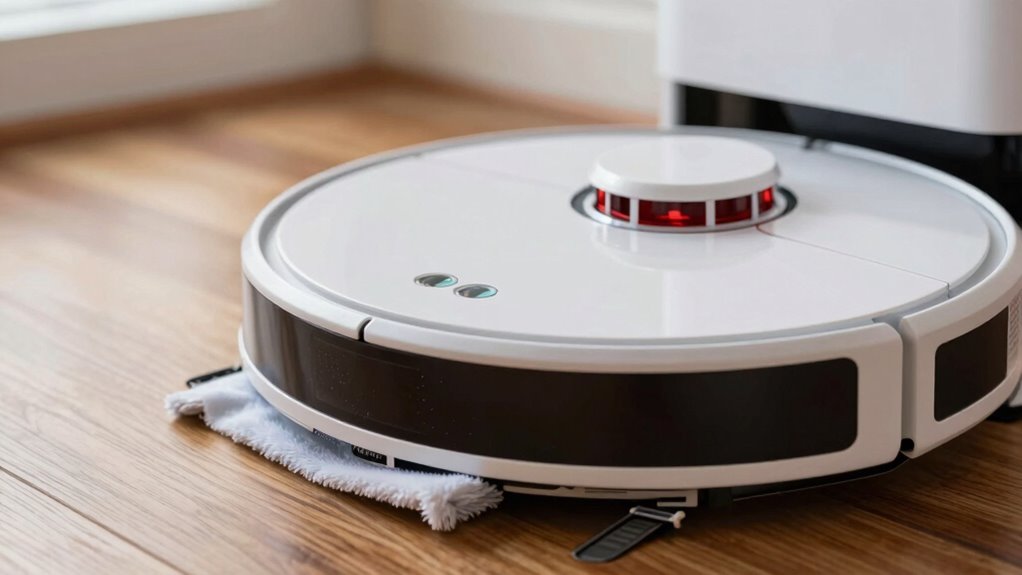
To clean your robot vacuum sensors safely, turn off and unplug the device first. Use a soft microfiber cloth or specialized sensor cleaning tools to gently wipe the sensors in straight, smooth motions. Avoid using harsh chemicals, abrasive materials, or excessive moisture. If dust builds up, carefully use compressed air. Regular cleaning helps keep sensors accurate and your vacuum working efficiently. To find out more tips on maintaining your sensors, keep exploring these helpful suggestions.

Get cleaning gear delivered free — and shop member deals
- Fast, free delivery on millions of items
- Access to Prime Big Deal Days deals on October 6–7
- Prime Video, Amazon Music and more included
Key Takeaways
- Turn off and unplug the robot vacuum before cleaning to prevent accidental activation.
- Use a soft microfiber cloth or specialized sensor cleaning tool for gentle wiping.
- Lightly dampen cloths with water or manufacturer-approved solutions; avoid excessive moisture.
- Gently wipe sensors in straight, smooth motions without applying pressure or scrubbing.
- Clean sensors regularly (weekly or biweekly) to maintain optimal performance and prevent damage.
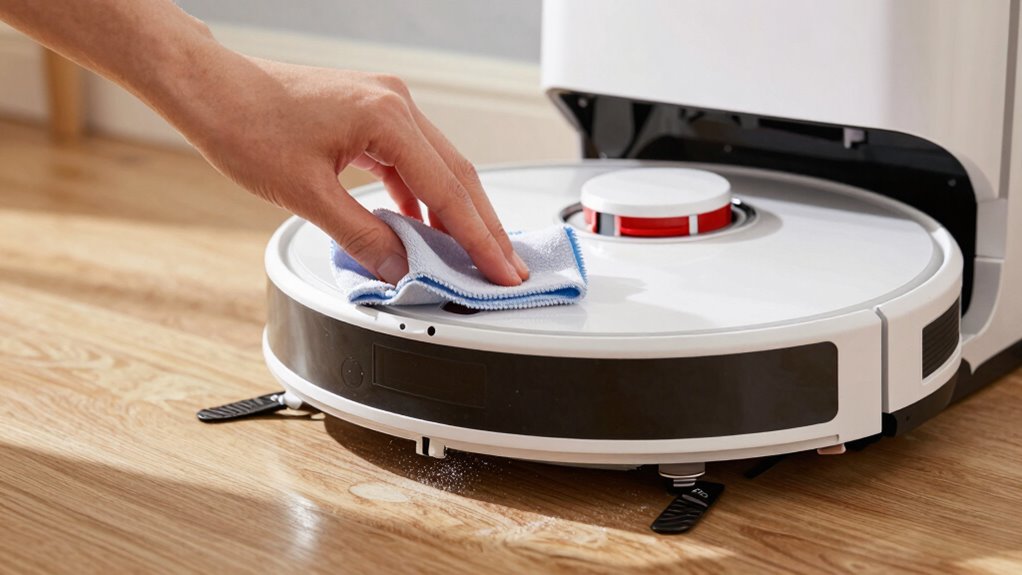
Robot vacuum sensors are essential for your device to navigate efficiently, but dust and debris can impair their performance. If your vacuum starts missing spots or bumping into furniture more often, it’s a clear sign that the sensors need attention. Proper robot vacuum maintenance isn’t complicated, but neglecting it can lead to poor cleaning results and even damage over time. Regularly cleaning the sensors ensures your device functions at its best, and using the right sensor cleaning tools makes the job easier and safer.
Start by turning off your robot vacuum and unplugging it if possible. This simple step prevents accidental activation during cleaning. Use a soft, dry cloth to gently wipe the sensors, but for stubborn dirt or grime, specialized sensor cleaning tools are highly recommended. These tools are designed specifically for delicate surfaces, helping you remove debris without scratching or damaging the sensors. Compressed air can also be useful for blowing away dust in hard-to-reach areas, but be careful not to use excessive force or moisture, which might harm the sensors.
When cleaning, avoid abrasive materials like paper towels or rough cloths, as they can scratch the sensors. Instead, opt for microfiber cloths or sensor cleaning tools with soft tips. If you notice grime that doesn’t come off easily, lightly dampen the cloth with water or a manufacturer-approved cleaning solution—never apply liquids directly to the sensors. Gently wipe the sensors in a straight, smooth motion, avoiding circular scrubbing that might damage the delicate components. Regular cleaning of the sensors also helps prevent the buildup of dust and debris, which can impair their ability to function properly over time. Additionally, understanding the sensor design of your specific model can help you clean more effectively and avoid damaging sensitive parts. Knowing the sensor placement can also guide you to target areas that typically gather more dust. It’s also helpful to keep in mind that sensor calibration may be necessary after cleaning to maintain optimal performance. Moreover, staying informed about your vacuum’s sensor specifications can assist in choosing the most suitable cleaning methods and tools.
Incorporating regular sensor cleaning into your robot vacuum maintenance routine keeps your device operating smoothly. Depending on your environment, you might need to clean the sensors weekly or biweekly. If you have pets or live in a dusty area, more frequent cleaning may be necessary. Always check your vacuum’s user manual for specific cleaning instructions and recommended tools, as different models can have varying sensor designs.
Using the right sensor cleaning tools not only protects delicate parts but also ensures you remove all debris thoroughly. Proper maintenance extends the lifespan of your robot vacuum and maintains its navigational accuracy. Remember, gentle handling is key—aggressive scrubbing or the use of harsh chemicals can permanently damage sensors, leading to costly repairs. Regular, careful cleaning is the best way to keep your robot vacuum sensors clean, functional, and reliable, so your device can do its job effectively every time.
robot vacuum sensor cleaning tools
As an affiliate, we earn on qualifying purchases.
As an affiliate, we earn on qualifying purchases.
Frequently Asked Questions
How Often Should I Clean My Robot Vacuum Sensors?
You should clean your robot vacuum sensors weekly to prevent dust accumulation from affecting sensor calibration. Regular cleaning guarantees the sensors stay accurate, helping your vacuum navigate efficiently. If you notice it’s missing spots or bumping into objects, it’s a sign to clean the sensors more often. Use a soft cloth or a brush to gently remove dust, avoiding any damage that could impair sensor performance.
Can I Use Alcohol to Clean Sensor Lenses?
Yes, you can use alcohol for sensor cleaning, but only with caution. Use a small amount of isopropyl alcohol on a soft, lint-free cloth to gently clean sensor lenses. Avoid alcohol usage on other parts or in excess, as it can damage delicate components. Make sure the sensors are completely dry before operating the robot vacuum again. Proper sensor cleaning helps maintain ideal navigation and cleaning performance.
What Tools Are Safest for Sensor Cleaning?
For sensor cleaning, safe cleaning tools include a soft microfiber cloth or a gentle brush to remove dust without scratching. Use a dry cloth first, then lightly dampen it with water or 70% isopropyl alcohol for stubborn dirt, following sensor cleaning tips. Avoid sharp objects or harsh chemicals. This guarantees effective cleaning while protecting your sensors from damage, keeping your robot vacuum functioning at its best.
Do Sensor Cleaning Methods Vary by Robot Brand?
Sensor cleaning methods do vary by robot brand because each may have different sensor calibration requirements and compatibility issues. You should always follow the manufacturer’s instructions to prevent damaging your device. Using the correct tools and cleaning techniques guarantees you preserve sensor accuracy and functionality. Always check your specific brand’s guidelines to guarantee compatibility, and avoid harsh chemicals that could harm the sensors or interfere with calibration.
Can Dirty Sensors Cause Navigation Issues?
Sure, dirty sensors can definitely cause navigation issues—ironic, isn’t it? Dust accumulation and poor sensor calibration can make your robot vacuum lose its way or bump into furniture. So, while you might think it’s doing a perfect job, dirty sensors might be secretly sabotaging its efficiency. Regularly cleaning and calibrating sensors guarantees smooth navigation and prevents those frustrating missed spots or collisions.
Conclusion
Now that you know how to clean your robot vacuum sensors correctly, you can keep your device operating like a superhero—clean, sharp, and unstoppable! Forget dust bunnies and missed spots; with just a little care, your robot will conquer dirt and debris like a cleaning ninja. Don’t let dirty sensors sabotage your cleaning power—give them the superstar treatment they deserve! Keep those sensors spotless, and your robot will perform miracles every time you press start!
Fall Picks
fall essentials
As an affiliate, we earn on qualifying purchases.