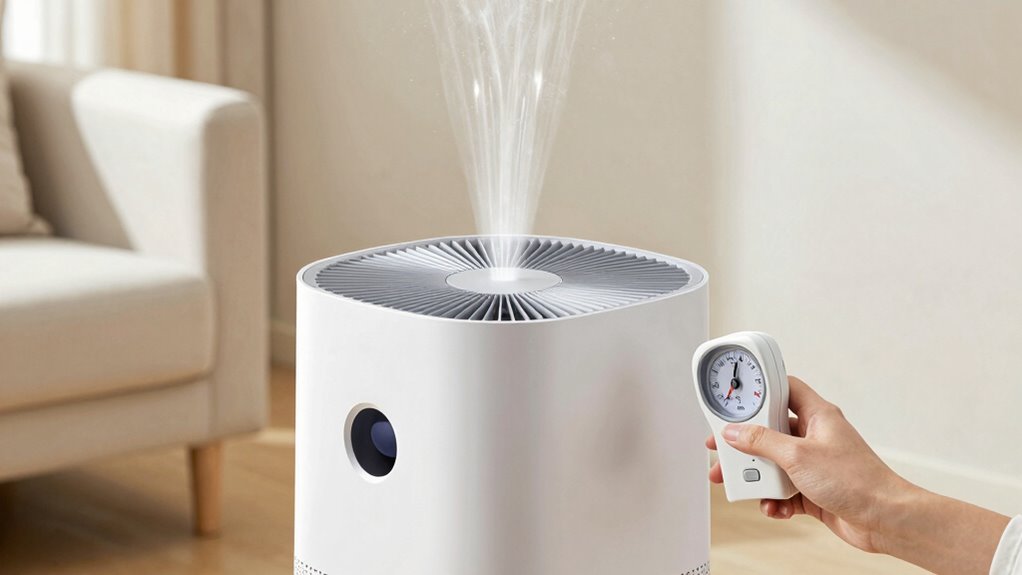

To check if your air purifier is pulling enough air, start by placing it in an open space away from walls and furniture. Listen for a steady hum; inconsistent or faint sounds may signal a problem with the fan. You can also test airflow by holding a lightweight paper or tissue near the outlet—if it flutters or gets pulled in, airflow is good. For more tips on maintaining peak performance, there’s more to explore.

Get cleaning gear delivered free with Prime
- Fast, free delivery on millions of items
- Prime Video, Amazon Music and more included
- Member-only deals all year
Key Takeaways
- Ensure the device is placed in an open area free from obstructions for optimal airflow.
- Listen for a steady hum; irregular sounds may indicate airflow issues.
- Use light paper or tissue near the outlet; movement signifies good airflow.
- Inspect filters regularly for dust or debris; clean or replace as needed.
- Check device indicators or performance alerts that signal low airflow levels.

If you’re concerned that your air purifier isn’t working effectively, the first step is to verify whether it’s pulling enough air through its filter. Airflow efficiency is essential because it determines how well the device can clean the air in your space. When an air purifier isn’t pulling enough air, pollutants can linger, reducing its overall effectiveness. To check this, start by inspecting the device’s placement. Ensure it’s positioned in an open area, away from walls or furniture that could obstruct airflow. An obstructed inlet or outlet can greatly diminish airflow efficiency, making the purifier less able to cycle air through its filter properly.
Next, listen for any unusual noises or a lack of sound when the fan is on. A well-functioning purifier should produce a steady, consistent hum. If the noise is faint or irregular, it might indicate the fan isn’t working at full capacity, which can compromise airflow. Many models have adjustable fan speeds—try increasing the speed and see if it improves airflow. If it does, your purifier might have been operating at a lower setting, which isn’t ideal for air quality, especially in environments with higher pollutant levels.
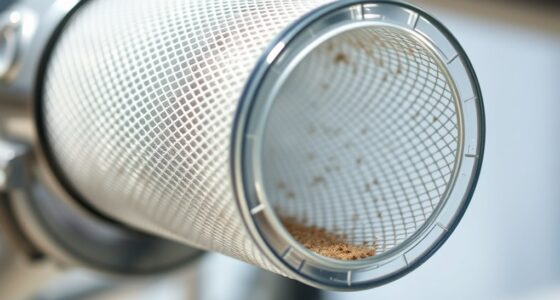
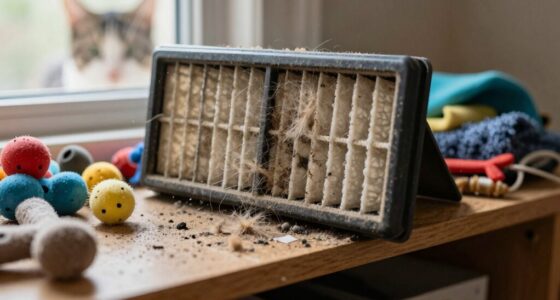
Another way to assess airflow efficiency is to check the filter. A clogged or dirty filter restricts airflow, making the purifier work harder without improving air quality. Regular filter replacement is vital—most manufacturers recommend changing filters every 6 to 12 months, depending on usage and air quality. If your filter looks coated with dust or debris, it’s time for a replacement. A fresh filter restores proper airflow and guarantees your purifier functions as intended. Regularly inspecting filter cleanliness can help you catch issues early and maintain optimal performance.
You can also perform a simple test by placing a lightweight piece of paper or tissue near the air outlet. If the paper flutters or is pulled toward the outlet, your purifier is pulling air effectively. If not, it suggests reduced airflow, possibly due to a dirty filter or other obstructions. Remember, even if your filter looks clean, it might still be clogged internally or be of poor quality, so replacing it periodically is key. Ensuring proper airflow is maintained is crucial for the device’s overall efficiency and your indoor air quality.
Additionally, understanding airflow performance indicators can help you better evaluate your device’s efficiency and troubleshoot issues more effectively. Finally, consult your device’s user manual for specific airflow performance indicators. Some purifiers have indicator lights that alert you when airflow drops below ideal levels. Maintaining good airflow efficiency through timely filter replacement and proper placement will guarantee your air purifier performs at its best, providing cleaner, healthier air in your environment.
As an affiliate, we earn on qualifying purchases.
Frequently Asked Questions
Can a Filter Blockage Affect Air Intake Efficiency?
Yes, a filter blockage can considerably affect your air intake efficiency. When filters aren’t maintained properly, they become clogged, restricting airflow and reducing the purifier’s performance. Regular filter maintenance guarantees ideal airflow, preventing blockages that hinder airflow enhancement. By keeping filters clean, you allow your air purifier to work effectively, pulling in more air and improving indoor air quality. So, don’t neglect filter checks for the best results.
How Often Should I Clean or Replace the Purifier’s Filters?
Ever wonder how often you should clean or replace your purifier’s filters? Typically, you should check the filter lifespan and follow the manufacturer’s maintenance schedule—usually every 3 to 6 months for standard filters. Regular maintenance ensures best airflow and air quality. If you notice decreased air output or musty odors, it’s time to clean or replace your filters sooner. Staying on top of this keeps your purifier working efficiently.
Does Room Size Impact the Air Purifier’s Airflow Requirements?
Yes, room size impacts your air purifier’s airflow requirements. For proper airflow optimization, you need a unit rated for your room’s size; otherwise, it won’t clean the air effectively. Larger rooms demand higher airflow rates, so choosing an air purifier with sufficient capacity ensures better air quality. Ignoring room size importance can lead to poor filtration, making it harder to breathe comfortably and reducing the purifier’s overall effectiveness.
Are Noise Levels Related to Airflow Issues?
Noise levels often dance in tune with airflow, acting like a telltale whisper on the wind. When your air purifier’s airflow is sluggish, expect more airflow noise, turning it into a noisy neighbor in your quiet space. Conversely, if it’s too loud, it might be working overtime, stressing the motor. Keep an ear out for unusual sounds—they’re like red flags signaling your purifier needs a tune-up for peak sound levels.
What Signs Indicate My Purifier Isn’T Pulling Enough Air?
If your air purifier isn’t pulling enough air, you’ll notice decreased airflow, longer cleaning times, or a persistent musty smell. Check your air quality sensors; if they show poor air quality despite the purifier running, it’s a sign. Also, make certain your fan speed settings are on high or appropriately adjusted. If airflow still seems weak, clean or replace filters, as dirty filters can restrict airflow and reduce efficiency.
Conclusion
So, next time you marvel at your spotless air, remember—if your purifier isn’t pulling enough air, it’s just pretending to clean. It’s ironic how something meant to purify can be so ineffective without proper airflow. Don’t be fooled by the sleek exterior; check the airflow regularly. After all, a stylish device isn’t worth much if it’s just sitting there, quietly doing nothing. Make sure your air purifier actually does its job—airflow is key!
Halloween Picks
halloween
As an affiliate, we earn on qualifying purchases.