This guide shows you how to set up a new cordless stick vacuum, use it correctly across different floor types and surfaces, and maintain it so suction power and battery runtime stay strong. It is written for beginners — no prior experience with vacuum cleaners is required.

Get cleaning gear delivered free with Prime
- Fast, free delivery on millions of items
- Prime Video, Amazon Music and more included
- Member-only deals all year

Roborock H60 Hub Ultra-N Cordless Stick Vacuum with Auto-Empty Dock
- ✔ Suction power: 210 AW
- ✔ Runtime: Up to 90 minutes
- ✔ Dust bag capacity: 3 L, up to 100 days

Cordless Stick Vacuum Cleaner with 300 AW Suction and 65-Minute Runtime
- ✔ Suction power: 300 AW
- ✔ Runtime: Up to 65 min eco / 25 min max
- ✔ Charging time: 4 hours

Shark Pet Cordless Stick Vacuum, IX141
- ✔ Model: IX141
- ✔ Runtime: Up to 40 minutes (handheld, standard mode)
- ✔ Type: Converts from stick to handheld
A cordless stick vacuum is a lightweight, battery-powered cleaner with a stick-style body and a removable dustbin. Unlike a corded upright, it converts quickly to a handheld unit and works well for quick daily cleanups, hard floors, area rugs, and car interiors. Done correctly, a good routine takes 15 to 20 minutes and keeps visible debris, dust, and pet hair under control between deeper cleans.
By the end of this guide, you will have your vacuum assembled and charged, know the correct technique and settings for each surface in your home, understand how to empty and clean the unit without damaging it, and know how to store and recharge it properly. The full setup takes 30 to 45 minutes, most of which is charging time.
Difficulty: Beginner | Time: 30-45 minutes for setup; 15-20 minutes per cleaning session
What You’ll Need
Tools & Materials:
- A cordless stick vacuum with all included parts (charging dock or adapter, floor head, crevice tool, upholstery brush if included)
- A wall outlet near your storage spot, ideally within reach of the charging dock
- A screwdriver and wall anchors if wall-mounting the dock (most units also stand freely)
- A trash bin for emptying the dustbin
- Optional: scissors or a seam ripper for cutting tangled hair from the brush roll
- Optional: a small dry brush or soft cloth for cleaning the filter
Knowledge:
- No special skills required — you should be able to plug in a charger, snap parts together, and read a charge indicator light
- Basic awareness of your home’s floor types (hard floor vs. carpet) so you can pick the right suction mode
Unbox the vacuum on a clear floor or table and check the parts against the manual’s included-items list before charging. Keep the box until you have confirmed the vacuum powers on and holds a charge, in case of a return. If the battery arrived partially drained, that is normal and safe.
Important: Do not charge the vacuum on carpet, bedding, or near heat sources. Use a hard, ventilated surface — lithium batteries get warm while charging, and this is safe only with airflow around the unit.
Roborock H60 Hub Ultra-N Cordless Stick Vacuum with Auto-Empty Dock
The Roborock H60 Hub Ultra-N earns our top spot because it solves the problems most cordless vacuums ignore. The standout feature is the auto-empty dock: after each cleaning session, the vacuum deposits debris into a sealed 3L bag that can last up to 100 days. Compared with the 300 AW model’s 1.7L bin — which you’ll empty by hand, repeatedly — this is a fundamentally different ownership experience, especially for allergy sufferers who dread dust clouds at the trash can.Its 210 AW of suction trails the 300 AW model on paper, but the 9-cone cyclone system and V-shaped anti-tangle roller translate that power into consistent real-world pickup on both hard floors and carpet. The runtime story is stronger: up to 90 minutes beats both competitors, and with a rating of up to 1,000 charge cycles, the detachable battery is built for years of use rather than seasons.The tradeoffs are real, though. You’ll need to buy replacement dust bags as an ongoing expense, and like any multi-mode vacuum, runtime and cleaning performance vary significantly between ECO and MAX modes. The dock also takes up floor space that a freestanding or wall-mounted unit like the Shark IX141 doesn’t demand. Still, for whole-home cleaning with minimal daily friction, this pick makes the most sense of the three.
Pros:
- Auto-empty dock with a sealed 3L bag lasting up to 100 days
- Up to 90 minutes of runtime with a detachable, long-life battery
- Anti-tangle V-shaped roller handles pet hair effectively
- Five-stage filtration removes 99.95% of particles
Cons:
- Replacement dust bags are a recurring expense
- Runtime and performance drop noticeably in MAX mode
- The dock requires dedicated floor space
Best for: Homeowners who want a set-it-and-forget-it cleaning routine, especially those with pets or allergies
Not ideal for: Buyers who refuse ongoing consumable costs or need maximum suction for deep carpet cleaning
Bottom line: The most complete package here — best for buyers who value convenience and runtime over raw power.
“The most complete package here — best for buyers who value convenience and runtime over raw power.”
Cordless Stick Vacuum Cleaner with 300 AW Suction and 65-Minute Runtime
If your home is carpet-heavy or you battle embedded pet hair, this 300 AW cordless stick vacuum is the muscle car of the lineup. That suction figure is the highest here — roughly 43% more than the Roborock — and it shows up where it matters: digging debris out of rugs and high-pile carpet rather than just skimming hard floors. The anti-tangle V-shaped brush and green headlight round out a cleaning head clearly designed for serious pickup.What separates this model from the Roborock isn’t just power — it’s intelligence. The Auto mode senses floor conditions and adjusts suction on the fly, so you can move from tile to area rugs without stopping to change settings, and the LED touchscreen keeps battery life and maintenance status visible at a glance. At 5.5 pounds with a self-standing design and adjustable height from 32 to 45 inches, it’s also more ergonomic for a wider range of users than the Shark, which offers no height adjustment.The catch is endurance. That 65-minute runtime applies to eco mode only; in max mode you get roughly 25 minutes before recharging, and a full recharge takes 4 hours. For large homes, that means planning cleaning sessions around power modes or accepting a second sweep later. HEPA filtration and a solid accessory kit — crevice tool, 2-in-1 brush, sofa brush — make it versatile for stairs, upholstery, and cars, but this option stands out for power-first buyers, not marathon cleaners.
Pros:
- Highest suction in the lineup at 300 AW
- Auto mode adjusts suction to floor conditions automatically
- Self-standing design with adjustable height and LED touchscreen
- HEPA filtration plus accessories for floors, upholstery, stairs, and cars
Cons:
- Runtime drops to roughly 25 minutes in max mode
- Full recharge takes 4 hours
- Manual bin emptying with a 1.7L capacity
Best for: Carpet-heavy homes and pet owners who need maximum suction for deep, targeted cleaning
Not ideal for: Large homes requiring long whole-house sessions in max mode
Bottom line: The most powerful cleaner here — ideal when pickup performance matters more than runtime.
“The most powerful cleaner here — ideal when pickup performance matters more than runtime.”
Shark Pet Cordless Stick Vacuum, IX141
The Shark IX141 plays a different game entirely. Where the Roborock piles on automation and the 300 AW model chases power figures, this vacuum focuses on doing the basics well in a simple, lightweight package. HyperVelocity suction and a bristle brushroll handle both carpets and hard floors capably for everyday messes, and the XL dust cup means fewer trips to the trash can than you’d expect from a compact unit.Its signature move is the 2-in-1 conversion to a handheld vacuum. Detach the wand and you’ve got a capable handheld for stairs, furniture, and car interiors — a flexibility the other two picks partially match with attachments but don’t replicate as cleanly. The included Pet Multi-Tool is genuinely useful for embedded pet hair on upholstery, and the CleanTouch Dirt Ejector lets you empty the bin without touching dirt. LED headlights and freestanding storage complete a no-nonsense design.Be realistic about the runtime, though: the 40-minute figure was measured in handheld standard mode, meaning full stick-mode sessions with the powered brushroll will likely run shorter. There’s also no auto mode, no touchscreen, and no auto-empty dock — this is a manual, straightforward machine. Compared with the 300 AW model, it cleans less aggressively on carpet; compared with the Roborock, it demands more frequent bin emptying. But for apartments, quick daily tidy-ups, and above-floor cleaning, this model is better suited than either premium rival.
Pros:
- Converts to a handheld vacuum for stairs, furniture, and cars
- Lightweight with compact freestanding storage
- Pet Multi-Tool handles embedded pet hair on upholstery
- LED headlights reveal hidden debris; CleanTouch Dirt Ejector keeps hands clean
Cons:
- 40-minute runtime was measured in handheld standard mode
- No auto suction adjustment or smart features
- Less powerful on carpet than the higher-suction picks
Best for: Apartment dwellers and anyone wanting a lightweight vacuum for quick daily cleans and above-floor tasks
Not ideal for: Large carpeted homes or buyers who want premium features like auto mode and auto-empty
Bottom line: A simple, flexible daily driver that trades power and automation for light weight and ease of use.
“A simple, flexible daily driver that trades power and automation for light weight and ease of use.”
As an Amazon Associate we earn from qualifying purchases.
Before You Start
Read the battery section of your manual before the first charge. Some manufacturers recommend a full initial charge of 3 to 5 hours before first use; others ship batteries ready to go. Charging incorrectly from the start can shorten battery life, so this one page is worth reading.
Also note two safety points: never vacuum water or wet debris with a dry-use stick vacuum, and never operate the vacuum without the filter installed — debris pulled into the motor causes permanent damage and usually voids the warranty.
Step-by-Step Instructions
Step 1: Charge the battery fully before first use
Dock the vacuum on its charging stand or plug the charging adapter directly into the charging port, then plug the adapter into a wall outlet. Watch for the charging indicator light — it typically pulses or glows amber while charging and turns solid green or goes out when the battery is full. Leave the vacuum charging until it reaches a full charge, which takes 3 to 5 hours on most models.
If your model has a removable battery, you can charge the battery alone on the dock instead of the whole vacuum — useful if you store the vacuum in a closet away from an outlet.
Tip: Do a full first charge even if the battery shows partial charge out of the box. A complete first cycle helps the battery gauge calibrate correctly.
Check: The indicator light shows a full-charge state (solid green, white, or off, depending on the model) and stays that way after you unplug and replug the charger.
Step 2: Assemble the vacuum and attach the floor head
With the vacuum off, slide or click the extension wand onto the main body until it locks with an audible click. Then attach the floor head to the bottom of the wand the same way. Check that both connections are firm — a loose wand or head will rattle, reduce suction at the floor, or detach mid-use.
If your model arrived preassembled, skip to testing the connection: hold the vacuum by the handle and give the floor head a gentle tug. Nothing should separate.
Tip: Most connections are one-way — if a part does not click in, do not force it. Rotate it 180 degrees and try again.
Check: All parts click firmly into place and the vacuum stands upright on its own or rests stably against a wall.
Step 3: Test power and suction modes on a hard floor
Press and hold the power button (some models require a 2 to 3 second hold on first use). The brush roll or suction should start immediately. Cycle through the modes — most vacuums have Eco, Medium, and Max/Boost — using the mode button. Start on the lowest mode for your first pass.
Tilt the vacuum back so the floor head lies flat and push it forward and back across a small patch of hard floor. You should hear steady suction and, if the brush roll spins, a low whirring sound with no grinding or rattling.
Tip: Save Max mode for stubborn debris and short bursts. Max mode drains most batteries in 10 to 15 minutes or less, while Eco mode can run 40 to 60 minutes.
Check: The vacuum powers on, switches between modes, and visibly picks up crumbs or debris from the hard floor on the first pass.
Step 4: Clean hard floors with slow, overlapping strokes
Set the vacuum to its standard or Eco mode for hard floors. If your floor head has a hard-floor setting or a switch to retract or slow the soft rollers, use it. Push the vacuum forward and pull it back in straight, overlapping strokes — each pass should overlap the previous one by a few inches. Move at walking pace or slower: stick vacuums pick up most debris on the pull-back stroke, and rushing leaves fine dust behind.
Work from the far corner of the room toward the door so you never clean over your own footprints. Angle the floor head to run parallel to baseboards to catch edge dust.
Tip: Large debris like cereal or leaves is easier to pick up by approaching it slowly head-on. Charging at it fast often scatters it.
Check: The floor shows no visible crumbs, hair, or dust trails after a single pass over each section.
Step 5: Switch to the right mode and technique for carpet and rugs
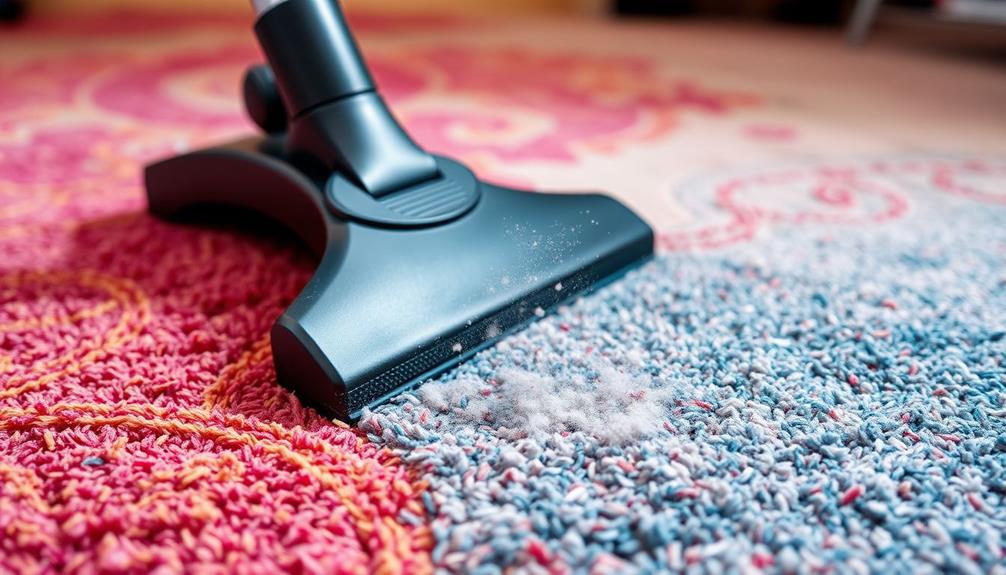
For low-pile carpet and area rugs, activate the brush roll (many vacuums auto-detect carpet; others have a carpet mode button). Use Medium mode for routine cleaning. Push the vacuum forward, then pull back slowly — the pull-back stroke is when the spinning brush pulls embedded dirt out of the fibers, so make it the slower of the two.
For high-pile carpet, stay in Medium mode and make two passes in perpendicular directions if the carpet looks flattened or dusty. If the vacuum is hard to push, the suction is sealing to the carpet — reduce to Eco mode rather than forcing it.
Tip: Run a hand over the rug afterward. If it feels gritty or you see dust when you lift the rug edge, do a second pass.
Check: Carpet fibers stand up rather than lying flat, and a hand test picks up no grit.
Step 6: Convert to handheld mode for furniture, stairs, and the car
Power off the vacuum, then press the release button on the wand and detach the floor head. Click on the crevice tool for gaps, baseboards, and car seats, or the upholstery brush for sofa cushions, curtains, and lampshades. Hold the main unit by its built-in handle — it now works as a handheld vacuum.
For stairs, work from the top down so falling debris lands on uncleaned steps. Use short, scraping strokes with the crevice tool along stair edges and corners where dust collects.
Tip: This is where a stick vacuum beats a corded upright — use it daily for crumbs on the couch or the car floor rather than saving it for weekly cleans.
Check: Upholstery and crevices show no visible crumbs, hair, or dust lines when you view them at an angle under a light.
Step 7: Empty the dustbin when it reaches the max line
Power off the vacuum and hold the dustbin over a trash bin. Press the bin-release button and pull the bin off the body, then press the bottom hatch release to let debris drop out. Tap the bin sides gently to dislodge stuck dust. Never let debris rise past the Max fill line — an overfilled bin blocks airflow, kills suction, and forces debris into the filter.
For fine dust like flour or coffee grounds, empty the bin outdoors or into a bag held around the bin opening to avoid a dust cloud back into the room.
Tip: Empty after every full-cleaning session rather than waiting for the Max line. This alone prevents most suction-loss complaints.
Check: The bin is empty, the hatch clicks shut firmly, and the bin reseats on the vacuum with a click.
Step 8: Clean the filter on a regular schedule
Remove the filter — usually located behind the dustbin or at the rear of the unit — by twisting or pulling it free per the manual. Tap it against the inside edge of a trash bin to knock out loose dust. If the manual says the filter is washable, rinse it under cold water only, with no soap, then let it air-dry completely for 24 to 48 hours before reinstalling.
Wash the washable filter every 4 to 8 weeks with regular use, and replace it every 6 to 12 months depending on the manufacturer’s schedule. Non-washable filters should be replaced, never rinsed.
Tip: Never reinstall a damp filter — moisture reaching the motor causes damage and mildew odor. When in doubt, wait another day.
Check: The filter is dry, free-flowing air passes through it when you blow gently, and it seats back into position without gaps.
Step 9: Store the vacuum on its dock, charging between uses
Return the vacuum to its wall dock or free-standing charger after each use so it is always fully charged for the next session. Store it in a dry indoor spot away from direct sunlight, heat vents, and freezing temperatures — extreme heat and cold both degrade lithium batteries.
Coil the charger cable loosely on the dock hook if one is provided; tight kinks damage the cable over time.
Tip: If you plan to store the vacuum unused for a month or longer, charge the battery to about half first. Storing a battery fully dead or fully full for long periods shortens its lifespan.
Check: The charge light shows a charging state whenever the vacuum is docked, and the vacuum starts with a full-battery reading the next time you power it on.
Common Mistakes to Avoid
- Running the vacuum in Max mode for entire cleaning sessions. — Use Eco or Medium mode for routine cleaning and reserve Max for short bursts on stuck-on debris. This triples or quadruples your effective runtime and reduces battery wear.
- Emptying the dustbin only when it is completely full. — Empty after each full cleaning session, or whenever debris nears the Max line. A full bin chokes airflow, weakens suction, and pushes dust into the filter.
- Reinstalling a filter that is still damp after washing. — Air-dry washable filters for a full 24 to 48 hours, and keep a dry spare filter if possible so you are never tempted to reinstall early.
- Vacuuming wet spills, ashes, or large sharp objects. — Sweep up wet or messy debris by hand. Water destroys dry-use motors, and fine ash clogs filters instantly. Check the manufacturer’s list of prohibited materials.
Troubleshooting
Problem: Suction has weakened noticeably.
Solution: Work through this checklist in order: empty the dustbin, check the filter for caking and wash or replace it, inspect the wand and floor head for a trapped sock or clump of hair, and cut tangled hair off the brush roll with scissors. One of these clears the large majority of suction-loss cases.
Problem: The brush roll has stopped spinning.
Solution: Power off and unplug the vacuum, then turn the floor head over and cut away hair and string wrapped around the brush roll ends with scissors. Check that nothing is jammed beneath the roll. If the roll is clear but still will not spin, some models have a reset button on the head — press it and test again.
Problem: The battery runs out far faster than the advertised runtime.
Solution: Confirm you are not using Max mode for whole sessions, and note that advertised runtimes assume Eco mode with a non-motorized tool attached. If runtime has degraded over months, check whether the battery is removable and replaceable — most brands sell replacements, and a new battery typically restores original runtime.
Problem: The vacuum will not turn on even though it was charged.
Solution: Check that the battery is fully clicked into the body, test the outlet with another device, and confirm the filter and dustbin are seated correctly — many models have safety cutoffs that prevent startup when parts are misaligned. If the charging light never comes on, the charger or charging contacts may be dirty; wipe the contacts with a dry cloth.
What Success Looks Like
Your setup and routine are working correctly when all of the following are true:
- The vacuum starts instantly on the first button press and shows a full or near-full battery reading after docking overnight.
- Hard floors show no visible debris or dust trails after one slow pass per section, and carpet fibers stand upright rather than lying flat.
- The vacuum completes your typical cleaning area on one charge without needing Max mode, or you recharge mid-session as a planned step.
- The dustbin is emptied after each session, the filter is clean and unrestricted, and there is no burning smell, rattling, or grinding during use.
Next Steps
Establish a short daily routine — a 10-minute pass over high-traffic areas in Eco mode — and a weekly deeper session including handheld detailing of furniture, stairs, and baseboards. Add monthly tasks to your calendar: wash the filter, cut hair from the brush roll, and wipe the sensors and charging contacts.
Purchase a spare filter and, if your model allows, a second battery so you can clean large homes in one session. Mark the filter replacement date on your calendar 6 to 12 months out.
If the vacuum loses suction after all filter and brush-roll maintenance, or the battery refuses to hold any charge, contact the manufacturer’s support — motor and battery issues within the warranty period are usually repaired or replaced at no cost.
Frequently Asked Questions
Should I leave my cordless stick vacuum on the charger all the time?
For most modern models, yes — the manufacturer designs the dock for constant storage and the battery management system stops charging when full. Check your manual to confirm. If your model uses older battery technology or the manual advises against continuous charging, unplug it once full and recharge before use.
Can a cordless stick vacuum replace a full-size corded vacuum?
It depends on your home. For apartments and homes that are mostly hard flooring with some area rugs, a good stick vacuum can be the only vacuum you need. For large homes with wall-to-wall carpet, pets that shed heavily, or deep-cleaning needs, a stick vacuum works best as a daily tool alongside a corded vacuum or carpet cleaner used weekly or monthly.
How often should I empty the dustbin and clean the filter?
Empty the dustbin after every cleaning session, or whenever debris reaches the Max line. Tap the filter clean weekly, wash a washable filter every 4 to 8 weeks, and replace filters every 6 to 12 months per the manufacturer’s schedule. Pet-heavy households should follow the short end of every interval.
Why does my battery die in 10 minutes when the box says 60 minutes?
Advertised runtimes are measured in the lowest suction mode, often with a non-motorized attachment. Using Max mode with the powered floor head can cut runtime to 10 to 15 minutes. Switch to Eco or Medium mode for routine cleaning and the runtime will roughly triple.
Can I use a stick vacuum on wet spills?
No, unless the manufacturer explicitly rates the model for wet pickup. Standard cordless stick vacuums are dry-use only — water damages the motor and filter immediately and typically voids the warranty. Sweep or mop wet spills by hand.
Halloween Picks
halloween
As an affiliate, we earn on qualifying purchases.