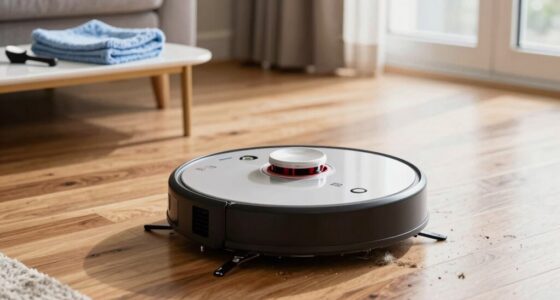
To use virtual walls and no-go zones effectively, start by accessing your robot’s companion app and creating a detailed home map. Identify areas you want to restrict, such as pet bowls or fragile decorations, and set virtual boundaries directly on the digital map. Adjust these zones easily as your home changes, and customize restrictions for different times. This helps your robot clean efficiently while protecting your belongings—continue exploring for tips to optimize your setup.

Get cleaning gear delivered free with Prime
- Fast, free delivery on millions of items
- Prime Video, Amazon Music and more included
- Member-only deals all year
Key Takeaways
- Use the companion app to precisely set virtual walls or no-go zones on the digital home map.
- Identify and restrict sensitive or cluttered areas to prevent accidental entry during cleaning.
- Adjust boundaries easily in the app when furniture or room layouts change, avoiding physical barriers.
- Set different restrictions for specific times or days to optimize cleaning schedules and home safety.
- Regularly update virtual boundaries to maintain efficient navigation and protect fragile belongings.
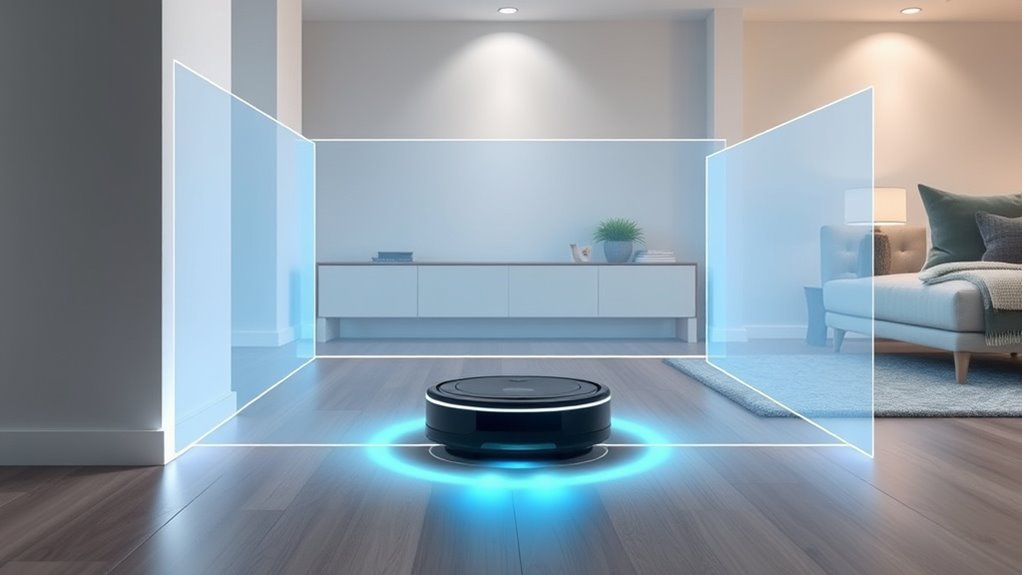
Virtual walls and no-go zones are powerful tools that help you control where your robot vacuum cleans, preventing it from entering restricted areas. These features rely heavily on advanced robot mapping technology, which allows your device to create a detailed map of your home. When you set up virtual walls, you’re fundamentally drawing invisible boundaries that the robot recognizes as off-limits. This boundary customization ensures your vacuum avoids areas like pet bowls, delicate decorations, or cluttered spaces without needing physical barriers. By integrating robot mapping with boundary customization, you gain precise control over cleaning patterns, saving you time and frustration.
Using virtual walls effectively begins with understanding your home’s layout. Most robot vacuums with mapping capabilities allow you to see a digital map of your space through a companion app. You can identify specific rooms or zones that need to be off-limits. Once you’ve pinpointed these areas, you can set virtual walls or no-go zones directly on the map. This process is intuitive—simply select the zones you want to restrict and activate the virtual boundary feature. The robot’s software then uses this data to navigate intelligently, avoiding these zones during cleaning cycles. This method ensures your vacuum doesn’t accidentally bump into fragile items or disturb pet feeding areas, maintaining your home’s order and safety.
Set virtual walls using your app to prevent your robot vacuum from entering specific rooms or zones.
Boundary customization is especially useful if you frequently rearrange furniture or introduce new items into your living space. Instead of physically blocking off sections, you can update your virtual walls in the app, making adjustments quick and easy. This flexibility allows you to adapt your cleaning routines without the hassle of repositioning physical barriers. Additionally, many models allow you to set different restrictions for different times of the day or specific days, giving you even more control. For instance, you might restrict access to the nursery during nap times or prevent the robot from entering a home office when you’re working.
Incorporating these features into your routine minimizes the need for constant supervision. You can set boundaries once and trust that your robot vacuum will respect them during every cleaning session. The combination of robot mapping and boundary customization ensures your vacuum is both efficient and considerate of your home’s unique needs. Ultimately, mastering virtual walls and no-go zones empowers you to customize your cleaning experience, protect your belongings, and keep your home organized—all while enjoying the convenience of a smart, autonomous device.
Products Worth Considering

Roborock F25 BX Cordless Wet Dry Vacuum Mop

Shark HydroVac MessMaster Corded Wet/Dry Vacuum, Mop & Self-Clean (WD161)

Shark Navigator Lift-Away Upright Vacuum Cleaner, NV356E
As an affiliate, we earn on qualifying purchases.
Frequently Asked Questions
Can Virtual Walls Be Customized After Initial Setup?
Yes, virtual wall customization is possible after the initial setup. You can easily adjust virtual wall boundaries to better suit your needs, providing no go zone flexibility. Most robot vacuums allow you to modify these zones through their app or control panel, giving you control over where the device cleans or avoids. This makes managing restricted areas simple and convenient, ensuring your cleaning routine adapts to your changing household needs.
How Do No-Go Zones Affect Robot Cleaning Patterns?
No-go zones markedly impact your robot’s cleaning patterns by guiding obstacle navigation around restricted areas. When you set these zones, the robot avoids them, which helps improve cleaning efficiency, especially in cluttered spaces. It guarantees your robot focuses on accessible areas, reducing missed spots and unnecessary retries. By strategically placing no-go zones, you optimize your robot’s path, resulting in thorough cleaning without wasting time or energy on areas you want to keep off-limits.
Are Virtual Walls Compatible With All Robot Vacuum Brands?
Virtual wall compatibility varies by brand. Not all robot vacuum brands support virtual walls or No-Go Zones, so you need to confirm brand integration features before purchasing. Popular brands like iRobot and Roborock typically offer virtual wall systems, but others might not. Always verify compatibility with your specific vacuum model and brand to ensure seamless operation. This way, you can effectively manage cleaning areas and avoid obstacles.
What Limitations Exist With Using Virtual Walls Indoors?
Did you know virtual walls can sometimes block only 80% of intended areas? Indoor virtual walls face sensor limitations that can reduce boundary accuracy, causing the robot to occasionally cross into restricted zones. This means you might need to reposition virtual walls or use physical barriers for better results. Keep in mind, sensor limitations can affect how precisely your robot vacuum respects no-go zones, so regular adjustments help maintain ideal cleaning.
How Secure Is the Data Used to Create No-Go Zones?
The data used to create no-go zones is generally secure because it’s protected by data encryption, ensuring your information stays private. Manufacturers prioritize user privacy, so they limit data sharing and store it securely. However, it’s wise to check your device’s privacy settings and firmware updates regularly. While no system is completely foolproof, reputable brands aim to keep your data safe and maintain your privacy when setting up virtual walls.
Conclusion
By mastering virtual walls and no-go zones, you’re the captain steering your robot’s journey. Think of these features as your personal gatekeepers, guiding your device like an invisible fence that keeps it on course and out of trouble. When used wisely, they turn chaos into harmony, making cleaning or maneuvering effortless. So, set your boundaries with confidence, and watch your robot glide smoothly—like a ship sailing through calm waters, right where you want it to go.