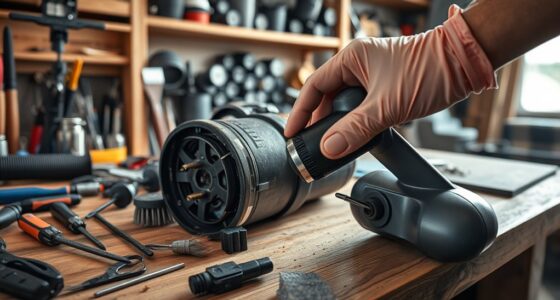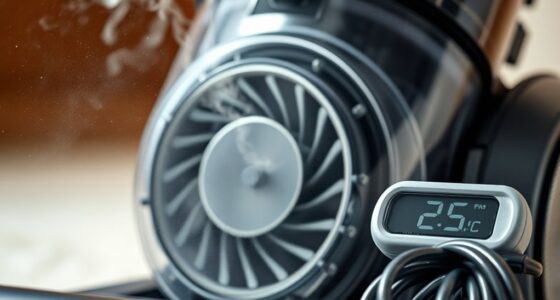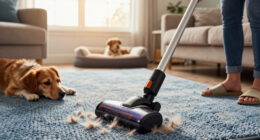

Keeping your Dyson V15 Detect™ Origin cordless vacuum in top condition ensures powerful, efficient cleaning every time. Proper maintenance not only extends the lifespan of your device but also guarantees maximum suction, battery efficiency, and hygienic operation.

Get cleaning gear delivered free — and shop member deals
- Fast, free delivery on millions of items
- Access to Prime Big Deal Days deals on October 6–7
- Prime Video, Amazon Music and more included
In this comprehensive guide, you’ll find practical, step-by-step instructions for routine cleaning, filter replacement, troubleshooting common issues, and expert tips to keep your vacuum running smoothly.
Key Takeaways
| Routine Cleaning | Regularly empty the bin and clean filters to maintain suction. |
| Filter Replacement | Replace pre-filters and V10 filters every 2-3 months for best performance. |
| Battery & Motor Care | Keep the battery charged properly and check for motor issues. |
| Troubleshooting | Identify common problems like loss of suction or strange noises and fix them easily. |
Cleaning the Vacuum Components
- Power Off and Unplug: Ensure the vacuum is turned off and disconnected from any charging source before cleaning.
- Empty the Bin: Detach the dust bin by pressing the button and empty it into a trash can. Rinse with water if necessary, then dry thoroughly.
- Clean the Filters: Remove the pre-filters and V10 filters as per the instructions below. Wash them with cold water and let them air dry completely before reinstalling.
- Wipe the Body and Cleaner Heads: Use a damp cloth to wipe down the vacuum body and cleaner heads, removing dust and debris.
Regular cleaning of these parts prevents buildup and maintains optimal airflow and suction power.
Replacing Filters
Replacing filters in your Dyson V15 Detect™ Origin is essential for maintaining high filtration efficiency and suction power. Use genuine replacement filters compatible with your model.
- Pre-Filters: Replace every 2-3 months. Remove the filter by twisting or pulling it out as per your model’s design. Rinse with cold water, then dry thoroughly before reinserting.
- V10 Filters: If your device uses V10 filters, replace them every 2-3 months as well, especially if you’re noticing decreased performance. The 3-pack set simplifies this process.
Always ensure filters are completely dry before reinstalling to avoid mold or damage.
Troubleshooting Common Issues
If your Dyson vacuum isn’t performing as expected, try these troubleshooting steps:
- Loss of Suction: Check and clean the filters, empty the bin, and inspect for blockages in the wand or cleaner head.
- Strange Noises: Examine the cleaner head and wand for debris or hair tangled around the brush bar or motorized parts. Remove any obstructions carefully.
- Battery Not Charging: Ensure the charger is connected properly. If the battery remains uncharged, consider replacing the battery or contacting Dyson support.
Most issues can be resolved with routine cleaning and filter maintenance.
Maintaining Battery and Motor
Proper battery care maximizes run time and prolongs your vacuum’s lifespan. Always use the original charger and avoid overcharging. Store the vacuum in a cool, dry place when not in use for extended periods.
For the motor, avoid vacuuming large debris that could damage the brush bar or motor components. Regularly inspect the cleaner head for tangled hair or debris, especially if you notice reduced cleaning performance.
Tips & Warnings for Safe Maintenance
- Always turn off and unplug your vacuum before cleaning or changing parts.
- Use only compatible filters and attachments to avoid damage.
- Wash filters with cold water only; do not use detergents or hot water.
- Ensure all parts are dry before reassembly to prevent mold growth.
- If you encounter persistent issues, contact Dyson support instead of attempting complex repairs yourself.
Following these safety tips will help you maintain your vacuum efficiently and safely.
The Products in This Guide

Dyson V15 Detect™ Origin Cordless Vacuum
- ✔ Weight: 6.8 lbs
- ✔ Charge Time: 3.5 hours
- ✔ Filter Type: HEPA-like filtration

LANMU Crevice Tool Vacuum Attachments Compatible
- ✔ Material: Plastic
- ✔ Compatibility: Multiple Dyson models
- ✔ Dimensions: Slim profile
Dyson V15 Detect™ Origin Cordless Vacuum
The Dyson V15 Detect™ Origin offers powerful suction, intelligent debris detection, and a variety of cleaning heads for whole-home deep cleaning. Regular maintenance is key to keeping it performing at its best.
Pros:
- Powerful suction and deep cleaning
- Smart LCD display for maintenance alerts
- Long battery life (60 minutes)
- Includes advanced cleaner heads and crevice tool
Cons:
- Requires regular filter cleaning
- Filter replacements add ongoing costs
- Battery may degrade over time
Best for: Homeowners seeking a versatile, high-performance cordless vacuum
Not ideal for: Users looking for a budget-friendly option or minimal maintenance vacuum
Bottom line: A high-powered, smart vacuum that requires regular maintenance for optimal performance.
LANMU Crevice Tool Vacuum Attachments Compatible
The LANMU Crevice Tool Vacuum Attachments are highly compatible with Dyson models, including the V15 Detect. They help you reach tricky corners, furniture gaps, and vehicle interiors with ease.
Pros:
- Narrow, flexible nozzle for tight spots
- Easy to attach and use
- Compatible with many Dyson models
- Helps clean hard-to-reach areas
Cons:
- Additional attachment to store
- Not for V6 or older models
- May require careful handling
Best for: Cleaning corners, edges, and small spaces in home and car
Not ideal for: Heavy-duty cleaning of large debris or carpets
Bottom line: A versatile tool to make cleaning tight spots easier.
Frequently Asked Questions
How often should I replace the filters in my Dyson V15 Detect™?
It is recommended to replace the filters every 2-3 months, depending on usage, to maintain optimal filtration and suction.
Can I wash the filters?
Yes, pre-filters and V10 filters can be washed with cold water and air-dried thoroughly before reinstallation.
What should I do if my vacuum has reduced suction?
Check and clean the filters, empty the dust bin, and inspect for blockages in the wand or cleaner head. Regular maintenance typically resolves this issue.
How do I troubleshoot battery issues?
Ensure the charger is properly connected, and the battery is not damaged. If the vacuum still won’t charge, consider replacing the battery or consulting Dyson support.
Is it safe to clean the vacuum body with water?
No, avoid getting the body wet. Use a damp cloth to clean the exterior and ensure all parts are dry before reassembly.
Keep Your Dyson V15 Detect™ in Prime Condition
Regular maintenance of your Dyson V15 Detect™ Origin ensures it performs at its best for years to come. From cleaning filters and emptying the bin to troubleshooting common issues, these steps will help you get the most out of your investment. Remember to replace filters as recommended and handle components with care to keep your vacuum running smoothly and efficiently.
Affiliate disclosure: As an Amazon Associate we earn from qualifying purchases. Prices and availability are accurate as of the time of publishing.
Fall Picks
fall essentials
As an affiliate, we earn on qualifying purchases.