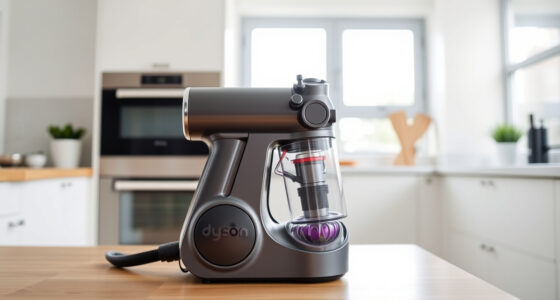
If your Dyson cordless vacuum isn’t providing the suction you expect, it can hinder your cleaning efforts. Common issues often stem from blockages, dirty filters, or battery problems. This guide walks you through practical, safe steps to diagnose and fix suction loss for your Dyson V15 Detect™ Origin or similar models.

Get cleaning gear delivered free — and shop member deals
- Fast, free delivery on millions of items
- Access to Prime Big Deal Days deals on October 6–7
- Prime Video, Amazon Music and more included
Following these troubleshooting steps will help restore your vacuum’s performance efficiently, ensuring you get the deep clean you rely on.
Key Takeaways
| Check for blockages | Clear clogs in the wand, cleaner heads, and hose. |
| Inspect and replace filters | Dirty filters can reduce suction; clean or replace as needed. |
| Examine the battery and connections | Ensure the battery is charged and connections are secure. |
| Clean the cleaner heads and brushes | Remove tangled hair and debris. |
| Test the power and settings | Make sure the vacuum is switched on and in the correct mode. |
Step 1: Power Cycle and Basic Checks
- Turn off the vacuum and unplug or remove the battery if possible.
- Wait for 30 seconds, then turn it back on to reset the system.
- Ensure the power trigger is fully pressed during operation.
Step 2: Inspect and Clear Blockages
- Detach the cleaner head and wand from the main body.
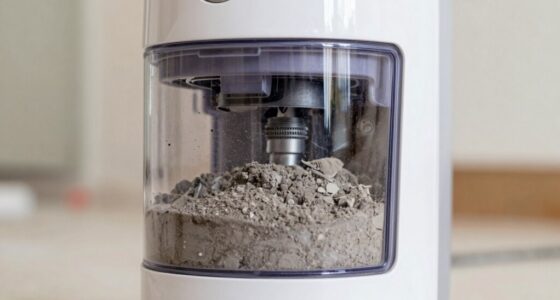
- Check for debris or hair obstructing the airflow in the hose, wand, and brush bar.
- Use a long, slender tool or the crevice attachment to gently dislodge any blockages.
Step 3: Clean or Replace Filters
- Remove the pre-filters and main filters as per your model’s instructions.
- Rinse washable filters with cold water and let them air dry completely (at least 24 hours).
- If filters are worn out or excessively dirty, replace them with compatible filters like the 3Pack Pre Filters or V10 Filters.
Step 4: Check Battery and Connections
- Ensure the battery is fully charged and properly seated in the vacuum.
- Inspect the connection points for dirt or damage.
- Try operating the vacuum with a fully charged battery to rule out power issues.
Step 5: Reassemble and Test
Put all parts back together securely. Turn on the vacuum and test suction on a small area. If suction is restored, your issue is likely resolved.
If not, consider contacting Dyson support or a professional repair service.
The Products in This Guide

Dyson V15 Detect™ Origin Cordless Vacuum
- ✔ Weight: 6.8 lbs
- ✔ Battery Type: Lithium-ion
- ✔ Charge Time: 3.5 hours

LANMU Crevice Tool Vacuum Attachments Compatible
- ✔ Length: 15 inches
- ✔ Color: Black
- ✔ Attachment Type: Snap-on
Dyson V15 Detect™ Origin Cordless Vacuum
The Dyson V15 Detect™ Origin offers powerful, intelligent cleaning with advanced features like particle detection and multiple cleaner heads. Its design helps maintain optimal suction and performance.
Pros:
- High power and deep cleaning capability
- Intelligent dust detection
- Long battery life (60 mins)
- Multiple attachments for versatile cleaning
Cons:
- Premium price
- Heavier than some handheld options
- Requires filter maintenance
Best for: Whole-home deep cleaning, pet hair, hard floors
Not ideal for: Light, quick cleans or minimal maintenance users
Bottom line: A powerful, intelligent cordless vacuum ideal for thorough cleaning.
LANMU Crevice Tool Vacuum Attachments Compatible
The LANMU Crevice Tool Vacuum Attachments fit various Dyson models and help access tight corners, crevices, and car interiors effectively.
Pros:
- Compatible with many Dyson models
- Narrow, flexible design
- Easy to attach and clean
- Ideal for detailed cleaning
Cons:
- Not compatible with V6 or canister models
- Limited to crevice cleaning
- Requires separate purchase
Best for: Cleaning corners, car interiors, and tight spaces
Not ideal for: General surface cleaning or large debris
Bottom line: A practical tool for reaching tight spots in your home or car.
Frequently Asked Questions
Why is my Dyson vacuum losing suction?
Common causes include clogged filters, blockages in the wand or hose, dirty brushes, or battery issues. Following troubleshooting steps can often resolve these problems.
How often should I clean or replace filters?
Filters should be cleaned every 1-3 months. Replace filters like the 3Pack Pre Filters or V10 Filters every 2-3 months, depending on usage and condition.
Can I fix my Dyson vacuum myself?
Yes, many issues like blockages, filter cleaning, and re-seating connections are straightforward DIY fixes. However, complex electrical or motor problems may require professional assistance.
What should I do if cleaning doesn’t restore suction?
If cleaning and filter maintenance don’t help, check the battery health, or contact Dyson support for further diagnosis or repair options.
Keep Your Dyson Performing at Its Best
Regular maintenance, including cleaning filters and checking for blockages, will help your Dyson cordless vacuum maintain optimal suction and cleaning power. Troubleshooting issues promptly ensures your device lasts longer and performs reliably, making your home cleaning easier and more efficient.
Affiliate disclosure: As an Amazon Associate we earn from qualifying purchases. Prices and availability are accurate as of the time of publishing.
Halloween Picks
halloween
As an affiliate, we earn on qualifying purchases.