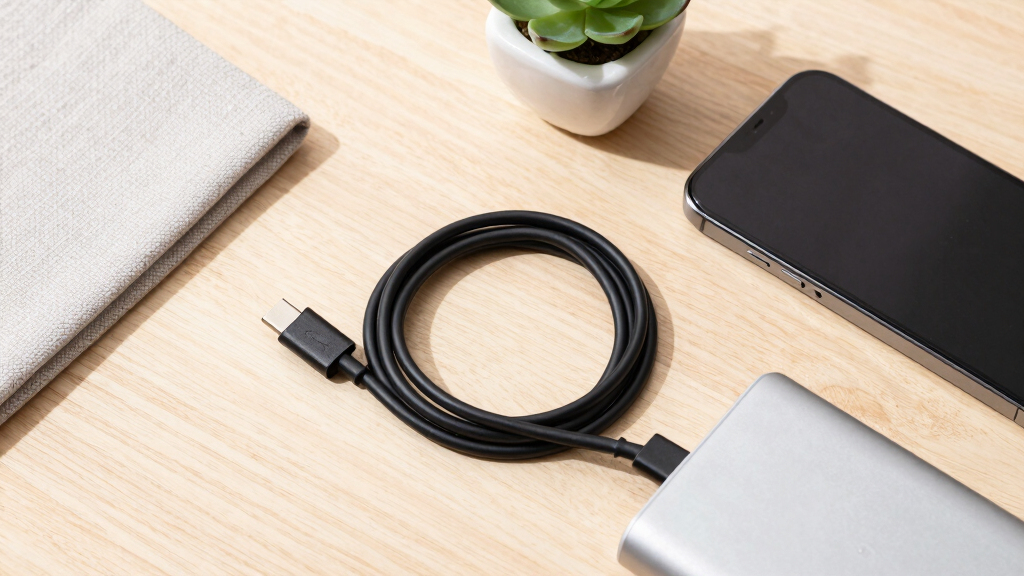

I rank the Anker Zolo 240W USB-C Cable as the best overall choice because its six-foot braided design, slim connector, and high charging ceiling suit the widest range of everyday devices. The UGREEN 240W USB-C Cable is a strong charging-focused alternative, while the Anker Prime Thunderbolt 4 Cable makes more sense when fast data transfers and external displays matter. Among the best USB-C cables, the main choice is between charging power and data bandwidth, since a 240W label does not automatically include USB4 or video support. Length, bundle size, connector bulk, and durability also separate cables that otherwise appear similar. Continue reading for the full ranking logic, buyer-specific recommendations, and the tradeoffs behind each pick.

Get cleaning gear delivered free with Prime
- Fast, free delivery on millions of items
- Prime Video, Amazon Music and more included
- Member-only deals all year
Complete the kit


Key Takeaways
- The Anker Zolo earns the top position through balance, not maximum bandwidth: its 240W rating, practical length, braided jacket, and slim connector serve more buyers than a short specialist cable.
- A 240W rating says little about data performance. Several charging-focused picks can power demanding laptops yet lack the 40Gbps or 80Gbps transfers offered by the USB4 and Thunderbolt models.
- Six to 6.6 feet is the lineup’s practical sweet spot. The 3.3-foot USB4 and Thunderbolt cables favor signal integrity and desk setups, while Anker‘s 10-foot two-pack favors reach over compact storage.
- Silkland supplies the highest stated bandwidth at 80Gbps with up to 120Gbps in its bandwidth-boost mode, but Anker Prime Thunderbolt 4 offers a more approachable premium tier for 40Gbps devices and 8K display connections.
- Nine of the 15 products come from Anker, yet they are not interchangeable: the lineup spans basic 60W charging, long multipacks, slim 240W cords, USB4 data cables, and Thunderbolt 4 connectivity.
| Anker Zolo USB-C to USB-C Cable, 6ft, 240W |  | Best Everyday Charging Pick | Connector type: USB-C to USB-C | Length: 6 ft | Maximum charging power: 240W | VIEW LATEST PRICE | See Our Full Breakdown |
| UGREEN 240W USB-C to USB-C Cable, 6.6ft |  | Best for Broad Device Compatibility | Connector type: USB-C to USB-C | Length: 6.6 ft | Maximum charging power: 240W | VIEW LATEST PRICE | See Our Full Breakdown |
| Anker USB-C to USB-C Cable 2-Pack, 10ft, 240W |  | Best Long-Reach Bundle | Connector type: USB-C to USB-C | Quantity: 2 cables | Length: 10 ft each | VIEW LATEST PRICE | See Our Full Breakdown |
| Anker Prime USB-C to USB-C Cable, 240W, 6ft |  | Best Premium Durability | Connector type: USB-C to USB-C | Length: 6 ft | Maximum charging power: 240W | VIEW LATEST PRICE | See Our Full Breakdown |
| Belkin USB-C to USB-C Cable 2-Pack, 6.6ft, 240W |  | Best Certified Two-Pack | Connector type: USB-C to USB-C | Quantity: 2 cables | Length: 6.6 ft each | VIEW LATEST PRICE | See Our Full Breakdown |
| Anker Prime Thunderbolt 4 Cable |  | Best Thunderbolt 4 Cable | Connector type: USB-C to USB-C | Cable length: 3.3 ft | Maximum charging power: 240W | VIEW LATEST PRICE | See Our Full Breakdown |
| Apple 240W USB-C to USB-C Woven Charge Cable |  | Best for Apple Charging | Brand: Apple | Model: 240W USB-C to USB-C Woven Charge Cable | Connector type: USB-C to USB-C | VIEW LATEST PRICE | See Our Full Breakdown |
| Anker Nano USB-C Cable | 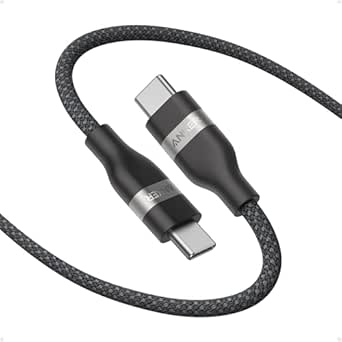 | Best for Durability | Connector type: USB-C to USB-C | Cable length: 6 ft | Maximum charging power: 240W | VIEW LATEST PRICE | See Our Full Breakdown |
| Silkland USB4 Thunderbolt 5 Cable | 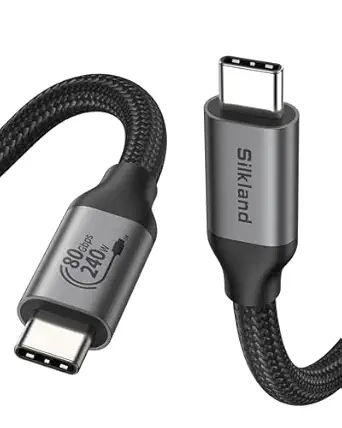 | Best for Maximum Bandwidth | Connector type: USB-C to USB-C | Cable length: 4 ft | Maximum data rate: 80Gbps | VIEW LATEST PRICE | See Our Full Breakdown |
| Anker USB-C to USB-C Cable 100W 2-Pack |  | Best Value 2-Pack | Connector type: USB-C to USB-C | Cable length: 6 ft (1.8 m) each | Maximum charging power: 100W | VIEW LATEST PRICE | See Our Full Breakdown |
| Anker USB-C Cable (3.3ft, 240W) USB4 Data Cable | 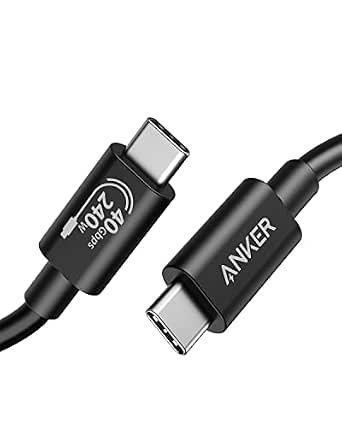 | Best USB4 All-Rounder | Connector type: USB Type-C | Data transfer rate: Up to 40Gbps | Maximum power: 240W | VIEW LATEST PRICE | See Our Full Breakdown |
| UGREEN 240W USB-C to USB-C USB4 Gen4 Cable |  | Best for Maximum Bandwidth | Connector type: USB Type-C to USB Type-C | Data transfer rate: Up to 80Gbps | Maximum power: 240W | VIEW LATEST PRICE | See Our Full Breakdown |
| LISEN USB-C to USB-C Cable 240W 6.6FT 2-Pack |  | Best Charging Two-Pack | Connector type: USB-C to USB-C | Maximum power: 240W | Data transfer speed: 480Mbps | VIEW LATEST PRICE | See Our Full Breakdown |
| Anker USB-C to USB-C Cable 60W 6FT 2-Pack |  | Best Value for Everyday Devices | Connector type: USB-C to USB-C | Power delivery: Up to 60W | Data transfer speed: Up to 480Mbps | VIEW LATEST PRICE | See Our Full Breakdown |
| Anker USB-C 240W Flow Cord 6FT |  | Best Tangle-Free Cable | Connector type: USB-C | Maximum power output: 240W | Length: 6 feet | VIEW LATEST PRICE | See Our Full Breakdown |
| USB-C cable | Connector type | Length | Maximum charging power |
|---|---|---|---|
| Anker Zolo USB-C to USB-C Cabl | USB-C to USB-C | 6 ft | 240W |
| UGREEN 240W USB-C to USB-C Cab | USB-C to USB-C | 6.6 ft | 240W |
| Anker USB-C to USB-C Cable 2-P | USB-C to USB-C | 10 ft each | 240W |
| Anker Prime USB-C to USB-C Cab | USB-C to USB-C | 6 ft | 240W |
| Belkin USB-C to USB-C Cable 2- | USB-C to USB-C | 6.6 ft each | 240W |
| Anker Prime Thunderbolt 4 Cabl | USB-C to USB-C | — | 240W |
| Apple 240W USB-C to USB-C Wove | USB-C to USB-C | — | 240W |
| Anker Nano USB-C Cable | USB-C to USB-C | — | 240W |
| Silkland USB4 Thunderbolt 5 Ca | USB-C to USB-C | — | 240W |
| Anker USB-C to USB-C Cable 100 | USB-C to USB-C | — | 100W |
| Anker USB-C Cable | USB Type-C | 3.3 feet | — |
| UGREEN 240W USB-C to USB-C USB | USB Type-C to USB Type-C | 3.3 feet | — |
| LISEN USB-C to USB-C Cable 240 | USB-C to USB-C | 6.6 feet per cable | — |
| Anker USB-C to USB-C Cable 60W | USB-C to USB-C | 6 feet per cable | — |
| Anker USB-C 240W Flow Cord 6FT | USB-C | 6 feet | — |
More Details on Our Top Picks
Anker Zolo USB-C to USB-C Cable, 6ft, 240W
I rank the Anker Zolo as the Best Everyday Charging Pick because it combines 240W power delivery, a practical six-foot reach, and a connector built for daily phone use. Its slim connector is the defining advantage: it is less likely to clash with a fitted case than bulkier high-power plugs. Compared with the Anker Prime, the Zolo has a far lower stated bend rating, so it is not my durability-first choice. It also lacks the confirmed 480 Mbps specification supplied for the Belkin two-pack. Those gaps keep it focused on charging rather than docking, displays, or large file transfers. For buyers moving between a phone, tablet, and laptop, its blend of reach and charging capacity is persuasive, but no stated data speed limits its versatility.
Pros:- 240W capacity can serve compatible phones, tablets, and power-hungry laptops
- Slim connector is better suited to devices wearing fitted cases
- Six-foot length balances reach with easier storage
- Braided exterior is rated to withstand more than 10,000 bends
Cons:- No data-transfer speed is specified
- Bend rating is far below the Anker Prime cable’s 300,000-plus figure
- USB-C connectors cannot plug directly into legacy USB-A chargers
Best for: Phone and laptop owners who want one case-friendly, six-foot cable for high-power charging at a desk or bedside
Not ideal for: Docking-station users and video editors who need verified high-speed data or display support
- Connector type:USB-C to USB-C
- Length:6 ft
- Maximum charging power:240W
- Outer construction:Braided
- Bend durability:More than 10,000 bends
- Listed compatibility:iPhone 17 Series and MacBook
Our verdict“Choose the Anker Zolo for convenient everyday charging across USB-C devices, but skip it when verified data or display performance matters.”
UGREEN 240W USB-C to USB-C Cable, 6.6ft
The UGREEN 240W cable earns my Best for Broad Device Compatibility role because its listed support spans flagship phones, tablets, handheld consoles, and laptops. Its 6.6-foot length provides slightly more freedom than the six-foot Anker Zolo, while PD 3.1 and an E-marker chip make it a more clearly documented choice for negotiating high charging power safely. The Zolo remains better suited to tight phone cases because it specifically promotes a slim connector. UGREEN also supplies no data-speed figure, unlike the Belkin two-pack, so I would treat this primarily as a charging cable rather than a link for storage drives or docks. The nylon braid and 10,000-plus bend claim support regular travel, though the longer lead occupies more bag space. Its 240W ceiling is excessive for phone-only buyers who will never use laptop-level power.
Pros:- Wide listed compatibility covers mobile devices, computers, and handheld consoles
- 240W PD 3.1 support accommodates demanding compatible laptops
- E-marker chip and built-in resistors manage charging negotiation
- Nylon braid is rated for more than 10,000 bends
Cons:- No data-transfer speed is stated
- Longer cable is bulkier to pack than shorter alternatives
- 240W capability provides little benefit when charging only phones
Best for: Households sharing one charging standard across USB-C phones, tablets, laptops, a Steam Deck, and a Nintendo Switch
Not ideal for: Phone-only buyers or creators who need a compact cable with verified high-speed data transfer
- Connector type:USB-C to USB-C
- Length:6.6 ft
- Maximum charging power:240W
- Charging standard:USB Power Delivery 3.1
- Outer material:Nylon braided
- Safety hardware:E-marker chip and resistors
- Listed compatibility:iPhone, Galaxy, MacBook, iPad, Dell XPS, Steam Deck, and Switch
- Bend durability:More than 10,000 bends
Our verdict“The UGREEN is my pick for a mixed-device charging setup, provided data performance is not part of the job.”
Anker USB-C to USB-C Cable 2-Pack, 10ft, 240W
I give this Anker 10-foot two-pack the Best Long-Reach Bundle role because it solves two practical problems at once: distant outlets and multi-room coverage. Each lead supports 240W charging, so the extra reach does not confine the bundle to phones. Compared with the Belkin two-pack, these cables add 3.4 feet apiece, making them better beside a sofa or across a large desk; Belkin counters with a much stronger stated durability rating and USB-IF certification. The included 480 Mbps data rate is adequate for syncing documents and photos, but it is slow beside USB4 and Thunderbolt cables in the wider roundup. Ten feet also means more cable to coil, snag, and carry. I favor this set for fixed charging locations, while shorter options remain tidier for commuting. The two-cable format adds useful coverage without requiring separate purchases.
Pros:- Two 10-foot cables cover distant outlets and multiple charging locations
- 240W rating supports compatible laptops as well as mobile devices
- 480 Mbps data transfer is sufficient for routine syncing
- Braided nylon construction carries a 10,000-bend lifespan claim
Cons:- Ten-foot leads are cumbersome to coil and easier to snag
- 480 Mbps is too slow for demanding storage and production workflows
- Durability claim is much lower than those for the Belkin and Anker Prime cables
Best for: Buyers placing high-power chargers behind furniture or in two rooms where standard six-foot cables fall short
Not ideal for: Frequent travelers and external-drive users who need compact packing or multi-gigabit transfers
- Connector type:USB-C to USB-C
- Quantity:2 cables
- Length:10 ft each
- Maximum charging power:240W
- Maximum current:12A
- Maximum voltage:20V
- Data-transfer rate:480 Mbps
- Outer material:Braided nylon
- Bend lifespan:10,000 bends
Our verdict“Buy this Anker two-pack when outlet reach and room-to-room coverage matter more than compactness or fast data.”
Anker Prime USB-C to USB-C Cable, 240W, 6ft
The Anker Prime is my Best Premium Durability pick, built for buyers who replace frayed charging cables too often. Its rating of more than 300,000 bends dwarfs the 10,000-plus figures attached to the Anker Zolo and UGREEN models, while resistance from -40°F to 176°F suits harsher storage and working conditions. The upcycled braided nylon also gives it a material advantage for buyers seeking recycled content. Yet this is still a charging-first cable: USB 2.0 data is modest, and the lack of screen mirroring makes the Anker Prime Thunderbolt 4 cable far better for displays and fast docks. Its six-foot reach is also less convenient than the 10-foot Anker two-pack around furniture. I place it above ordinary braided leads for physical longevity, not connectivity. The 240W charging support makes that ruggedness useful across compatible laptops and smaller devices.
Pros:- Rated to survive more than 300,000 bends
- 240W output supports compatible high-power laptops
- Operates across a stated -40°F to 176°F temperature range
- Upcycled braided nylon reduces reliance on new material
Cons:- USB 2.0 data is slow compared with USB4 and Thunderbolt alternatives
- Does not support screen mirroring
- Six-foot reach is shorter than the 10-foot Anker bundle
Best for: Heavy daily users, field workers, and frequent travelers who prioritize cable lifespan and temperature resistance
Not ideal for: Docking-station and monitor users because USB 2.0 data and absent screen mirroring restrict connectivity
- Connector type:USB-C to USB-C
- Length:6 ft
- Maximum charging power:240W
- Cable material:Upcycled braided nylon
- Bend durability:More than 300,000 bends
- Temperature range:-40°F to 176°F
- Data standard:USB 2.0
- Screen mirroring:Not supported
Our verdict“Choose the Anker Prime when rugged charging longevity outranks display support, data speed, and extra-long reach.”
Belkin USB-C to USB-C Cable 2-Pack, 6.6ft, 240W
I assign the Belkin 240W two-pack the Best Certified Two-Pack role because it pairs two practical 6.6-foot cables with USB-IF certification and unusually detailed durability claims. Compared with the 10-foot Anker two-pack, Belkin gives up reach but is easier to manage on a desk or in a travel bag. Its rating of more than 100,000 bends and 20,000 plug-ins also exceeds Anker’s stated 10,000-bend lifespan, making Belkin the stronger bundle for repeated connection cycles. The confirmed 480 Mbps transfer rate handles routine phone backups, but it cannot compete with the 40Gbps Anker Prime Thunderbolt 4 cable for drives, docks, or video. Both included leads support 240W charging, although many phones will draw only a fraction of that capacity. I rank it as the balanced bundle: certification and durability take priority over extreme length or high-bandwidth connectivity.
Pros:- Two cables provide coverage for multiple devices or locations
- USB-IF certification adds standards-based assurance
- 240W charging rating serves compatible phones, tablets, and laptops
- Rated for more than 100,000 bends and 20,000 plug-ins
Cons:- 480 Mbps transfer speed is unsuitable for demanding data workflows
- Shorter than the 10-foot Anker two-pack
- No display-output capability is stated
Best for: Couples, families, or multi-device owners who want two certified, durable cables for desks, bedrooms, and travel
Not ideal for: Video professionals and external-SSD users who need multi-gigabit data speeds or display connectivity
- Connector type:USB-C to USB-C
- Quantity:2 cables
- Length:6.6 ft each
- Maximum charging power:240W
- Data-transfer rate:480 Mbps
- Certification:USB-IF certified
- Materials:TPE and ABS with braided exterior
- Durability rating:More than 100,000 bends and 20,000 plug-ins
- Listed compatibility:USB-C phones, tablets, and laptops
Our verdict“The Belkin two-pack is the sensible bundle for certified, durable charging, but high-speed data users need a USB4 or Thunderbolt cable.”
Anker Prime Thunderbolt 4 Cable
I rank the Anker Prime Thunderbolt 4 Cable as the strongest choice for buyers who need one cable for charging, external displays, and demanding storage. Its 40Gbps transfer rate and Thunderbolt 4 certification make performance expectations clearer than with ordinary charging cords, while 240W support leaves ample headroom for power-hungry laptops. It can also drive an 8K display or dual 4K monitors. The Silkland Thunderbolt 5 Cable offers higher advertised bandwidth, but this Anker model makes more sense for established Thunderbolt 4 setups where that extra capacity may go unused. I place it below newer high-bandwidth options for future-facing workstations because its 3.3-foot length restricts placement, and its price is hard to justify when the buyer only needs charging.
Pros:- Thunderbolt 4 certification provides a defined performance standard
- Transfers compatible data at up to 40Gbps
- Supports charging power up to 240W
- Handles 8K or dual 4K display connections
Cons:- 3.3-foot length can be restrictive around large desks
- Costs more than charging-focused USB-C cables
- Full performance requires compatible Thunderbolt 4 or USB4 hardware
Best for: Thunderbolt 4 laptop owners connecting fast external drives, docks, and high-resolution monitors at a desk
Not ideal for: Charging-only buyers or people whose desk layout requires more than 3.3 feet of reach
- Connector type:USB-C to USB-C
- Cable length:3.3 ft
- Maximum charging power:240W
- Maximum data rate:40Gbps
- Display support:Up to 8K or dual 4K
- Certification:Thunderbolt 4
Our verdict“I recommend this cable for a Thunderbolt 4 workstation, but charging-only buyers can spend less.”
Apple 240W USB-C to USB-C Woven Charge Cable
The Apple 240W USB-C Woven Charge Cable earns its place as a polished charging-first choice for Apple households. Its two-meter reach is more convenient beside a sofa or across a desk than the 3.3-foot Anker Prime Thunderbolt 4 Cable, and the woven jacket resists tangles better than a basic rubber cord. Power support reaches 240W, so the cable will not be the limiting factor with compatible Mac charging hardware. I would not choose it for a dock, external SSD, or monitor, though: USB 2 data is the defining compromise, especially beside the Anker Prime cable’s 40Gbps capability. Apple also excludes the power adapter. This pick makes sense when tidy construction and dependable high-power charging matter more than fast transfers or video connectivity.
Pros:- Supports charging power up to 240W
- Two-meter length offers useful reach
- Woven exterior improves tangle resistance
- Matches an all-USB-C Apple device setup
Cons:- USB 2 transfer speed is slow for large files
- Not positioned for video-output use
- Power adapter must be purchased separately
Best for: Apple users who want a long, woven cable primarily for charging an iPhone, iPad, or MacBook
Not ideal for: Creative professionals moving large files or connecting monitors, because data is limited to USB 2 speeds
- Brand:Apple
- Model:240W USB-C to USB-C Woven Charge Cable
- Connector type:USB-C to USB-C
- Cable length:2 m
- Maximum charging power:240W
- Data standard:USB 2
- Exterior:Woven
Our verdict“I recommend Apple’s woven cable for convenient high-power charging, not for a high-speed workstation.”
Anker Nano USB-C Cable
I give the Anker Nano USB-C Cable the durability role because its braided, flexible construction is rated for more than 30,000 bends and a 220-pound load. Those figures put it well ahead of the Anker 100W 2-Pack’s stated 5,000-bend lifespan, while its 240W ceiling offers more charging headroom for newer laptops. The six-foot length also balances bedside reach with easier storage than a 10-foot cord. Recycled materials add appeal for buyers trying to reduce virgin-plastic use. This is still a charging specialist rather than a do-everything connection: screen mirroring is unsupported, and no high-speed data rating is provided. I would choose the Anker Prime Thunderbolt 4 Cable instead for monitors or fast SSDs, but this Nano is the more practical everyday cord.
Pros:- Rated to withstand more than 30,000 bends
- Supports charging power up to 240W
- Six-foot braided design combines reach with manageable storage
- Uses recycled materials in its construction
Cons:- Does not support screen mirroring
- No high-speed data-transfer rating is stated
- USB-C to USB-C design cannot connect directly to USB-A chargers
Best for: Frequent travelers and laptop owners who need a rugged six-foot cable for daily high-power charging
Not ideal for: Dock and monitor users who need video output or a clearly specified high-speed data connection
- Connector type:USB-C to USB-C
- Cable length:6 ft
- Maximum charging power:240W
- Exterior material:Braided
- Bend lifespan:30,000+ bends
- Maximum load:220 lb
- Color:Black
- Video support:No screen mirroring
Our verdict“I recommend the Anker Nano when cable toughness and 240W charging matter more than video or fast data.”
Silkland USB4 Thunderbolt 5 Cable
The Silkland USB4 Thunderbolt 5 Cable occupies the performance slot with up to 80Gbps data transfer and 120Gbps display bandwidth. That makes it better suited to cutting-edge docks, fast storage, and multi-display workstations than the Anker Prime Thunderbolt 4 Cable, which tops out at 40Gbps. Its 240W charging and four-foot length also make it more versatile than a very short desktop interconnect, while braided nylon, aluminum shells, and triple shielding support demanding setups. I rank it below simpler cables for mainstream buyers because device capability controls the real speed; plugging it into Thunderbolt 4, USB 3.2, or a slower phone port will reduce the benefit. It may also cost more than needed for routine charging, and its 120Gbps mode is aimed at display-heavy workloads rather than ordinary file transfers.
Pros:- Supports data transfers up to 80Gbps on compatible hardware
- Provides up to 120Gbps of display bandwidth
- Delivers charging power up to 240W
- Braided construction and triple shielding suit workstation use
Cons:- Maximum speeds depend on compatible host devices and peripherals
- Higher cost is difficult to justify for charging alone
- Four-foot length may still be short for remote monitor placement
Best for: Early adopters building high-bandwidth workstations with compatible computers, docks, displays, and external SSDs
Not ideal for: Owners of standard USB-C charging devices who cannot use its 80Gbps data capability
- Connector type:USB-C to USB-C
- Cable length:4 ft
- Maximum data rate:80Gbps
- Maximum bandwidth:120Gbps
- Maximum charging power:240W
- Compatibility:Thunderbolt 4/3, USB4, and USB 3.2
- Certification:USB-IF certified
- Exterior:Braided nylon with aluminum shells
- Shielding:Triple shielding
Our verdict“I recommend the Silkland cable for hardware that can use its exceptional bandwidth, not as a routine phone-charging upgrade.”
Anker USB-C to USB-C Cable 100W 2-Pack
I rank the Anker 100W USB-C Cable 2-Pack as the value choice for households that need spare charging cords rather than workstation links. Two six-foot cables can cover a desk and travel bag for less hassle than moving one cord between locations, and 100W charging is enough for many phones, tablets, and laptops. Compared with the Anker Nano, however, this set gives up the Nano’s 240W ceiling and far higher 30,000-bend rating; these cables are rated for 5,000 bends. They also provide no video output, so neither can replace the Anker Prime Thunderbolt 4 Cable between a laptop and monitor. I favor this pack for practical redundancy and broad charging use, but buyers with a high-power gaming laptop or display dock should choose a more capable cable.
Pros:- Includes two six-foot cables
- Supports charging power up to 100W
- Nylon exterior adds protection against daily wear
- Offers better multi-location value than buying one cable
Cons:- Does not support video output
- 100W ceiling trails the 240W alternatives in the roundup
- 5,000-bend rating is much lower than the Anker Nano rating
Best for: Budget-minded households and office users who want two long charging cables for phones, tablets, and mainstream laptops
Not ideal for: High-power laptop owners or monitor users who require more than 100W charging or USB-C video output
- Connector type:USB-C to USB-C
- Cable length:6 ft (1.8 m) each
- Maximum charging power:100W
- Package quantity:2 cables
- Exterior material:Nylon
- Bend lifespan:5,000 bends
- Video output:Not supported
Our verdict“I recommend this two-pack for affordable everyday charging, provided 100W power and no video output meet the buyer’s needs.”
Anker USB-C Cable (3.3ft, 240W) USB4 Data Cable
I rank the Anker USB4 Data Cable as the strongest all-rounder here because it balances 40Gbps transfers, 240W charging, and 8K video without chasing specs that few buyers can use. The UGREEN USB4 Gen4 cable doubles the stated bandwidth to 80Gbps and supports higher-resolution displays, making that model better for cutting-edge workstations. This Anker cable is the more measured choice for Thunderbolt docks, fast storage, and a single external monitor. Its bend-tested construction also gives it a durability advantage over basic charging cords. The tradeoffs are a short 3.3-foot reach and a likely price premium over 480Mbps options such as the LISEN two-pack. I would skip it for bedside charging, but its balanced performance earns the highest placement among these five.
Pros:- Combines 40Gbps data, 240W charging, and 8K display support
- Compatible with Thunderbolt 4 and Thunderbolt 3 equipment
- Rated to withstand more than 5,000 bends
- Strong performance balance without requiring an 80Gbps host
Cons:- The 3.3-foot length limits placement around larger desks
- Costs more than charging-focused USB 2.0 cables
- Older-device compatibility is not clearly detailed
Best for: Laptop users who want one short cable for Thunderbolt docks, fast external storage, high-resolution monitors, and charging
Not ideal for: Desk setups requiring more than 3.3 feet of reach or buyers who only need basic phone charging
- Connector type:USB Type-C
- Data transfer rate:Up to 40Gbps
- Maximum power:240W
- Maximum voltage:48V
- Maximum current:5A
- Display support:Up to 8K
- Length:3.3 feet
- Compatibility:Thunderbolt 4/3, USB-C devices, hubs, and docking stations
Our verdict“I recommend this as the most balanced short cable for buyers who need serious charging, data, and display capabilities from one connection.”
UGREEN 240W USB-C to USB-C USB4 Gen4 Cable
The UGREEN USB4 Gen4 cable takes the performance slot because its stated 80Gbps bandwidth and 16K display support exceed the 40Gbps and 8K limits of the Anker USB4 cable. That extra headroom makes sense for advanced docks, high-end displays, and storage workflows where the connected hardware can actually use it. Charging is equally ambitious at 240W, while braided nylon, aluminum housings, and triple shielding suit frequent desk use. I place it behind the Anker all-rounder because most phones and mainstream laptops cannot exploit 80Gbps, making the added cost harder to justify. Its 3.3-foot length also favors a tightly arranged workstation rather than a flexible room setup. For buyers building around newer USB4 hardware, however, this is the most capable data cable in this batch.
Pros:- Offers up to 80Gbps data transfer for compatible USB4 hardware
- Supports charging at up to 240W
- Can drive displays at resolutions up to 16K according to the supplied data
- Braided jacket, aluminum housings, and triple shielding reinforce the build
Cons:- Its performance premium is wasted on devices that cannot reach 80Gbps
- The 3.3-foot length is restrictive away from a compact desk
- Likely costs more than 40Gbps cables that meet most buyers’ needs
Best for: Creative professionals and workstation users connecting compatible USB4 storage, advanced docks, or very high-resolution displays
Not ideal for: Phone chargers and mainstream laptop owners whose devices are limited to lower data rates or who need a longer cable
- Connector type:USB Type-C to USB Type-C
- Data transfer rate:Up to 80Gbps
- Maximum power:240W
- Maximum voltage:48V
- Maximum current:5A
- Display support:Up to 16K
- Length:3.3 feet
- Construction:Braided nylon, aluminum housing, copper wire, and triple shielding
- Compatibility:Thunderbolt 4/3, USB4, USB 3.2, USB 3.1, and USB 3.0
Our verdict“I would choose this for an advanced USB4 workstation, but not for ordinary charging where its bandwidth carries little practical value.”
LISEN USB-C to USB-C Cable 240W 6.6FT 2-Pack
I pick the LISEN 240W two-pack for households and shared desks that need long, high-power charging cables in more than one location. Each cable reaches 6.6 feet and supports up to 240W, giving the set far more charging headroom than Anker’s 60W two-pack. The military-grade braided nylon and oxygen-free copper also target repeated daily handling, while protocol matching adapts power delivery to compatible devices. Yet this is a charging-led purchase, not a workstation cable: 480Mbps data is dramatically slower than the Anker USB4 cable’s 40Gbps, and no display capability is listed. A compatible charger and device are also required before the 240W rating matters. Compared with the UGREEN USB4 model, LISEN trades bandwidth for twice the cable count and greater reach, which is the better bargain for charging several devices.
Pros:- Includes two 6.6-foot cables for broader placement
- Supports up to 240W charging with compatible equipment
- Braided military-grade nylon resists tangling and wear
- Protocol matching supports varied USB-C charging needs
Cons:- Data transfer is limited to 480Mbps
- No display-output support is specified
- Reaching 240W requires a compatible power adapter and device
Best for: Couples, families, or shared-office users who need two long cables for charging USB-C laptops, tablets, and phones
Not ideal for: Video editors, dock users, and external-drive owners who need fast data transfer or monitor output
- Connector type:USB-C to USB-C
- Maximum power:240W
- Data transfer speed:480Mbps
- Length:6.6 feet per cable
- Pack size:2 cables
- Exterior material:Military-grade braided nylon
- Conductor material:Oxygen-free copper
- Compatibility:USB-C iPhone models, iPad, MacBook Pro/Air, and USB-C laptops
Our verdict“I recommend this pack when long reach, two-cable convenience, and high charging capacity matter more than fast data or video.”
Anker USB-C to USB-C Cable 60W 6FT 2-Pack
The Anker 60W two-pack is my value choice for buyers whose phones, tablets, and lighter laptops do not need 240W charging. Its two 6-foot braided cables offer practical reach, and 60W Power Delivery is enough for many everyday USB-C devices. Compared with the LISEN 240W set, this Anker pack gives up substantial charging headroom but avoids paying for capacity that smaller electronics cannot use. Both are limited to 480Mbps data, so neither belongs between a fast SSD and a workstation. The larger restriction is that media display is unsupported, ruling it out for monitor connections and full-featured docks. It also requires USB-C ports at both ends, with no support for USB-A chargers or Lightning devices. I rank it below LISEN for versatility, yet its straightforward two-cable format suits routine charging well.
Pros:- Includes two six-foot cables suited to home and travel use
- Provides up to 60W charging for many everyday USB-C devices
- Reinforced nylon exterior supports frequent handling
- Included organizational accessories help control excess cable
Cons:- The 60W ceiling is inadequate for some larger laptops
- Does not support media display output
- Data transfer is limited to 480Mbps
Best for: Budget-minded phone, tablet, Chromebook, and thin-laptop owners who want two durable six-foot charging cables
Not ideal for: Owners of power-hungry laptops, external monitors, fast SSDs, USB-A chargers, or Lightning devices
- Connector type:USB-C to USB-C
- Power delivery:Up to 60W
- Data transfer speed:Up to 480Mbps
- Length:6 feet per cable
- Pack size:2 cables
- Exterior:Reinforced nylon
- Display support:Not supported
- Charger compatibility:USB-C chargers; not compatible with USB-A or Lightning connections
Our verdict“I would buy this affordable pair for ordinary USB-C charging, provided neither high-wattage laptops nor display connections are part of the setup.”
Anker USB-C 240W Flow Cord 6FT
I give the Anker 240W Flow Cord the portability role because its soft silicone jacket targets a problem braided cables do not always solve: stiffness and tangling inside a bag. The six-foot length and 240W ceiling make it suitable for phones, tablets, and compatible laptops, while the stated 25,000-bend lifespan is much higher than the 5,000-plus figure supplied for Anker’s USB4 model. That flexibility comes with a major compromise. No fast data rate or display support is specified, so the USB4 Anker remains the smarter single-cable choice for docks and monitors. The Flow Cord also lacks the second cable supplied with the LISEN pack, and only black is listed. I would rank it as a charging specialist rather than a connectivity cable: buyers pay for soft handling and durability, not workstation-grade data performance.
Pros:- Soft silicone exterior remains flexible and resists tangling
- Supports up to 240W charging for compatible devices
- Six-foot reach works well beside beds, sofas, and larger desks
- Rated for a 25,000-bend lifespan
Cons:- No high-speed data-transfer rating is specified
- No display-output capability is listed
- Only a black color option is identified in the supplied data
Best for: Frequent travelers and commuters who want a soft, flexible, high-power charging cable that packs without tangling
Not ideal for: Dock, monitor, and fast-storage users who need a verified high-speed data or video connection
- Connector type:USB-C
- Maximum power output:240W
- Length:6 feet
- Exterior finish:Soft silicone
- Bend lifespan:25,000 bends
- Color:Black
- Compatibility:USB-C iPhone 17/16/15 series, MacBook Pro 2020, and other USB-C devices
Our verdict“I recommend the Flow Cord for buyers who prize flexible, durable charging over verified high-speed data and display support.”
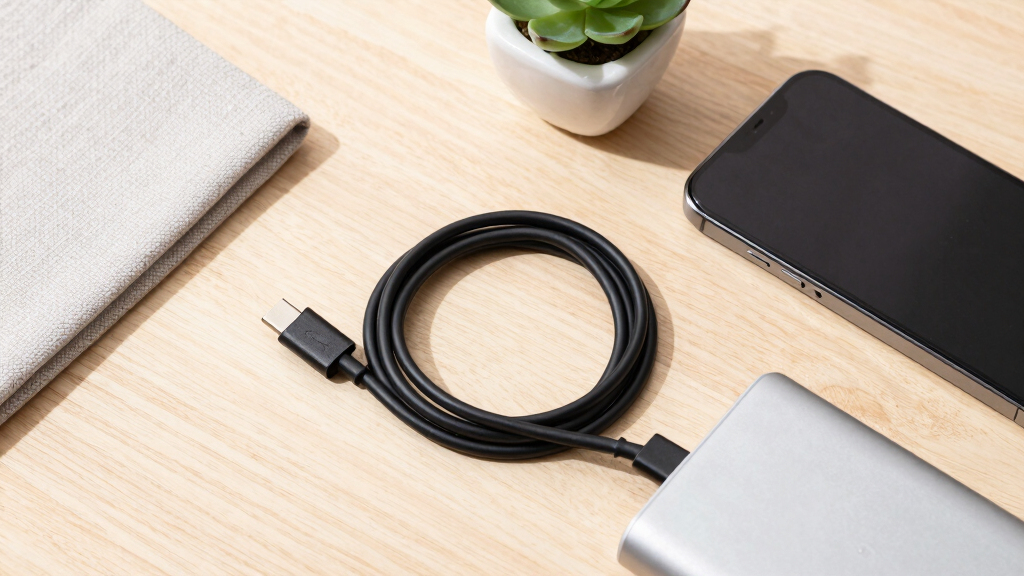
How We Picked
I evaluated the 15 cables from their stated capabilities and intended roles, without making hands-on testing claims. My main criteria were charging headroom, data throughput, display support, usable length, connector design, jacket construction, and bundle value. I also checked whether each product clearly communicated what it could do, since vague USB-C labeling can lead buyers to expect video or fast transfers from a charging-only cord. Broad device usefulness carried more weight for the top positions than a headline specification that only benefits specialized hardware. I treated compatibility lists as guidance rather than proof that every listed device can use the cable’s maximum power or speed.
The Anker Zolo ranks first because it combines the traits most buyers need without charging them for bandwidth they may never use. USB4 and Thunderbolt products earned higher specialist positions when their data and display capabilities clearly separated them from ordinary charging cords. Multipacks received credit for household value, but lower power limits or missing high-speed data support kept them behind stronger all-purpose choices. I also marked down cables whose length, connector size, or narrow feature set reduced versatility. This approach makes the order reflect everyday usefulness first, followed by value and specialized performance.
| USB-C cable | Connector type |
|---|---|
| Anker Zolo USB-C to USB-C Cabl | USB-C to USB-C |
| UGREEN 240W USB-C to USB-C Cab | USB-C to USB-C |
| Anker USB-C to USB-C Cable 2-P | USB-C to USB-C |
| Anker Prime USB-C to USB-C Cab | USB-C to USB-C |
| Belkin USB-C to USB-C Cable 2- | USB-C to USB-C |
| Anker Prime Thunderbolt 4 Cabl | USB-C to USB-C |
| Apple 240W USB-C to USB-C Wove | USB-C to USB-C |
| Anker Nano USB-C Cable | USB-C to USB-C |
| Silkland USB4 Thunderbolt 5 Ca | USB-C to USB-C |
| Anker USB-C to USB-C Cable 100 | USB-C to USB-C |
| Anker USB-C Cable | USB Type-C |
| UGREEN 240W USB-C to USB-C USB | USB Type-C to USB Type-C |
| LISEN USB-C to USB-C Cable 240 | USB-C to USB-C |
| Anker USB-C to USB-C Cable 60W | USB-C to USB-C |
| Anker USB-C 240W Flow Cord 6FT | USB-C |
Factors to Consider When Choosing Best USB-C Cables
I would choose a USB-C cable by matching it to the device, charger, and task rather than buying the largest number printed on the package. Charging wattage, data speed, and video support are separate capabilities, even though they share the same connector. Cable length and construction then shape how pleasant the cord is to carry or use at a desk. The sections below explain where paying more helps and where a simpler cable is enough.
Match the Wattage to Your Most Demanding Device
I recommend checking the highest input accepted by the laptop, tablet, or phone that will use the cable. A 240W cable provides broad charging headroom, but it cannot make a 30W phone charge at 240W or raise the output of a 65W adapter. Power is negotiated among the device, charger, and cable, so the lowest-capability component sets the final rate. A 60W cord can be perfectly adequate for phones and many thin laptops, yet it may limit larger notebooks that request 100W or more. Buyers who regularly replace devices may find a 100W or 240W rating worth the modest extra cost. I would still choose a clearly specified cable from a credible maker over an unusually cheap cord making poorly explained power claims.
Do Not Confuse Charging Speed With Data Speed
I see the shared USB-C shape as the biggest source of buying mistakes in this category. A cable can support 240W charging while transferring files at basic USB 2.0 speed, and it may not carry a display signal at all. Frequent SSD transfers, docking stations, and high-resolution monitors call for a clearly stated USB4 or Thunderbolt data rate. For charging a phone beside the bed, paying for 40Gbps or 80Gbps brings little benefit. Video users should check the cable specification alongside the dock, monitor, and computer because every link must support the intended connection. I would spend more on bandwidth only when the attached hardware can use it.
Choose Length Around Placement, Not Convenience Alone
I find six feet practical for reaching from a wall outlet to a sofa, nightstand, or desk without leaving excessive cable on the floor. A 10-foot cord solves awkward outlet placement, but it is bulkier to pack and may be less suitable for demanding data connections unless its speed is clearly rated at that length. Short 3.3-foot cables fit desktop docks, portable SSDs, and monitor connections where slack becomes clutter. High-bandwidth cables are often shorter because maintaining their rated signal performance becomes harder as length increases. Buyers should also account for the distance created by desk routing rather than measuring a straight line between ports. I would add a small amount of slack for movement while avoiding several unnecessary feet.
Examine the Connector as Closely as the Jacket
I view braided nylon as helpful for abrasion resistance, but braiding alone does not reveal how well a cable handles repeated bending. The most stressed areas are usually the strain relief and connector joints, especially when a phone is used while charging. A thick plug may also collide with a rugged case, recessed port, or neighboring connector on a compact dock. Slim housings improve access, while larger housings can provide more room for high-speed cable electronics and reinforcement. Softer cords coil more easily for travel; stiffer high-bandwidth models tend to stay in place on a desk. I would prioritize fit and bend behavior over decorative braiding or color.
Pay for Capability You Can Identify
I judge value by usable capability per cable, not by the lowest bundle price. A two-pack can be the better purchase for chargers in separate rooms, but it loses that advantage if both cords cap a laptop below its normal charging rate. Premium pricing is easier to justify for USB4, Thunderbolt, display support, or unusually high power when those functions replace several single-purpose cables. Clear markings also matter because visually identical cords become hard to distinguish once removed from their packaging. Buyers building a cable drawer may benefit from different colors or labels for charging-only and high-speed models. I would pay extra for clear specifications and the right feature set, not for branding by itself.
Frequently Asked Questions
Can I Safely Use a 240W USB-C Cable With a 30W or 65W Charger?
Yes, I would use a properly made 240W-rated cable with a lower-power charger because the rating describes its maximum supported power, not a fixed output. The charger and device negotiate the available charging level before normal power delivery begins. A 65W adapter will still provide no more than its own supported output, even when paired with a 240W cord. The higher-rated cable can offer room for a future laptop or charger, but it will not make current equipment charge faster by itself. Charging speed still depends on compatible USB Power Delivery profiles across all three components.
Do All USB-C Cables Support Monitors and Docking Stations?
No, I would never assume that a USB-C connector includes video output or high-speed data. Many cables are designed mainly for charging and basic file transfers, even when their power rating is 240W. Monitor and full-featured dock connections need a cable that explicitly supports the required USB4, Thunderbolt, or display capability. The computer’s port and the connected dock or monitor must support the same function as well. If a product page focuses entirely on charging and omits video details, I would treat it as a charging cable rather than a display cable.
Is an 80Gbps USB4 or Thunderbolt 5 Cable Worth Buying?
I would buy an 80Gbps cable only for hardware that can use that bandwidth, such as newer high-performance docks, storage devices, or display setups. Most phones, chargers, and current accessories gain nothing from paying above a reliable 40Gbps cable. Thunderbolt 5 bandwidth boost can provide up to 120Gbps in one direction for display-heavy workloads, but compatible equipment remains the deciding factor. A 40Gbps Thunderbolt 4 or USB4 model is the more balanced premium choice for many existing computers. For ordinary charging, a well-specified 100W or 240W cable offers better value.
Does a Longer USB-C Cable Charge More Slowly?
A longer cable does not automatically charge slowly, but I check its rated power rather than assuming every length performs alike. Electrical resistance rises with length, so quality conductors and proper construction matter more in a six- or ten-foot cord. A cable sold with a legitimate 100W or 240W rating should be built for that stated ceiling under supported conditions. Length creates a larger concern for high-speed data and video, where signal quality can restrict the available bandwidth. I prefer short cables for docks and SSDs, reserving longer models for charging or situations where reach matters more.
When Should I Replace a USB-C Cable?
I would replace a cable when its connector becomes loose, charging cuts in and out, the jacket splits, or the strain relief develops a sharp bend. Visible conductors, unusual heat, or scorch marks call for immediate removal from use. A cable may also deserve replacement when it works reliably but no longer supports the charging rate or data speed required by newer hardware. Before discarding it, I would test another charger and device to rule out a damaged port or adapter. Labeling the replacement with its wattage and data rating makes future troubleshooting much easier.
Conclusion
For most buyers, I recommend the Anker Zolo 240W USB-C Cable as the best overall pick because it balances charging headroom, a practical six-foot length, braided construction, and a slim connector. For value seekers, the LISEN 240W two-pack places two long charging cords in the same bundle, though buyers needing fast file transfers should choose a USB4 model instead. Beginners should start with the Anker Nano 240W Cable, which removes much of the wattage guesswork while retaining a travel-friendly charging focus. My premium recommendation is the Anker Prime Thunderbolt 4 Cable for buyers who need 40Gbps data and display support without paying solely for an 80Gbps headline.
For specialized hardware, I would choose the Silkland USB4 Thunderbolt 5 Cable when 80Gbps transfers or bandwidth boost can serve compatible equipment. The Anker 10-foot 240W two-pack fits rooms where outlet reach matters most, while Apple’s woven 240W cable offers a straightforward matching option for buyers who prefer Apple accessories. Buyers connecting portable SSDs or compact docks can pick the 3.3-foot Anker USB4 cable for high bandwidth with less desk clutter. The deciding question is whether the cable will mainly charge, transfer data, drive displays, or handle all three; I would pay only for capabilities the connected devices can actually use.
Fall Picks
fall essentials
As an affiliate, we earn on qualifying purchases.