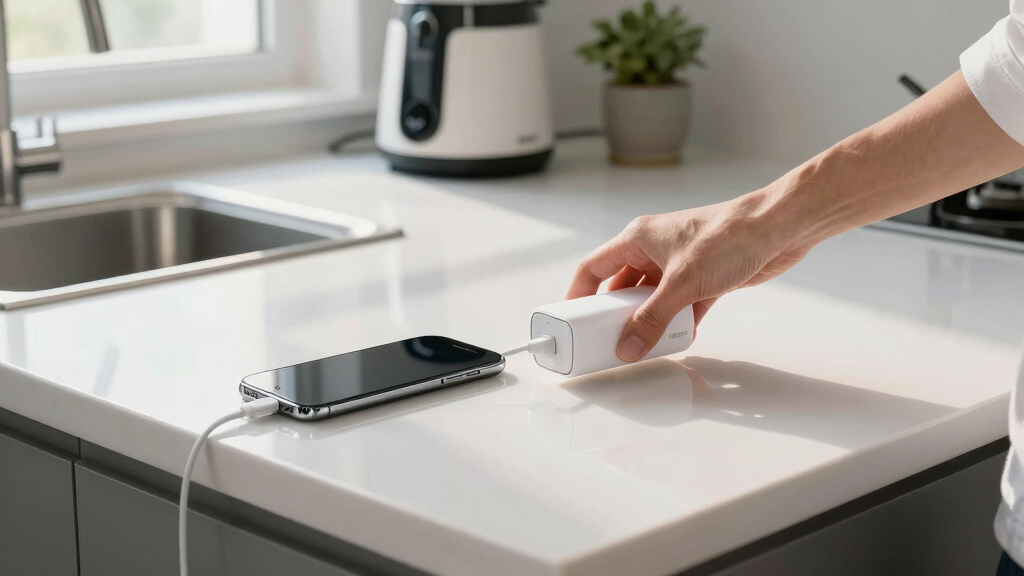

The best Belkin power bank overall is the 10,000mAh model with an integrated USB-C cable and 20W charging because it balances speed, portability, and cable-free convenience for modern devices. I rank the 20,000mAh 65W model as the better choice for laptop users, while the 25K 158W charger is the premium pick for demanding multi-device setups. The main tradeoff is between a light 10,000mAh battery for daily use and a heavier 20,000mAh or 25,000mAh model that can support longer trips. Buyers must also choose between built-in cables, extra ports, higher laptop-grade output, and a digital battery display. Continue reading for the full breakdown of the best Belkin power banks and the buyer each model suits.

Get cleaning gear delivered free with Prime
- Fast, free delivery on millions of items
- Prime Video, Amazon Music and more included
- Member-only deals all year
Complete the kit


Key Takeaways
- The 10,000mAh 20W USB-C model offers the best balance: it is faster and more convenient than Belkin‘s basic 15W options without the weight of a laptop-oriented battery.
- Belkin’s 65W and 158W models serve different laptop buyers: the 65W power bank is the more practical portable choice, while the 158W 25K model favors maximum output and multi-device charging.
- The dual-cable 23W model is the easiest pick for mixed-device households because integrated USB-C and Lightning connectors reduce cable clutter, though the extra cable matters less for USB-C-only users.
- The three 20,000mAh options are not interchangeable: the 15W version favors basic endurance, the 20W model adds a digital display, and the 65W model can handle far more demanding hardware.
- More ports do not automatically mean faster charging: Belkin‘s 15W three-port batteries offer flexibility, but their shared output makes them slower when several devices are connected.
| Belkin 10,000mAh Power Bank with Integrated USB-C Cable |  | Best Overall | Capacity: 10,000mAh | Maximum output: 20W | Charging connections: Integrated USB-C cable and USB-C port | VIEW LATEST PRICE | See Our Full Breakdown |
| Belkin BoostCharge Plus 10,000mAh Power Bank with USB-C and Lightning Cables |  | Best for Mixed-Cable Households | Capacity: 10,000mAh | Maximum output: 23W | Integrated cables: USB-C and Lightning | VIEW LATEST PRICE | See Our Full Breakdown |
| Belkin 20,000mAh USB-C Power Bank with Three Ports |  | Best for Multi-Day Phone Charging | Capacity: 20,000mAh | Ports: 1 USB-C and 2 USB-A | USB-C output: 15W | VIEW LATEST PRICE | See Our Full Breakdown |
| Belkin 10,000mAh 15W Three-Port Power Bank |  | Best Compact Multi-Port Pick | Capacity: 10,000mAh | Ports: 1 USB-C and 2 USB-A | USB-C input/output: 15W, 5V/3A | VIEW LATEST PRICE | See Our Full Breakdown |
| Belkin 25K 158W Power Bank with Integrated USB-C Cable |  | Best for Laptops | Capacity: 25,000mAh | Shared output: 158W | Connections: USB-C and USB-A | VIEW LATEST PRICE | See Our Full Breakdown |
| Belkin 20,000mAh USB-C Power Bank with Digital Display |  | Best High-Capacity Phone Pick | Battery capacity: 20,000mAh | Ports: 2 USB-C, 1 USB-A | Maximum single-port output: 20W | VIEW LATEST PRICE | See Our Full Breakdown |
| Belkin 20,000mAh 65W Three-Port Power Bank |  | Best 20,000mAh Laptop Pick | Battery capacity: 20,000mAh | Ports: 2 USB-C, 1 USB-A | Maximum total output: 65W | VIEW LATEST PRICE | See Our Full Breakdown |
| Belkin power bank | Warranty | Capacity | Dimensions | Ports |
|---|---|---|---|---|
| Belkin 10,000mAh Power Bank wi | 2 years | 10,000mAh | — | — |
| Belkin BoostCharge Plus 10,000 | — | 10,000mAh | 2.9 × 6.1 × 0.7 inches | — |
| Belkin 20,000mAh USB-C Power B | 2 years | 20,000mAh | 160 × 78 × 22mm | 1 USB-C and 2 USB-A |
| Belkin 10,000mAh 15W Three-Por | 2 years | 10,000mAh | 68.3 × 131.8 × 15.75mm | 1 USB-C and 2 USB-A |
| Belkin 25K 158W Power Bank wit | 2 years | 25,000mAh | — | — |
| Belkin 20,000mAh USB-C Power B | 2 years | — | 152 × 77.2 × 25.1mm | 2 USB-C, 1 USB-A |
| Belkin 20,000mAh 65W Three-Por | 2 years | — | 130.8 × 85 × 25.5mm | 2 USB-C, 1 USB-A |
More Details on Our Top Picks
Belkin 10,000mAh Power Bank with Integrated USB-C Cable
I rank the Belkin 10,000mAh Integrated USB-C Cable Power Bank as my Best Overall pick because it balances useful capacity, a 215g travel weight, and cable-free convenience without chasing maximum size. Its 20W USB-C charging is a better phone-speed match than the Belkin 20,000mAh 15W Three-Port Power Bank, while the second USB-C connection handles earbuds or another phone. The larger model doubles capacity and adds USB-A, so it remains better for multi-day trips or older cables. This 10,000mAh pick also trails the Belkin 25K 158W model for laptop charging. I place it first for everyday buyers because portability and speed are more useful day to day than surplus capacity. The tradeoffs are limited endurance, only two charging connections, and no USB-A or Lightning lead.
Pros:- Integrated USB-C cable reduces the number of accessories to carry
- 20W output suits modern phone charging better than Belkin’s 15W models
- Can charge two USB-C devices at the same time
- 215g body uses 72% post-consumer recycled content
Cons:- 10,000mAh capacity is modest beside the 20,000mAh and 25,000mAh alternatives
- Only two charging connections
- No USB-A port or integrated Lightning cable
Best for: Daily commuters and short-trip travelers who primarily carry USB-C phones, tablets, and earbuds
Not ideal for: Laptop users or multi-day travelers who need more than 10,000mAh and higher-output charging
- Capacity:10,000mAh
- Maximum output:20W
- Charging connections:Integrated USB-C cable and USB-C port
- Simultaneous charging:Up to 2 devices
- Weight:215g
- Material:72% post-consumer recycled content
- Warranty:2 years
Our verdict“I recommend this as the most balanced Belkin power bank for buyers who value phone-friendly speed and easy portability.”
Belkin BoostCharge Plus 10,000mAh Power Bank with USB-C and Lightning Cables
I assign the Belkin BoostCharge Plus 10,000mAh a specialist role for households still split between Lightning and USB-C. Its two integrated leads can charge an older iPhone and a USB-C phone together, a flexibility the Belkin 10,000mAh Integrated USB-C Cable Power Bank cannot match without an extra Lightning cable. The 23W rating is also slightly higher than that model’s 20W output, although neither is intended to provide serious laptop power. Pass-through charging lets one wall connection refill the bank while it powers a device, which can simplify a hotel-night setup. That feature only works when the battery is above 25%, and the basic indicator gives less information than the digital display on Belkin’s 25K model. I favor this pick for cable convenience, not maximum capacity or charging speed.
Pros:- Integrated USB-C and Lightning cables serve mixed-device households
- Charges two devices simultaneously
- 23W output is slightly higher than Belkin’s 20W everyday model
- Pass-through charging can simplify overnight charging
Cons:- Pass-through charging works only when the battery level is above 25%
- 23W output is poorly suited to demanding laptops
- Battery indicator provides less detail than a digital percentage display
Best for: Families and travelers carrying a mix of Lightning-based iPhones and newer USB-C devices
Not ideal for: USB-C-only buyers and laptop users who would gain more from a simpler cable layout or much higher output
- Capacity:10,000mAh
- Maximum output:23W
- Integrated cables:USB-C and Lightning
- Simultaneous charging:Up to 2 devices
- Pass-through charging:Supported above 25% battery level
- Dimensions:2.9 × 6.1 × 0.7 inches
- Weight:0.5 lb
- Compatibility:iPhone, Samsung Galaxy, Google Pixel, tablets, iPad Pro, and MacBook Pro
Our verdict“I would choose this model when avoiding separate USB-C and Lightning cables matters more than laptop-level power.”
Belkin 20,000mAh USB-C Power Bank with Three Ports
I choose the Belkin 20,000mAh Three-Port Power Bank for buyers who prioritize endurance and broad cable support over speed. It carries twice the capacity of the Belkin 10,000mAh Integrated USB-C Cable model and can power three devices at once, including accessories that still use USB-A cables. That makes it more practical for a family day bag or several days away from an outlet. The tradeoff is a larger 160 × 78 × 22mm body and a 15W USB-C ceiling, which falls behind the smaller model’s 20W output and far behind the Belkin 25K 158W charger. Two 12W USB-A ports support older gear, but none of these outputs is a strong fit for laptops. I rank it as the endurance pick for phones and tablets, while frequent laptop users should move to the 25K model.
Pros:- 20,000mAh capacity provides much longer runtime than Belkin’s 10,000mAh models
- Three ports support simultaneous charging
- Two USB-A ports accommodate older cables and accessories
- Includes overcharge protection and a two-year warranty
Cons:- 160 × 78 × 22mm body is bulky beside the 10,000mAh options
- USB-C output is limited to 15W
- Low output makes it a weak choice for laptop charging
Best for: Families, festival attendees, and multi-day travelers who need to recharge several phones and USB-A accessories
Not ideal for: Laptop owners or light packers who need high output or a pocket-friendly battery
- Capacity:20,000mAh
- Ports:1 USB-C and 2 USB-A
- USB-C output:15W
- USB-A output:12W per port
- Simultaneous charging:Up to 3 devices
- Dimensions:160 × 78 × 22mm
- Included cable:USB-C to USB-A
- Materials:Post-consumer recycled materials
- Warranty:2 years
Our verdict“I recommend this model for long phone-charging endurance and legacy USB-A support, provided speed and pocketability are secondary.”
Belkin 10,000mAh 15W Three-Port Power Bank
I give the Belkin 10,000mAh Three-Port Power Bank this role because it fits one USB-C and two USB-A connections into a relatively slim 15.75mm body. Compared with the Belkin 20,000mAh Three-Port Power Bank, it keeps the same port mix while cutting capacity in half and reducing its physical footprint. That exchange makes sense for commuters carrying a phone, headphones, and a USB-A accessory, but not for several days away from power. Its 15W USB-C output also lags behind the 20W Belkin model with an integrated cable, so buyers with one modern phone may prefer that faster, simpler option. I see this as a connectivity-first choice: three-device charging and legacy-cable support are the draw, while modest speed, limited endurance, and the absence of an integrated cable keep it below the Best Overall pick.
Pros:- Three ports support a phone and two accessories simultaneously
- Slimmer and shorter than the 20,000mAh three-port model
- Two USB-A ports remain useful for older accessories
- Pre-charged package includes a USB-C to USB-A cable
Cons:- 15W USB-C output trails Belkin’s 20W and 23W compact models
- 10,000mAh capacity is limited for extended trips
- Requires separate cables for every connected device
Best for: Commuters carrying three small devices and a mixture of USB-C and USB-A charging cables
Not ideal for: Long-trip travelers and speed-focused USB-C phone owners who need more capacity or output
- Capacity:10,000mAh
- Ports:1 USB-C and 2 USB-A
- USB-C input/output:15W, 5V/3A
- USB-A output:12W per port, 5V/2.4A
- Dimensions:68.3 × 131.8 × 15.75mm
- Compatibility:iPhone, Samsung Galaxy, Google Pixel, and other USB-C devices
- Included cable:USB-C to USB-A
- Warranty:2 years
Our verdict“I would pick this for compact three-device flexibility, especially when USB-A support matters more than fast charging.”
Belkin 25K 158W Power Bank with Integrated USB-C Cable
I reserve the laptop role for the Belkin 25K 158W Power Bank, the most powerful and highest-capacity option in this group. Its shared 158W output is in a different class from the Belkin 10,000mAh 20W Integrated USB-C Cable Power Bank, allowing it to serve a laptop alongside a phone or tablet instead of merely maintaining smaller devices. The integrated USB-C cable reduces packing clutter, while the digital battery display gives a clearer read on remaining power than the basic indicator on the BoostCharge Plus. That capability brings real costs: a 25,000mAh battery is heavier for pocket carry, and the 158W figure is shared across connected devices rather than available independently from every connection. It is also excessive for buyers charging only a phone. I place it behind the Best Overall model for everyday portability but well ahead for mobile work.
Pros:- 158W shared output can support laptops and smaller devices
- 25,000mAh capacity is the largest among the reviewed models
- Integrated USB-C cable reduces accessory clutter
- Digital display provides clearer battery-status information
Cons:- Too heavy for comfortable pocket carry
- 158W is a shared total rather than per-connection output
- Large capacity is excessive for routine phone-only charging
Best for: Remote workers, photographers, and frequent travelers who need to recharge a USB-C laptop alongside phones or tablets
Not ideal for: Phone-only commuters who would be better served by a lighter 10,000mAh model
- Capacity:25,000mAh
- Shared output:158W
- Connections:USB-C and USB-A
- Integrated cable:USB-C
- Battery indicator:Digital display
- Safety features:Overheat and overvoltage protection
- Material:85% recycled content
- Compatibility:Laptops, smartphones, and tablets
- Warranty:2 years
Our verdict“I recommend this model for buyers who need genuine laptop-class power and accept extra weight in exchange.”
Belkin 20,000mAh USB-C Power Bank with Digital Display
I rank the Belkin 20,000mAh USB-C Power Bank with Digital Display as the strongest high-capacity choice for phones and tablets. Its 20W single-port charging is faster than the Belkin 20,000mAh 15W three-port model, while the percentage display gives a clearer battery reading than basic indicator lights. Two USB-C ports also make it friendlier to newer devices. Against the Belkin 65W 20,000mAh Power Bank, however, this model is firmly the phone-focused option: it cannot supply laptop-class power, and output falls to 15W when ports are shared. I place it above the 10,000mAh Belkin models for multi-day capacity, though those smaller packs are easier to carry. There is no wireless charging, so buyers still need cables.
Pros:- 20,000mAh capacity is well suited to repeated phone charges and longer trips
- Two USB-C ports and one USB-A port accommodate newer and older cables
- Digital display provides a clearer remaining-charge reading than indicator lights
- 20W output is faster than Belkin’s 15W 20,000mAh alternative
Cons:- 20W maximum output is too low for practical laptop charging
- Shared output drops to 15W when multiple devices are connected
- No wireless charging option
Best for: Phone and tablet owners who want 20,000mAh capacity, a precise battery display, and ports for several wired devices
Not ideal for: Laptop users or cable-free travelers, since the 20W ceiling is modest and wireless charging is absent
- Battery capacity:20,000mAh
- Ports:2 USB-C, 1 USB-A
- Maximum single-port output:20W
- Maximum shared output:15W
- Maximum input:20W
- Dimensions:152 × 77.2 × 25.1mm
- Materials:Post-consumer recycled materials
- Warranty:2 years
Our verdict“I recommend this model for buyers who value capacity and clear charge monitoring more than laptop power or wireless convenience.”
Belkin 20,000mAh 65W Three-Port Power Bank
I give the Belkin 20,000mAh 65W Three-Port Power Bank the laptop-focused role because its higher power budget separates it from Belkin’s 20W and 15W packs. It can divide up to 65W across three ports, making it better suited to charging a compatible notebook alongside a phone or accessory. The full-color display is another step up from the simpler digital screen on the Belkin 20,000mAh 20W model. Still, the listed USB-C output is 45W, so demanding laptops may charge slowly, and the 65W figure should not be read as single-device output. The Belkin 25K 158W Power Bank remains the stronger choice for heavier laptop workloads. This model trades that performance and integrated cable for lower 20,000mAh capacity and a more moderate power tier.
Pros:- Up to 65W total output supports mixed laptop, phone, and accessory charging
- Two USB-C ports and one USB-A port cover modern and legacy devices
- Full-color display makes battery status easier to interpret
- 45W USB-C input permits faster refilling than the 20W model
Cons:- Listed USB-C output tops out at 45W, which may be slow for demanding laptops
- 65W is a shared total rather than the output available to one device
- Larger body and 20,000mAh battery may feel heavy for everyday pocket carry
Best for: Travelers carrying a USB-C laptop, phone, and legacy USB-A accessory who want one mid-capacity battery for all three
Not ideal for: Owners of high-performance laptops that need more than 45W from one USB-C connection or travelers seeking the lightest pocket-sized pack
- Battery capacity:20,000mAh
- Ports:2 USB-C, 1 USB-A
- Maximum total output:65W
- USB-C output:Up to 45W
- USB-A output:Up to 15W
- Maximum input:45W USB-C PD
- Dimensions:130.8 × 85 × 25.5mm
- Warranty:2 years
- Materials and packaging:Post-consumer recycled content with plastic-free packaging
Our verdict“I recommend this as the balanced 20,000mAh choice for mixed laptop-and-phone charging, while power-hungry notebook users should move up to the 25K 158W model.”
How We Picked
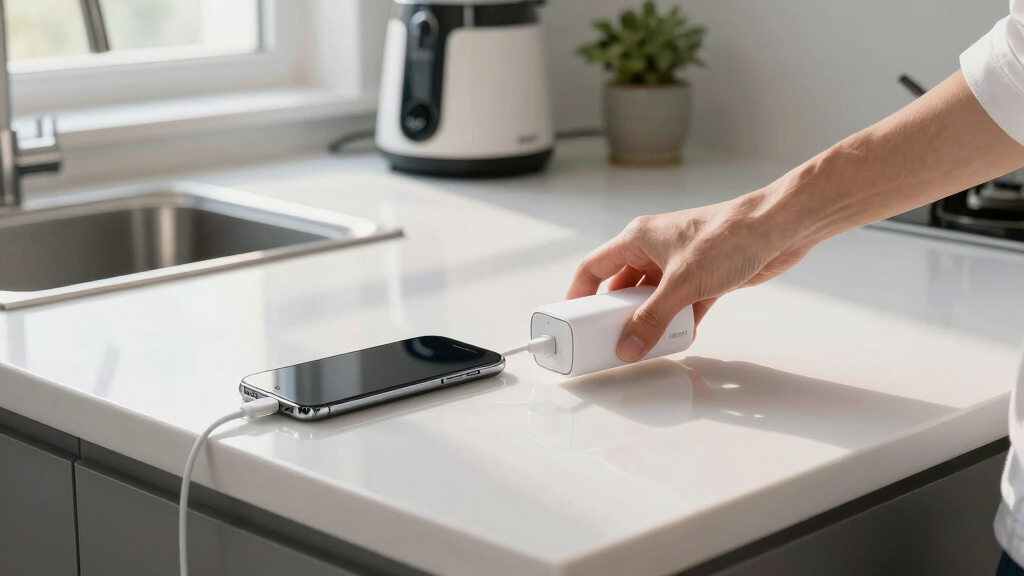
I ranked these Belkin power banks by charging performance, portable capacity, cable convenience, port selection, and how well each feature set matches a real buyer. A higher wattage did not automatically earn a higher position: 65W and 158W are valuable for laptops, but they bring more size and expense than most phone users need. I gave added weight to usable everyday design, including integrated cables, clear battery information, and the ability to charge more than one device. I also compared overlapping models directly, especially the three 20,000mAh batteries and the two 10,000mAh 15W options.
The ranking favors broad usefulness before specialist power. That places the 10,000mAh 20W integrated-cable model at the top for everyday buyers, while the 65W and 158W batteries earn specialist recommendations for laptops and high-demand setups. The dual USB-C and Lightning model ranks highly for simplicity, but its second built-in cable offers limited value to buyers who have moved fully to USB-C. Lower-output 15W models remain worthwhile when price, port count, or basic capacity matters more than speed. Every recommendation also accounts for a meaningful drawback, whether that is slower shared charging, extra weight, cable dependence, or paying for power a buyer may never use.
Factors to Consider When Choosing Best Belkin Power Banks
I would start by matching the power bank to the devices it will charge, then choose the smallest capacity that comfortably covers the intended routine. Output, capacity, and cable design affect daily use more than the number of features on the box. Belkin’s lineup ranges from basic 15W phone batteries to 158W laptop-grade hardware, so buying the most powerful model can add needless bulk and cost. The factors below show where paying more changes the experience and where a simpler model is the smarter buy.
Match Charging Output to the Most Demanding Device
Charging wattage determines which devices a power bank can serve comfortably. Belkin’s 15W models make sense for overnight charging, older phones, earbuds, and other low-demand accessories, but they are less appealing for quick daytime refills. The 20W and 23W options are better matched to current phones because they shorten charging stops without moving into laptop-sized hardware. A laptop changes the calculation, since many notebooks require USB-C Power Delivery at much higher output. I would choose the 65W model for a portable MacBook, compatible Windows laptop, or Nintendo Switch setup. The 158W 25K battery is better reserved for buyers who need high output across demanding devices, since a phone alone cannot make full use of that power.
Choose Capacity Around Your Routine, Not the Largest Number
A rated capacity of 10,000mAh is the practical middle ground for commuting, events, and daily backup charging. It provides more flexibility than a tiny emergency battery while remaining easier to carry than the larger models in this roundup. A 20,000mAh battery suits weekend trips, long workdays, or households that may charge two phones from the same pack. Buyers should expect the energy delivered to devices to be lower than the printed capacity because voltage conversion and heat consume part of the stored power. The 25,000mAh model earns its extra size when laptops or repeated charging sessions are part of the plan. I would avoid buying that capacity for occasional phone emergencies, since it asks the buyer to carry weight that may rarely provide a benefit.
Decide Whether Integrated Cables Fit Your Device Mix
An integrated USB-C cable removes the most common point of friction: remembering to pack a separate cord. That design is a strong match for current Android phones, newer iPhones, tablets, and many accessories, which helps explain why the 20W model leads my ranking. The 23W battery adds built-in USB-C and Lightning cables, making it easier for families or travelers carrying both newer and older Apple hardware. USB-C-only buyers gain little from the Lightning connector and may prefer the cleaner single-cable design. Built-in cables also cannot be replaced as easily as loose cords if they become worn, so available charging ports remain useful as a backup. I would pick replaceable external cables for buyers who keep a power bank for years or frequently switch between unusual connector types.
Read Port Count Together With Shared Output
A three-port battery sounds ideal for group charging, but the port count only describes how many devices can connect. The available wattage may be divided across those devices, which makes a 15W three-port model better for slow accessory charging than three fast phone refills. USB-A ports remain helpful for older cables, watches, headphones, and other equipment that has not moved to USB-C. Two USB-C ports offer a more modern setup and can reduce the need to keep legacy cords. Buyers charging a laptop and phone together should focus on multi-port power allocation, since connecting the second device may lower the output delivered to the computer. I would favor higher total output over extra unused ports when charging speed matters during short stops.
Know When Premium Features Earn Their Price
The right premium feature solves a recurring problem rather than adding an impressive number to the specification sheet. A digital battery display is useful on a 20,000mAh model because a percentage reading makes it easier to judge whether the pack can cover another day. Higher output earns its cost when a power bank replaces a laptop wall charger or supports several demanding devices. Integrated cables add value for buyers who regularly forget cords, but less for those who already keep a charging kit packed. I see the 65W model as the practical upgrade for laptop users and the 158W 25K model as the specialist upgrade for maximum performance. Phone-only buyers will usually get better value from a 20W or 23W model, leaving more money and bag space for features they will actually use.
Frequently Asked Questions
Which Belkin Power Bank Is Best for My iPhone?
For an iPhone with USB-C, I would choose the 10,000mAh 20W model with the integrated USB-C cable. It offers suitable phone-charging speed without requiring a loose cord, and its capacity fits everyday carry. Owners of Lightning-equipped iPhones should look at the 23W dual-cable model, which includes both Lightning and USB-C connectors. That model is also the easier choice for a household using several iPhone generations. A 65W or 158W battery only makes sense when the same power bank must also charge a laptop or other high-demand device.
Do I Need a 65W or 158W Belkin Power Bank for a Laptop?
I would treat 65W as the practical laptop tier for compatible ultraportable notebooks, tablets, and handheld gaming systems. The 20W and 23W models are aimed mainly at phones and may charge some computers too slowly to be useful while the computer is running. Belkin’s 158W 25K model is better suited to demanding laptops, faster refills, or charging several devices from one battery. The gain comes with extra size and a likely price premium, so it is excessive for phone-only use. Buyers should also check the input requirement printed on their laptop charger and use a cable rated for the desired wattage.
Is a 10,000mAh or 20,000mAh Belkin Power Bank the Better Buy?
A 10,000mAh power bank is the better buy for daily commuting, concerts, and emergency phone charging because it is easier to carry. Moving to 20,000mAh makes sense for multi-day travel, two-device households, or people who spend long periods away from outlets. The larger rating does not mean exactly twice as many full charges because conversion losses and device battery sizes vary. I would choose the 20,000mAh digital-display model when tracking the remaining reserve matters, or the 65W version when a laptop is part of the kit. Buyers who rarely drain a phone in one day may find the smaller battery more useful simply because they are more likely to bring it.
Are Belkin Power Banks With Integrated Cables a Good Long-Term Choice?
Integrated cables are a good choice when grab-and-go convenience matters more than maximum flexibility. They reduce forgotten-cable problems and prevent a short trip from turning into a search for the right connector. The drawback is that a built-in cable is harder to replace if it becomes damaged, while a standard loose cable can be swapped immediately. I prefer models that pair the integrated lead with additional usable ports, giving the battery a fallback charging path. Buyers who frequently change devices or keep electronics for many years may be happier with a port-only model and replaceable cords.
Can a Three-Port Belkin Power Bank Fast-Charge Three Devices at Once?
Connecting three devices does not mean each one receives the power bank’s maximum advertised output. On lower-output models, the available power is shared, so a 15W three-port battery may charge several devices slowly rather than fast-charge all of them. This setup works well for topping up earbuds, a watch, and a phone overnight. For a laptop-and-phone combination, I would choose the 65W or 158W model and check how its output is divided when several ports are active. Buyers who usually charge one device at a time should prioritize single-port speed rather than paying for ports that will remain empty.
Conclusion
For most buyers, my best overall recommendation is the Belkin 10,000mAh power bank with an integrated USB-C cable and 20W charging. It combines phone-friendly speed, manageable capacity, and freedom from a separate cable. The 15W three-port 10,000mAh model is my best-value pick for buyers who accept slower charging in exchange for straightforward multi-device flexibility. Beginners and mixed-device households should choose the 23W model with integrated USB-C and Lightning cables because it removes connector guesswork.
For premium performance, I would buy the 25K 158W model when high-powered laptops and multiple devices justify the added size. The 20,000mAh 65W battery is the better laptop travel choice for buyers who want strong output without stepping up to the largest option. I would direct phone-focused travelers who want clear capacity information to the 20,000mAh model with the digital display, while the basic 20,000mAh 15W version fits buyers prioritizing endurance and legacy USB-A connections. The deciding question is simple: choose 10,000mAh for daily portability, 20,000mAh for longer trips, and 25,000mAh only when demanding hardware makes the extra power worthwhile.
Halloween Picks
halloween
As an affiliate, we earn on qualifying purchases.