
To keep your robot vacuum performing at its best, regularly clean the filters, sensors, and charging contacts. Remove dust, hair, and debris from filters and wash washable ones thoroughly, letting them dry before reinstalling. Gently wipe sensors with a soft cloth to prevent navigation issues, and clean contacts with a dry or alcohol-based cloth to guarantee proper charging. Maintaining these parts regularly can extend your device’s lifespan and improve its efficiency—more tips to optimize your routine ahead.
Key Takeaways
- Regularly clean or replace filters to maintain optimal suction and airflow.
- Use soft, lint-free cloth or gentle brushes to clean sensors without scratching.
- Inspect and wipe charging contacts with a dry or alcohol-based cloth to ensure proper charging.
- Follow manufacturer instructions for washable filters and scheduled maintenance routines.
- Consistent cleaning prevents device errors, extends lifespan, and keeps cleaning performance efficient.
Regularly cleaning the filters, sensors, and charging contacts on your robot vacuum is essential for maintaining peak performance. If you neglect these components, you’ll likely notice a decline in cleaning efficiency, longer charging times, and potential errors that disrupt your routine. Establishing a regular maintenance schedule helps you stay ahead of these issues, ensuring your device runs smoothly and effectively. Depending on how often you use your robot, you might clean filters weekly, sensors bi-weekly, and charging contacts monthly. Consistency is key; setting reminders or marking your calendar makes it easier to stick to these routines. When you don’t follow a proper schedule, troubleshooting issues become more frequent and complicated. For instance, clogged filters or dirty sensors can cause the vacuum to miss spots or get stuck, while dirty charging contacts may prevent it from docking properly, leading to incomplete cleaning cycles or the need for manual intervention.
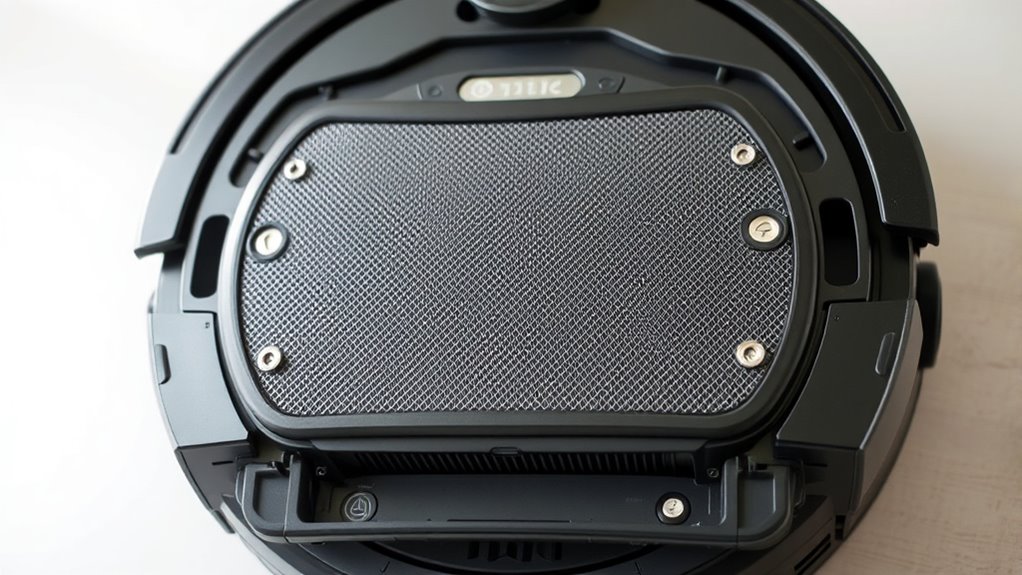
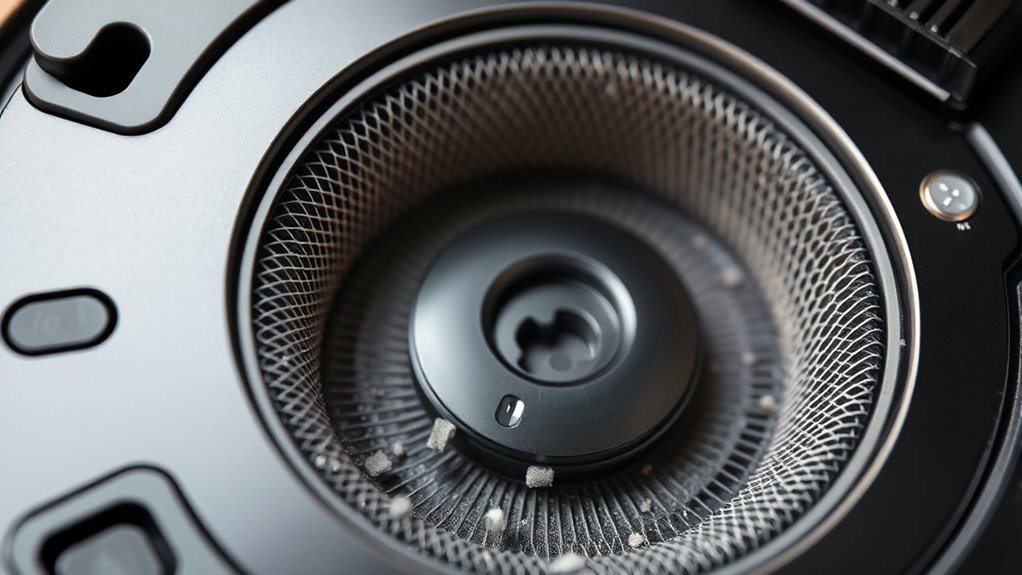
Cleaning your robot’s filters regularly prevents dust, hair, and debris from clogging the airflow, which can diminish suction power. Check the manufacturer’s instructions to identify whether your filters are washable or need replacement. If washable, rinse them gently with water and let them dry completely before reinstalling. Dirty filters force the motor to work harder, increasing wear and decreasing lifespan. Sensors, on the other hand, act as the eyes of your vacuum, guiding it through your home. Dust or smudges on these sensors can cause misjudgments in navigation, resulting in missed spots or collisions. Use a soft, lint-free cloth or a gentle brush to clean sensor surfaces carefully. Be cautious not to scratch or damage them, as this can lead to more significant troubleshooting issues down the line. Proper maintenance of these components is crucial for extending your robot vacuum’s lifespan and ensuring optimal functionality.
The charging contacts are critical for efficient power transfer. Over time, they can accumulate dirt, dust, or oxidation, which interrupts the charging process. Regularly inspecting and wiping these contacts with a dry cloth or a mild alcohol-based cleaner guarantees proper connection. If your robot isn’t charging correctly or seems to lose power quickly, dirty contacts are often the culprit. Maintaining these contacts prevents the need for more extensive troubleshooting issues later, saving you time and frustration. Remember, a well-maintained robot vacuum performs better, lasts longer, and reduces the chances of encountering errors. By sticking to a consistent maintenance schedule, you ensure your device stays in top shape, making cleaning less of a chore and more of a seamless part of your routine.
As an affiliate, we earn on qualifying purchases.
Frequently Asked Questions
How Often Should I Replace My Robot Vacuum’s Filters?
You should replace your robot vacuum’s filters every 2 to 3 months for best performance. Regular filter replacement maintains suction power and prevents dust buildup. Don’t forget sensor cleaning tips to keep navigation smooth—wipe sensors gently with a soft cloth monthly. Check your vacuum’s manual for specific filter replacement frequency, as it varies by model. Staying consistent with these tips ensures your robot cleans effectively and lasts longer.
Can I Clean Sensors With Household Cleaning Products?
You shouldn’t use household cleaning products on your robot vacuum sensors. Instead, gently wipe sensors with a soft, dry cloth to guarantee proper sensor maintenance. Avoid harsh chemicals, liquids, or abrasive materials that can damage delicate sensor surfaces. Regularly cleaning sensors with a soft cloth keeps your robot functioning at its best, maintaining effective navigation and cleaning performance. Proper sensor maintenance prevents issues and prolongs your vacuum’s lifespan.
What Are the Signs of Faulty Charging Contacts?
You’ll notice faulty charging contacts when your robot vacuum struggles to dock or recharge properly. During charging contacts inspection, look for corrosion, dirt buildup, or misalignment. Sensor malfunction clues, like the vacuum not recognizing the charging station, often accompany poor contacts. If you see these signs, clean the contacts carefully and make sure they’re properly aligned. Addressing these issues helps maintain smooth charging and overall device performance.
Are There Specific Tools Recommended for Cleaning Robot Sensors?
You can use soft, lint-free cloths for sensor cleaning tips, ensuring gentle removal of dust and debris. For more thorough sensor maintenance tools, try using a small, anti-static brush or compressed air canister to reach tight spots without damage. Always power off your robot before cleaning, and avoid harsh chemicals to protect sensor surfaces. Regular sensor maintenance tools help keep your robot vacuum functioning efficiently and prevent navigation issues.
How Can I Prevent Dust Buildup on Charging Contacts?
To prevent dust accumulation on charging contacts, regularly wipe them with a dry, soft cloth or a cotton swab dipped in rubbing alcohol. This helps remove dust buildup and reduces contact corrosion. Keep the contacts dry and free of debris, especially after cleaning your robot vacuum. Regular maintenance guarantees a good connection, prolongs battery life, and keeps your device functioning smoothly.
Conclusion
Regularly cleaning your robot vacuum’s filters, sensors, and charging contacts keeps it running smoothly. Did you know that a dirty filter can reduce your vacuum’s efficiency by up to 50%? By staying on top of maintenance, you’ll extend its lifespan and enjoy cleaner floors with less hassle. Don’t let dirt and debris cause unnecessary breakdowns—give your robot the care it deserves, and it’ll keep your home spotless for years to come.