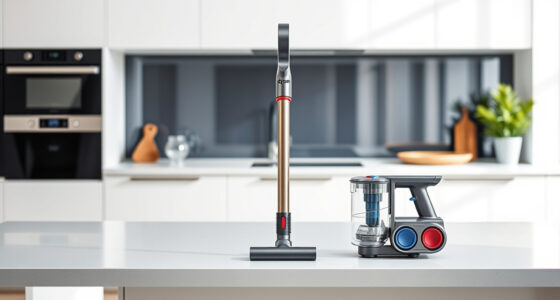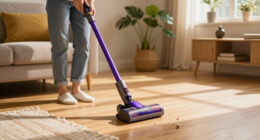
The Dyson V15 Detect™ Origin Cordless Vacuum is a powerful and intelligent cleaning tool designed for whole-home deep cleaning. To ensure it continues to perform at its best, routine maintenance and troubleshooting are essential. This guide provides clear, practical steps to diagnose issues, perform regular care, and keep your Dyson operating smoothly.

Get cleaning gear delivered free — and shop member deals
- Fast, free delivery on millions of items
- Access to Prime Big Deal Days deals on October 6–7
- Prime Video, Amazon Music and more included
Whether you’re dealing with reduced suction, filter problems, or other common issues, you’ll find safe, effective solutions here. Remember, proper handling and regular checks will extend your vacuum’s lifespan and maintain its impressive cleaning capabilities.
Key Takeaways
| Regular Filter Maintenance | Clean and replace filters every 2-3 months for optimal suction. |
| Battery Care | Avoid overcharging and store in a cool, dry place to prolong battery life. |
| Troubleshooting Suction Loss | Check for obstructions and clean filters to restore power. |
| Brush and Cleaner Head Checks | Regularly inspect and clear debris to prevent performance drops. |
| Software and Alerts | Monitor the LCD screen for maintenance alerts and follow prompts. |
Step 1: Basic Inspection and Power Issues
- Ensure the vacuum is properly charged. Connect the charger and verify the charging indicator lights up. If not, try a different outlet or check the charger for damage.
- Check if the power trigger is engaged correctly. Sometimes, releasing and pressing it again can restore power.
- Inspect the battery status on the LCD. If the run time is unexpectedly short, consider replacing the battery or contacting Dyson support.
Step 2: Clearing Blockages and Obstructions
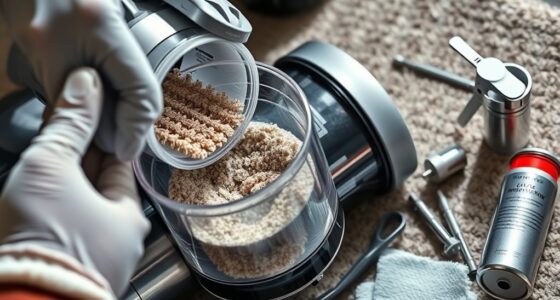
- Turn off the vacuum and detach the cleaner head and wand.
- Inspect the wand, cleaner heads, and crevice tools for debris or hair entanglements. Remove any obstructions carefully.
- Use a long, flexible brush or stick to dislodge trapped debris in narrow passages.
Step 3: Cleaning and Replacing Filters
- Remove the pre-filters and main filters as per the user manual instructions.
- Wash the filters with cold water. Do not use detergents, and let them air dry completely for at least 24 hours before reinstalling.
- Replace filters if they show signs of damage or excessive wear. Replacing every 2-3 months maintains optimal suction.
Step 4: Maintaining the Cleaner Heads and Attachments
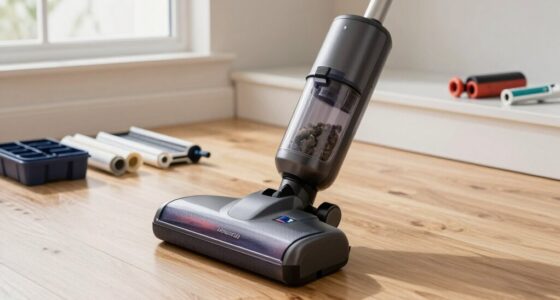
- Regularly check the Digital Motorbar and Fluffy Optic heads for hair or debris entanglement.
- Remove any tangled hair and clean the brushes with a soft cloth.
- Ensure the cleaner heads are properly attached and free of obstructions before use.
Step 5: Software Updates and Alerts
The LCD screen displays maintenance alerts and power mode information. Keep your vacuum’s firmware updated via the Dyson app or contact support for assistance with software issues. Follow on-screen prompts for troubleshooting and updates.
The Products in This Guide

Dyson V15 Detect™ Origin Cordless Vacuum
- ✔ Battery Life: Up to 60 mins
- ✔ Weight: Approx. 6.8 lbs
- ✔ Filter Type: HEPA-like, washable

LANMU Crevice Tool Vacuum Attachments Compatible
- ✔ Length: 12 inches
- ✔ Compatibility: Multiple Dyson models
- ✔ Material: Plastic
Dyson V15 Detect™ Origin Cordless Vacuum
The Dyson V15 Detect™ Origin offers powerful cleaning with intelligent debris detection, a long 60-minute runtime, and real-time particle monitoring through its LCD screen. Its advanced cleaner heads, including the Fluffy Optic and Digital Motorbar, ensure versatile and deep cleaning across all floor types. Regular maintenance of filters, brushes, and filters is essential to keep this vacuum performing at its peak.
Pros:
- Powerful, 100% more suction compared to previous models
- Intelligent debris detection with LCD feedback
- Long battery life of 60 minutes
- Multiple cleaning heads for different surfaces
Cons:
- Filters require regular cleaning and replacement
- Can be heavy for extended handheld use
- Price point may be high for some users
Best for: Deep cleaning homes with pets, hard floors, and carpets
Not ideal for: Users seeking a lightweight or budget vacuum
Bottom line: The Dyson V15 Detect™ Origin is a high-performance vacuum that benefits from regular maintenance and troubleshooting to maximize its lifespan.
LANMU Crevice Tool Vacuum Attachments Compatible
This versatile crevice tool is compatible with Dyson V15 and other models, designed to reach tight corners, edges, and small spaces. Its narrow profile makes it perfect for car interiors, baseboards, and keyboard cleaning, complementing your Dyson’s capabilities.
Pros:
- Narrow, flexible nozzle for tight spaces
- Compatible with multiple Dyson models
- Easy to attach and use
- Durable construction
Cons:
- Not suitable for large debris
- Requires careful handling in delicate areas
Best for: Targeted cleaning in small, tricky spots
Not ideal for: Heavy-duty cleaning of large debris
Bottom line: A practical addition to enhance your Dyson’s reach for detailed cleaning tasks.
Frequently Asked Questions
How often should I clean or replace the filters on my Dyson V15?
It’s recommended to wash washable filters every 1-2 months and replace them every 2-3 months for optimal performance.
What should I do if my vacuum loses suction?
Check for blockages in the wand and cleaner heads, clean or replace filters, and ensure the bin is emptied properly.
How do I update the firmware on my Dyson V15?
Use the Dyson app or contact Dyson support to check for software updates, following prompts for installation.
Can I use third-party filters with my Dyson?
It’s best to use Dyson-approved filters to ensure compatibility and maintain warranty coverage.
What safety precautions should I take during cleaning and maintenance?
Always turn off and unplug the vacuum before cleaning filters, heads, or internal parts, and avoid using water on electrical components unless specified.
Keep Your Dyson V15 Detect™ Origin at Peak Performance
Regular maintenance and troubleshooting are key to ensuring your Dyson V15 Detect™ Origin continues to deliver powerful cleaning. Follow these simple steps to clear obstructions, clean filters, and monitor alerts for a long-lasting, efficient vacuum. Proper care not only extends the lifespan of your device but also guarantees a cleaner, healthier home environment.
Stay attentive to the LCD prompts and perform routine checks. With proper upkeep, your Dyson will remain a reliable partner in your cleaning routine for years to come.
Affiliate disclosure: As an Amazon Associate we earn from qualifying purchases. Prices and availability are accurate as of the time of publishing.
Fall Picks
fall essentials
As an affiliate, we earn on qualifying purchases.