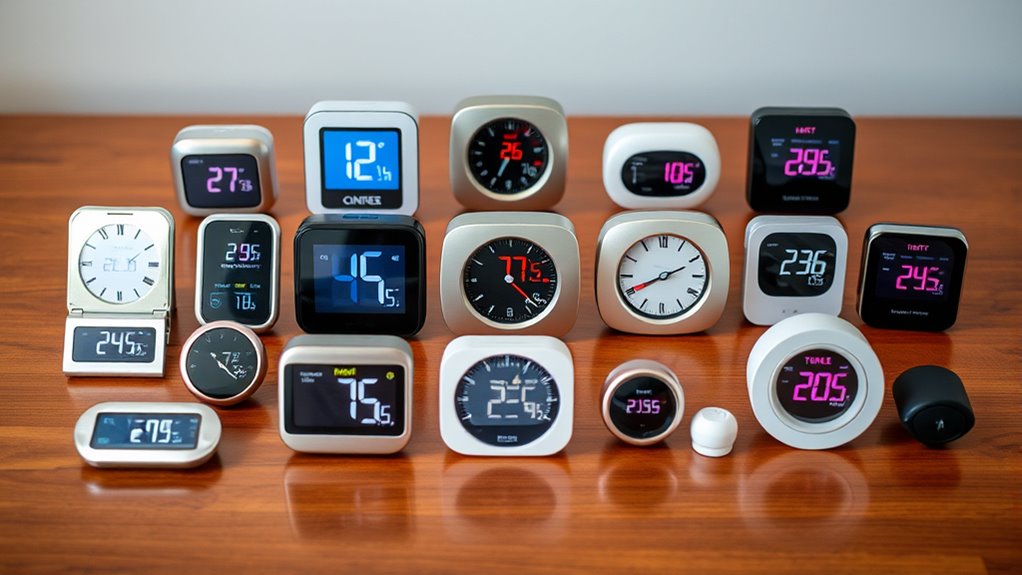

For a straightforward home reading, I rank the TempPro TP49 2-Pack as the best overall indoor thermometer because two compact units make it easier to compare rooms. The DOQAUS 3-Pack stands out for covering more spaces, while the Govee H5075 suits readers who want Bluetooth app access. The main tradeoffs are how many rooms you want to monitor, whether humidity readings matter alongside temperature, and whether you need a phone connection or a simple display. Larger displays can be easier to read, while smaller units are easier to place discreetly. Read on for my full comparison and guidance on choosing the right setup.

Get cleaning gear delivered free with Prime
- Fast, free delivery on millions of items
- Prime Video, Amazon Music and more included
- Member-only deals all year
Complete the kit


Key Takeaways
- Multi-room coverage shapes this lineup: The TP49 2-Pack and DOQAUS 3-Pack offer a practical way to compare temperatures and humidity across rooms; choose based on how many spaces you need to monitor.
- The Govee H5075 is the app-focused pick: Bluetooth access adds remote checking within its connection range, but it brings more setup than a standalone display.
- Large displays favor quick checks: The DOQAUS 3-Pack emphasizes a large display, while compact options suit shelves, desks, and tighter spots.
- Most picks pair temperature with humidity: That extra reading helps assess room conditions, but buyers who only want temperature may prefer a simpler device.
- Repeated TempPro TempAir listings are not automatically distinct choices: Compare the exact model and feature details in each listing before treating similarly named versions as different upgrades.
| TempPro TempAir Digital Indoor Hygrometer and Thermometer |  | Best for Simple Room Checks | Temperature accuracy: ±1°F/°C | Humidity accuracy: ±2% to 3% RH | Refresh rate: 10 seconds | VIEW ON AMAZON | See Our Full Breakdown |
| DOQAUS 3 Pack Digital Hygrometer Indoor Thermometer with Large Display |  | Best for Monitoring Multiple Rooms | Quantity: 3 units | Temperature range: -58°F to 158°F (-50°C to 70°C) | Temperature accuracy: ±1°F | VIEW ON AMAZON | See Our Full Breakdown |
| 2 Pack Indoor Hygrometer Thermometer – Monitor Temperature & Humidity, Accurate, Fast Read, Compact with Battery |  | Best Two-Room Starter Set | Quantity: 2 units | Temperature range: -58°F to 158°F (-50°C to 70°C) | Temperature accuracy: ±2°F (±1°C) | VIEW ON AMAZON | See Our Full Breakdown |
| TempPro TP49 Digital Hygrometer and Indoor Thermometer (2-Pack) |  | Best Two-Pack for Accuracy | Quantity: 2 units | Temperature accuracy: ±1°F / ±1°C | Humidity accuracy: ±2% to 3% RH | VIEW ON AMAZON | See Our Full Breakdown |
| DOQAUS Digital Indoor Hygrometer and Thermometer, Black |  | Best for Faster Updates | Temperature accuracy: ±1°F | Humidity accuracy: ±5% RH | Humidity operating range: 10% to 99% | VIEW ON AMAZON | See Our Full Breakdown |
| Ayawiss Digital Indoor Thermometer and Hygrometer |  | Best for Trend Tracking | Temperature range: -58°F to 158°F | Temperature accuracy: ±1.8°F | Humidity range: 10%–99% RH | VIEW ON AMAZON | See Our Full Breakdown |
| TempPro TP50 Digital Indoor Thermometer and Hygrometer |  | Best for Recorded Highs and Lows | Temperature accuracy: ±1°F | Humidity accuracy: ±2–3% RH | Update interval: 10 seconds | VIEW ON AMAZON | See Our Full Breakdown |
| TempPro TempAir Digital Hygrometer and Indoor Thermometer |  | Best for Flexible Placement | Model: TempAir CORE TP-49-W | Temperature accuracy: ±1°F | Humidity accuracy: ±2% to 3% RH | VIEW ON AMAZON | See Our Full Breakdown |
| Govee H5075 Indoor Hygrometer and Thermometer with Bluetooth App Control |  | Best for App-Based Monitoring | Model: H5075 | Connectivity: Bluetooth, up to 164 ft | Temperature accuracy: ±0.54°F | VIEW ON AMAZON | See Our Full Breakdown |
| AyayaBoss 3-Pack Indoor Thermometer and Hygrometer |  | Best for Monitoring Multiple Rooms | Quantity: 3 thermometers | Temperature range: -58°F to 158°F | Humidity range: 10% to 99% RH | VIEW ON AMAZON | See Our Full Breakdown |
| TempPro TempAir Digital Indoor Hygrometer Thermometer with Touchscreen |  | Best for Easy Reading | Display: 4-inch backlit LCD with touchscreen | Temperature accuracy: ±1°F | Humidity accuracy: ±2% RH | VIEW ON AMAZON | See Our Full Breakdown |
| TempPro TP49 Digital Hygrometer and Indoor Thermometer, 3-Pack |  | Best for Multi-Room Coverage | Pack size: 3 units | Temperature accuracy: ±1°F | Humidity accuracy: ±2% to 3% RH | VIEW ON AMAZON | See Our Full Breakdown |
| Antonki 2-Pack Indoor Thermometer and Hygrometer |  | Best Compact Two-Room Pick | Pack size: 2 units | Temperature range: -58°F to 158°F (-50°C to 70°C) | Humidity range: 10% to 99% RH | VIEW ON AMAZON | See Our Full Breakdown |
| TempPro TempAir Digital Hygrometer and Indoor Thermometer |  | Best for High/Low Tracking | Model: TempAir CORE TP-50-2 | Temperature accuracy: ±1°F | Humidity accuracy: ±2–3% RH | VIEW ON AMAZON | See Our Full Breakdown |
| TempPro TempAir Digital Hygrometer Indoor Thermometer Humidity Monitor |  | Best for Wellness Checks | Accuracy: ±1°F and ±2–3% RH | Refresh rate: 10 seconds | Display information: High/low temperature and humidity records | VIEW ON AMAZON | See Our Full Breakdown |
| indoor thermometer | Temperature accuracy | Humidity accuracy | Refresh rate | Mounting |
|---|---|---|---|---|
| TempPro TempAir Digital Indoor | ±1°F/°C | ±2% to 3% RH | 10 seconds | Tabletop stand, magnetic back, or hanging mount |
| DOQAUS 3 Pack Digital Hygromet | ±1°F | ±2% RH | — | — |
| 2 Pack Indoor Hygrometer Therm | ±2°F (±1°C) | ±5% RH | — | — |
| TempPro TP49 Digital Hygromete | ±1°F / ±1°C | ±2% to 3% RH | 10 seconds | Tabletop, magnetic, or hanging |
| DOQAUS Digital Indoor Hygromet | ±1°F | ±5% RH | 5 seconds | Hanging hole, tabletop stand, or magnet |
| Ayawiss Digital Indoor Thermom | ±1.8°F | ±5% RH | Every 5 seconds | Tabletop |
| TempPro TP50 Digital Indoor Th | ±1°F | ±2–3% RH | — | Tabletop stand and magnetic back |
| TempPro TempAir Digital Hygrom | ±1°F | ±2% to 3% RH | 10 seconds | — |
| Govee H5075 Indoor Hygrometer | ±0.54°F | ±3% RH | — | — |
| AyayaBoss 3-Pack Indoor Thermo | Listed as “2”; unit not specified | — | — | Tabletop kickstand or adhesive tape |
| TempPro TempAir Digital Indoor | ±1°F | ±2% RH | 10 seconds | Tabletop, wall mount, or magnetic |
| TempPro TP49 Digital Hygromete | ±1°F | ±2% to 3% RH | 10 seconds | Tabletop stand, magnetic back, or hanging mount |
| Antonki 2-Pack Indoor Thermome | ±2°F (±1°C) | ±5% RH | — | — |
| TempPro TempAir Digital Hygrom | ±1°F | ±2–3% RH | 10 seconds | — |
| TempPro TempAir Digital Hygrom | — | — | 10 seconds | Tabletop stand or magnetic back |
More Details on Our Top Picks
TempPro TempAir Digital Indoor Hygrometer and Thermometer
The TempPro TempAir makes sense when I want one small display for a bedroom, office, or storage area without paying for app features I may not use. Its dry, comfortable, and wet icons turn humidity into a quick cue, while the temperature and humidity readings give more detail when I need it. Compared with the DOQAUS 3 Pack, this is a single-unit choice for one location rather than a way to monitor several rooms at once. It refreshes every 10 seconds and offers tabletop, magnetic, or hanging placement, so I can move it between surfaces. The tradeoff is that it needs an AAA battery, and its 2.2 × 2.6-inch body is better suited to nearby viewing than across a large room.
Pros:- Comfort icons make humidity conditions easier to interpret at a glance
- Large digits on a compact display
- Tabletop, magnetic, and hanging placement options
- Readings refresh every 10 seconds
Cons:- Requires a separate AAA battery
- Single unit covers only one monitoring location
Best for: People who want a compact, easy-to-read temperature and humidity check for one room
Not ideal for: Households monitoring several rooms at once or buyers who need readings visible from far away
- Temperature accuracy:±1°F/°C
- Humidity accuracy:±2% to 3% RH
- Refresh rate:10 seconds
- Temperature range:Up to 158°F
- Operating humidity:1–100%
- Battery:1 AAA, 1.5 volts
- Mounting:Tabletop stand, magnetic back, or hanging mount
- Dimensions:2.2 × 2.6 inches
Our verdict“I’d choose this TempPro for straightforward checks in one room, especially when a humidity comfort cue matters as much as the temperature.”
DOQAUS 3 Pack Digital Hygrometer Indoor Thermometer with Large Display
When I need readings from several rooms, the DOQAUS 3 Pack offers a practical advantage over the single TempPro TempAir: I can place a unit in each space and compare conditions without carrying one monitor around. Its 3.4-inch display is the largest listed here, making the numbers easier to check at a glance from nearby. The stated ±1°F temperature and ±2% RH humidity accuracy also give it tighter humidity precision than the 2 Pack Indoor Hygrometer Thermometer, which is listed at ±5% RH. The set suits homes, nurseries, or indoor growing spaces, but the data does not specify a refresh interval, and it offers no smart home integration. Buyers should also account for six AAA batteries across the three units, which are not included.
Pros:- Three units support monitoring in multiple rooms
- Large 3.4-inch display is easy to read
- Stated ±1°F temperature and ±2% RH humidity accuracy
- Magnetic, stand, and wall-mount placement options
Cons:- Requires six AAA batteries, which are not included
- No smart home integration
- Listed for indoor use only
Best for: Households that want separate temperature and humidity readings in a nursery, living area, and another indoor space
Not ideal for: Buyers who want app access, smart home integration, or a single compact monitor
- Quantity:3 units
- Temperature range:-58°F to 158°F (-50°C to 70°C)
- Temperature accuracy:±1°F
- Humidity range:10% to 99% RH
- Humidity accuracy:±2% RH
- Display size:3.4 inches
- Power:2 AAA batteries per unit
- Stated battery life:21–28 months
Our verdict“I’d pick this set when separate readings around the home matter more than app connectivity or minimizing battery use.”
2 Pack Indoor Hygrometer Thermometer – Monitor Temperature & Humidity, Accurate, Fast Read, Compact with Battery
The 2 Pack Indoor Hygrometer Thermometer is a straightforward way for me to check two locations, such as a bedroom and a storage area, without buying three monitors. Both units include a large LCD plus magnet and kickstand placement, much like the TempPro TP49 2-Pack. The difference is in the stated tolerances: this set lists temperature accuracy of ±2°F and humidity accuracy of ±5% RH, while the TP49 lists tighter figures for both. That makes this a better fit for broad comfort checks than for comparing small humidity changes. Its included CR2032 batteries get the units started, though the description warns that initial readings can fluctuate before stabilizing. I’d allow time for that settling period and expect eventual battery replacement, a less convenient setup than a pack with a stated long battery life.
Pros:- Two monitors cover separate locations
- Large LCD supports quick reading
- Magnetic and kickstand placement options
- CR2032 batteries are included
Cons:- Humidity accuracy is listed at ±5% RH
- Initial readings may fluctuate before stabilizing
- Batteries need replacement over time
Best for: First-time buyers who want basic temperature and humidity checks in two rooms
Not ideal for: People who need tighter humidity readings or want measurements to settle immediately after setup
- Quantity:2 units
- Temperature range:-58°F to 158°F (-50°C to 70°C)
- Temperature accuracy:±2°F (±1°C)
- Humidity range:10% to 99%
- Humidity accuracy:±5% RH
- Battery:CR2032 button battery
- Placement:Magnet or kickstand
Our verdict“I’d start with this pair for general room comfort checks, but choose the TempPro TP49 pair if closer humidity accuracy is a priority.”
TempPro TP49 Digital Hygrometer and Indoor Thermometer (2-Pack)
For two-room monitoring with tighter stated tolerances, I’d put the TempPro TP49 2-Pack ahead of the 2 Pack Indoor Hygrometer Thermometer. The TP49 lists ±1°F temperature accuracy and ±2% to 3% RH humidity accuracy, compared with ±2°F and ±5% RH for that alternative. Its 10-second refresh and dry, comfort, or wet icons also make it easier to track changing conditions and decide whether a humidifier or dehumidifier may help. Tabletop, magnetic, and hanging placement gives each monitor more flexibility around a room. The compromise is size: despite the large digits, the units measure only about 1.49 × 2.36 × 2.6 inches, so they may be hard to read from across a room. They use alkaline batteries, which need replacement rather than recharging.
Pros:- Two units cover separate rooms
- Stated temperature accuracy of ±1°F
- Humidity accuracy listed at ±2% to 3% RH
- 10-second refresh and intuitive comfort icons
Cons:- Compact screens may be difficult to read from a distance
- Alkaline batteries require replacement
- No app or smart home features are listed
Best for: Buyers who want two compact monitors with clearer humidity cues and tighter stated accuracy
Not ideal for: People who need large displays readable from across a room or prefer rechargeable devices
- Quantity:2 units
- Temperature accuracy:±1°F / ±1°C
- Humidity accuracy:±2% to 3% RH
- Refresh rate:10 seconds
- Operating humidity:10%–99%
- Maximum temperature:158°F
- Dimensions:1.49 × 2.36 × 2.6 inches
- Mounting:Tabletop, magnetic, or hanging
Our verdict“I’d choose the TP49 pair over the other two-pack here when humidity precision and quick comfort cues outweigh screen size.”
DOQAUS Digital Indoor Hygrometer and Thermometer, Black
The single-unit DOQAUS Digital Indoor Hygrometer and Thermometer refreshes every 5 seconds, the fastest stated interval among these five products. That makes it a useful pick when I want to watch room conditions change, such as after opening a window, while the TempPro TP49 updates every 10 seconds. It still shows both temperature and humidity, adds an air comfort indicator, and can sit on a table, hang, or attach magnetically. Its ±1°F temperature accuracy matches the TempPro options, but its ±5% RH humidity accuracy is looser than the TP49 and DOQAUS three-pack. I’d choose it for quick single-room checks rather than fine humidity comparisons. It is designed for indoor use and includes no battery in the listed components.
Pros:- Readings refresh every 5 seconds
- Displays temperature, humidity, and an air comfort indicator
- Hanging, tabletop, and magnetic placement options
- Temperature accuracy is listed at ±1°F
Cons:- Humidity accuracy is ±5% RH
- Indoor use only
- No battery is listed among included components
Best for: People who want one compact indoor monitor with frequent updates and flexible placement
Not ideal for: Buyers comparing small humidity changes or seeking a multi-room set
- Temperature accuracy:±1°F
- Humidity accuracy:±5% RH
- Humidity operating range:10% to 99%
- Upper temperature range:158°F
- Refresh rate:5 seconds
- Display size:2.3 inches
- Dimensions:1.8 × 2.3 inches
- Mounting:Hanging hole, tabletop stand, or magnet
- Temperature units:°F or °C
Our verdict“I’d choose this DOQAUS for frequent updates in one room, while the TP49 is a better fit when humidity accuracy matters more.”
Ayawiss Digital Indoor Thermometer and Hygrometer
The Ayawiss is a straightforward choice for readers who want to see indoor temperature and humidity together, with a little context for how conditions are changing. Its one-hour trend indicator and humidity status icons add more at-a-glance guidance than a basic readout, while readings refresh every five seconds. Compared with the TempPro TP50, it updates more often but lacks that model’s high and low records and magnetic mounting. Its small tabletop footprint suits a desk, shelf, or bedside table, though the 2.1-by-2.6-inch body may be harder to read across a larger room. The three-minute settling period after startup delays a stable reading, and a single rear button handles both temperature and unit controls, making adjustments less intuitive.
Pros:- Shows temperature and humidity together in large digits
- One-hour trend indicator adds context to changing readings
- Refreshes readings every five seconds
- Includes a pre-installed AAA battery
Cons:- Needs about three minutes to settle after power-on
- Temperature and unit controls share a rear button
- Small body may be difficult to read from across a room
Best for: People who want a compact tabletop monitor with quick updates and a short-term temperature trend
Not ideal for: Anyone who wants magnetic placement, recorded highs and lows, or controls that are easy to adjust from the front
- Temperature range:-58°F to 158°F
- Temperature accuracy:±1.8°F
- Humidity range:10%–99% RH
- Humidity accuracy:±5% RH
- Refresh rate:Every 5 seconds
- Dimensions:2.1 × 2.6 inches
- Mounting:Tabletop
- Battery:1 AAA alkaline battery, included
Our verdict“Choose the Ayawiss for fast, compact tabletop readings and a one-hour trend; choose the TempPro TP50 if magnetic mounting and high-low records matter more.”
TempPro TP50 Digital Indoor Thermometer and Hygrometer
The TP50 makes sense for buyers who want more than the current room reading: it also shows high and low records for temperature and humidity. That history can help identify swings between check-ins, while its dry, comfortable, and wet icon translates humidity into a quick visual cue. Its tabletop stand and magnetic back give it more placement flexibility than the Ayawiss, which is tabletop only. The tradeoff is a slower 10-second update interval, and the provided data specifies a maximum temperature of 158°F without listing a lower bound. It is intended for indoor use, so it is a focused room monitor rather than a device for checking outdoor conditions. The plastic construction keeps the design simple, but the listed data does not describe trend graphs or app access like the Govee H5075.
Pros:- Displays temperature and humidity high-low records
- Dry, comfortable, and wet indicators simplify humidity checks
- Can stand on a surface or attach magnetically
- Includes one AAA battery
Cons:- Designed for indoor use only
- Updates every 10 seconds, slower than the Ayawiss
- Product data lists an upper temperature limit but no lower limit
Best for: Households that want to check room conditions and compare current readings with recent highs and lows
Not ideal for: Buyers who need outdoor monitoring, app-based history, or updates faster than every 10 seconds
- Temperature accuracy:±1°F
- Humidity accuracy:±2–3% RH
- Update interval:10 seconds
- Response time:2 seconds
- Upper temperature range:158°F
- Mounting:Tabletop stand and magnetic back
- Length:2.62 inches
- Power:1 AAA battery, included
Our verdict“Pick the TP50 if high-low records and magnetic placement are useful; the Govee H5075 is a better fit for app graphs and data export.”
TempPro TempAir Digital Hygrometer and Indoor Thermometer
The TempAir suits buyers who may move a room monitor between a desk, a magnetic surface, and a hanging spot. Its three mounting options make placement more flexible than the tabletop-only Ayawiss, and its face icons offer a quick dry, comfortable, or wet humidity cue. Readings refresh every 10 seconds, matching the TP50’s interval, with stated accuracy of ±1°F for temperature and ±2% to 3% RH for humidity. The compact body saves space, but that same size can make its display harder to read from a distance; it is better placed nearby than across a large room. It also stops at 158°F, and the provided specs do not list a lower temperature bound. Compared with the Govee H5075, it gives up app alerts and historical graphs for a simpler, screen-first setup.
Pros:- Offers tabletop, magnetic, and hanging placement
- Shows temperature, humidity, and comfort icons
- Refreshes readings every 10 seconds
- Lightweight 35 g body takes up little space
Cons:- Compact display may be difficult to read at a distance
- Upper temperature limit is 158°F
- No app monitoring or historical graphs are specified
Best for: People who want a small room monitor that can stand, hang, or attach magnetically
Not ideal for: Buyers who need app alerts, historical records, or a display easy to read from across a room
- Model:TempAir CORE TP-49-W
- Temperature accuracy:±1°F
- Humidity accuracy:±2% to 3% RH
- Refresh rate:10 seconds
- Upper temperature range:158°F
- Display:LCD
- Mounting options:Tabletop stand, magnetic back, hanging mount
- Dimensions:0.7 in W × 2.6 in H
- Weight:35 g
Our verdict“Choose the TempAir for versatile placement in a small room; choose the Govee H5075 if app alerts and recorded history are priorities.”
Govee H5075 Indoor Hygrometer and Thermometer with Bluetooth App Control
The Govee H5075 is the most data-focused option in this group. Bluetooth app access adds alerts, historical graphs, and CSV export, making it more useful than the TempPro TP50 when you want to review patterns instead of checking a screen in passing. It also refreshes in up to two seconds and has a 3-inch LCD, so its readings are both quick and easy to see nearby. The added tracking comes with limits: Bluetooth range is up to 164 feet, and the supplied data describes indoor use. Its upper temperature range is 140°F, lower than the 158°F listed for the TP50 and TempAir. The tabletop-only format is less flexible than the TempAir’s hanging and magnetic options, and app features depend on keeping a compatible phone within Bluetooth reach.
Pros:- App alerts can flag temperature or humidity outside chosen ranges
- Stores 20-day graphs and supports export of up to two years of data
- Refreshes readings in up to two seconds
- Large 3-inch LCD shows readings clearly
Cons:- Bluetooth monitoring is limited to up to 164 feet
- Upper temperature range is 140°F, below the TP50 and TempAir limits
- Tabletop mounting offers less placement flexibility than the TempAir
Best for: People monitoring a nursery, home office, or storage room who want phone alerts and downloadable condition history
Not ideal for: Buyers who want a simple standalone display, magnetic or hanging placement, or a higher upper temperature range
- Model:H5075
- Connectivity:Bluetooth, up to 164 ft
- Temperature accuracy:±0.54°F
- Humidity accuracy:±3% RH
- Refresh time:Up to 2 seconds
- Display:3-inch LCD
- Upper temperature range:140°F
- Data storage and export:20-day graphs; export up to 2 years of data as CSV
- Power:2 alkaline batteries
Our verdict“Pick the Govee H5075 for phone alerts and long-term data review; the TempAir is simpler if flexible placement matters more than app features.”
AyayaBoss 3-Pack Indoor Thermometer and Hygrometer
The AyayaBoss set is the practical pick for tracking conditions in several rooms at once. Three independent units let you compare a bedroom, living area, and basement without moving one monitor around, a clear advantage over single-device options such as the Ayawiss. Each unit pairs temperature and humidity readings with a one-hour trend arrow and DRY/OK/WET indicators, and can sit on its kickstand or attach with adhesive. The 10-second refresh rate is slower than the Ayawiss’s five-second updates, and there is no app for viewing readings remotely or collecting a connected history like the Govee H5075. The product data lists temperature accuracy as “2” without a unit, so it does not give buyers a clear accuracy figure. Readings may also fluctuate for about three minutes after startup.
Pros:- Three units allow simultaneous monitoring in multiple rooms
- Each display includes a one-hour trend arrow and humidity status
- Kickstand and adhesive mounting provide placement choices
- Each unit includes a pre-installed CR2032 battery
Cons:- No app or connected monitoring features
- Readings may fluctuate for about three minutes after power-on
- Temperature accuracy is listed as “2” without a unit
Best for: Households that want separate temperature and humidity displays in several rooms
Not ideal for: Buyers who need clear accuracy specifications, remote app access, or readings that settle immediately at startup
- Quantity:3 thermometers
- Temperature range:-58°F to 158°F
- Humidity range:10% to 99% RH
- Temperature accuracy:Listed as “2”; unit not specified
- Refresh interval:10 seconds
- Display:LCD with 1-hour trend arrow and DRY/OK/WET indicators
- Mounting:Tabletop kickstand or adhesive tape
- Battery:1 CR2032 button cell per unit, included
- Dimensions:2.3 in W × 1.8 in H
Our verdict“Choose the AyayaBoss set to cover several rooms with standalone displays; choose the Govee H5075 for app alerts and recorded history from one location.”
TempPro TempAir Digital Indoor Hygrometer Thermometer with Touchscreen
For a room where readings need to be visible at a glance, I’d choose this TempAir for its 4-inch backlit touchscreen. The larger display is easier to read across a room than the compact Antonki 2-Pack’s 2.3-inch-wide units, while the 10-second refresh and max/min records help track changing conditions. Its temperature and humidity accuracy are also tighter than the Antonki’s listed tolerances, which may matter when monitoring a nursery or storage area. The tradeoff is a single-unit purchase, so it offers less coverage than the TempPro TP49 3-Pack. Its plastic body keeps it light, but may feel less substantial. I’d skip it for outdoor monitoring: the supplied details specify indoor use only.
Pros:- Large 4-inch backlit LCD is easy to read in dim rooms
- Touchscreen controls and °F/°C switching simplify adjustments
- ±1°F temperature and ±2% RH humidity accuracy
- Tabletop, wall, and magnetic placement options
Cons:- One monitor covers only one location
- Plastic construction may feel less durable than sturdier alternatives
- Specified for indoor use only
Best for: People who want one large, readable display for a frequently checked room
Not ideal for: Buyers monitoring several rooms at once or seeking an outdoor-capable device
- Display:4-inch backlit LCD with touchscreen
- Temperature accuracy:±1°F
- Humidity accuracy:±2% RH
- Refresh rate:10 seconds
- Temperature range:Up to 158°F
- Power:2 AA batteries included
- Mounting:Tabletop, wall mount, or magnetic
- Units:°F / °C
Our verdict“Choose this TempAir when a large, backlit screen matters more than multi-room coverage.”
TempPro TP49 Digital Hygrometer and Indoor Thermometer, 3-Pack
I’d rank this TP49 3-Pack for buyers who need to compare conditions across multiple rooms. Three temperature and humidity monitors let you place one in a bedroom, one in a living area, and another where moisture is a concern; the single TempPro TempAir touchscreen gives you a larger, backlit display, but only at one spot. The TP49’s comfort icons make humidity easier to interpret without checking a separate chart, and each unit can stand, hang, or attach magnetically. Readings refresh every 10 seconds. The tradeoff is a more compact display than the 4-inch TempAir, and the listed humidity accuracy ranges from ±2% to 3% RH. It’s a practical choice for broad home coverage, though three units mean three batteries to keep track of.
Pros:- Three units make multi-room monitoring practical
- Comfort icons help interpret dry, comfortable, or wet conditions
- Tabletop, magnetic, and hanging placement options
- 10-second refresh rate
Cons:- Smaller displays than the 4-inch TempPro TempAir touchscreen model
- Humidity accuracy is listed as ±2% to 3% RH
- Requires three AAA batteries, though they are included
Best for: Households comparing humidity and temperature in several rooms
Not ideal for: Readers who need a large backlit display or just one prominent room monitor
- Pack size:3 units
- Temperature accuracy:±1°F
- Humidity accuracy:±2% to 3% RH
- Operating humidity:10%–99% RH
- Refresh rate:10 seconds
- Display dimensions:2.2 in W × 2.6 in H
- Power:3 AAA batteries included
- Mounting:Tabletop stand, magnetic back, or hanging mount
Our verdict“Pick the TP49 3-Pack to monitor several rooms with quick-to-read comfort indicators.”
Antonki 2-Pack Indoor Thermometer and Hygrometer
The Antonki 2-Pack suits buyers who want a small monitor in two places without giving up flexible placement. Each unit is just 2.3 inches wide and can sit on a kickstand, attach magnetically, or hang from a hole. That makes it easier to tuck onto a shelf or appliance than the TempPro TempAir’s larger 4-inch screen. Both models show temperature and humidity, but Antonki lists ±2°F temperature and ±5% RH humidity accuracy, looser tolerances than the TempAir’s ±1°F and ±2% RH. The supplied details also say readings may fluctuate for 3–5 minutes after startup, so I wouldn’t rely on an immediate reading after moving one. For everyday room checks in two locations, the included CR2032 batteries and compact format are useful; for tighter measurement needs, I’d look elsewhere.
Pros:- Two compact units cover separate locations
- LCD displays both temperature and humidity
- Kickstand, magnetic back, and hanging hole allow flexible placement
- CR2032 batteries are included
Cons:- ±5% RH humidity accuracy is looser than the TempPro TempAir’s listed ±2% RH
- Readings may fluctuate for 3–5 minutes after startup
- ±2°F temperature accuracy is less precise than some alternatives in this lineup
Best for: People who want compact temperature and humidity checks in two rooms
Not ideal for: Buyers who need tighter humidity accuracy or stable readings immediately after startup
- Pack size:2 units
- Temperature range:-58°F to 158°F (-50°C to 70°C)
- Humidity range:10% to 99% RH
- Temperature accuracy:±2°F (±1°C)
- Humidity accuracy:±5% RH
- Display:Digital LCD
- Battery:CR2032 included
- Dimensions:2.3 in W × 2.76 in H
Our verdict“Choose Antonki for compact two-room monitoring when portability matters more than tighter accuracy.”
TempPro TempAir Digital Hygrometer and Indoor Thermometer
This TempAir makes sense for someone who wants to check not just the current room reading but also its high and low records. That history can help reveal swings in a greenhouse or refrigerator that a basic glance at the current temperature might miss. Compared with the Antonki 2-Pack, this listing specifies ±1°F temperature accuracy and ±2–3% RH humidity accuracy, giving it tighter stated tolerances, though Antonki supplies two units for monitoring separate locations. The TempAir refreshes every 10 seconds and includes a tabletop stand and magnetic back. Its compact 2.6-by-3.1-inch footprint is easier to place than the TempPro TempAir touchscreen’s 4-inch display, but it lacks that model’s backlight. This listing describes a two-unit count while also referring to a monitor and included batteries, so buyers should check the package contents before planning placements.
Pros:- High/low records help reveal environmental swings
- ±1°F temperature accuracy and ±2–3% RH humidity accuracy are specified
- 10-second refresh rate
- Tabletop stand and magnetic back offer placement flexibility
Cons:- No backlit display is specified, unlike the TempPro TempAir touchscreen model
- Package quantity details are ambiguous in the supplied listing information
- Temperature range is listed up to 158°F
Best for: People tracking temperature and humidity swings in a greenhouse or appliance
Not ideal for: Buyers who need a backlit screen or require certainty about the number of monitors in the package
- Model:TempAir CORE TP-50-2
- Temperature accuracy:±1°F
- Humidity accuracy:±2–3% RH
- Refresh rate:10 seconds
- Operating humidity:10%–99% RH
- Upper temperature range:158°F
- Dimensions:2.6 in W × 3.1 in H
- Power:2 AAA batteries included
Our verdict“Consider this TempAir for high/low tracking if its package quantity and display needs match your setup.”
TempPro TempAir Digital Hygrometer Indoor Thermometer Humidity Monitor
I’d choose this TempAir when a wellness indicator is more useful than a large screen. It pairs that quick visual cue with high/low temperature and humidity records, so home users can spot a shift without relying only on the current reading. Like the TempPro TempAir TP-50-2, it refreshes every 10 seconds and includes a tabletop stand and magnetic back; the supplied details for this model also name a wellness indicator. In comparison, the touchscreen TempAir has a backlit display, which is easier to read in dim conditions. This model has no backlight, and its three AAA batteries are not included, adding a small setup task. The listing also describes it as indoor use only, so I’d keep it to rooms or indoor growing areas rather than exposed outdoor monitoring.
Pros:- Wellness indicator gives a quick interpretation of conditions
- High/low temperature and humidity records support trend checks
- 10-second refresh rate
- Tabletop stand and magnetic back offer flexible placement
Cons:- No backlit display for low-light reading
- Three AAA batteries are required and not included
- Specified for indoor use only
Best for: Home users who want a quick wellness cue and high/low records in an indoor space
Not ideal for: People checking readings in dim rooms or seeking a ready-to-use monitor with batteries included
- Accuracy:±1°F and ±2–3% RH
- Refresh rate:10 seconds
- Display information:High/low temperature and humidity records
- Indicator:Wellness indicator
- Power:3 AAA batteries, not included
- Units:°F / °C selector
- Mounting:Tabletop stand or magnetic back
- Use:Indoor
Our verdict“Pick this TempAir for wellness cues and recorded highs and lows when you can provide the batteries.”

How We Picked
I compared these indoor thermometers by how well they support everyday room checks: display legibility, placement flexibility, temperature and humidity monitoring, and the convenience of single units versus multi-packs. I also considered whether a model adds a distinct function, such as Bluetooth app access, and how much setup that function asks of the buyer. Since the roundup includes several similarly named TempPro TempAir products, I treated exact feature differences as more meaningful than repeated branding.
The ranking favors clear benefits for common home use. The TempPro TP49 2-Pack leads as a balanced starting point for monitoring more than one room; the DOQAUS 3-Pack follows for broader coverage and a large display. Govee earns a distinct role for app-connected checks, while simpler compact units fit buyers who value direct readings and minimal setup. Pack size, display style, and connectivity change who each option suits, so no single feature earns a higher position on its own.
| indoor thermometer | Humidity accuracy |
|---|---|
| TempPro TempAir Digital Indoor | ±2% to 3% RH |
| DOQAUS 3 Pack Digital Hygromet | ±2% RH |
| 2 Pack Indoor Hygrometer Therm | ±5% RH |
| TempPro TP49 Digital Hygromete | ±2% to 3% RH |
| DOQAUS Digital Indoor Hygromet | ±5% RH |
| Ayawiss Digital Indoor Thermom | ±5% RH |
| TempPro TP50 Digital Indoor Th | ±2–3% RH |
| TempPro TempAir Digital Hygrom | ±2% to 3% RH |
| Govee H5075 Indoor Hygrometer | ±3% RH |
| AyayaBoss 3-Pack Indoor Thermo | — |
| TempPro TempAir Digital Indoor | ±2% RH |
| TempPro TP49 Digital Hygromete | ±2% to 3% RH |
| Antonki 2-Pack Indoor Thermome | ±5% RH |
| TempPro TempAir Digital Hygrom | ±2–3% RH |
| TempPro TempAir Digital Hygrom | — |
Factors to Consider When Choosing Indoor Thermometer
Choosing an indoor thermometer starts with how you plan to use its readings. I would decide where it will sit, how often you will check it, and whether tracking humidity or multiple rooms will change a household decision.
Decide Whether You Need Temperature Alone
A thermometer with humidity monitoring can help explain why a room feels uncomfortable even when its temperature seems ordinary. That extra measurement may be useful in bedrooms, nurseries, basements, or rooms where dampness is a concern. It does not replace a dedicated humidity-control system or diagnose a building problem. If you only need to check whether a room is warm or cool, a basic temperature reading may be easier to interpret. Think about what action you would take from each measurement before paying attention to additional indicators. A feature is useful when it changes a decision, not simply because it appears on the display.
Match the Pack Size to the Rooms You Monitor
Several thermometers can show whether rooms differ, which is more informative than moving one device from place to place. Multi-packs are handy when you want readings from a bedroom, living area, and another space at the same time. A single unit makes more sense if you have one priority room or want to check conditions periodically. Avoid buying more sensors than you have sensible places for, since readings from devices stored together add little context. Place units where you can see them and where the reading reflects the room rather than a tiny corner. If you compare rooms, keep placement reasonably consistent.
Check the Display From Its Intended Spot
Display size matters most when you expect to read the device from across a room or while passing by. A large screen can make quick checks easier, while a compact thermometer can fit on a crowded desk or narrow shelf. Before choosing, picture the actual viewing distance and whether the unit will sit low, high, or behind other objects. A clear display is less helpful if the device is angled away or tucked into a shaded corner. Also check whether the information you care about is easy to distinguish at a glance. Buyers who read close up may value a small footprint more than a larger screen.
Choose Between a Standalone Readout and an App
A standalone display gives you the reading directly, with no phone connection needed for a basic check. Bluetooth app access can help when you want to check readings on a phone, though its useful range depends on the connection and home layout. An app adds another step: pairing the device and keeping the phone connection available when you want remote information. It is a better fit for people who already check household data on their phone than for someone seeking a glanceable screen. Do not assume Bluetooth means internet access or monitoring from anywhere. Check the product’s connection details against the way you expect to use it.
Treat Accuracy Claims as a Practical Question
Small differences between indoor thermometers can reflect sensor tolerance, placement, or normal room variation. If you need to compare readings, keep devices away from direct sunlight, heating vents, exterior drafts, and warm electronics. Give a newly placed unit time to settle before using its reading to judge a room. A compact thermometer in a poor location can be less useful than a basic model positioned sensibly. For decisions that depend on tight temperature limits, check the manufacturer’s stated accuracy and operating range rather than relying on vague claims such as fast or accurate. For ordinary comfort checks, consistent placement often makes room-to-room comparisons more useful.
Consider Power, Placement, and Readability Together
Battery-powered units are easy to position without a nearby outlet, but you will need to replace or recharge batteries when required. Check the product details for its battery type and whether batteries are included before setting up several devices. A stand, magnet, or hanging option can change where a thermometer fits, so confirm the mounting style suits the intended surface. Avoid placing a sensor directly beside a heat source or on a sunlit windowsill, where it may report a local effect rather than typical room conditions. For multi-room use, repeatable placement makes readings easier to compare. The best spot is one you can reach for maintenance and see without moving furniture.
Frequently Asked Questions
Should I buy a two-pack or a three-pack for my home?
I would count the rooms you want to monitor at the same time, rather than the rooms you might check occasionally. A two-pack can cover two priority spaces and is a reasonable starting point for comparing a bedroom with a living area. A three-pack makes more sense if a third room will get regular attention, such as a basement or nursery. More devices do not help much if they end up stored away or clustered in one room. If you are unsure, start with the rooms where temperature or humidity readings would change what you do.
Is Bluetooth worth choosing over a thermometer with a built-in display?
Bluetooth is useful when you want to check readings from your phone while near the device, or prefer app-based access to the display. A standalone screen is simpler for quick checks and does not depend on pairing. Bluetooth range can be affected by walls and the layout of your home, so it may not support checking from every room. Confirm whether the app offers the specific access you want before buying. If you rarely open home-monitoring apps, a clear display may suit you better.
Do I need humidity readings as well as temperature?
Humidity readings can add context when a room feels clammy or dry despite a comfortable temperature. They may be useful in rooms where you are watching indoor moisture, but a thermometer-hygrometer is still a monitoring tool rather than a remedy. If your only goal is to tell whether a room is warm or cool, the extra reading may not affect your choice. Consider whether you will act on humidity information, such as changing ventilation or using a humidifier. That answer helps determine whether a combined device is worth the added display information.
Where should I place an indoor thermometer to get a useful reading?
Choose a spot that represents the room, away from direct sun, vents, radiators, exterior drafts, and electronics that give off heat. A shelf at a comfortable viewing height is often easier to check than a device hidden behind furniture. Keep units in similar locations when comparing one room with another. After moving a thermometer, allow its reading time to settle before drawing conclusions. A consistent location makes routine comparisons more meaningful than repeatedly moving the device around.
How should I choose between similarly named TempPro TempAir models?
Compare the exact listing details, because the TempAir name appears on several entries in this roundup. Look for a specific difference in display type, touch controls, included accessories, or other stated features before treating one as an upgrade. The title alone may not show what separates one version from another. If the specifications appear identical, choose based on the quantity and placement options that match your needs. Check the manufacturer’s product details for any uncertainty about the exact model.
Conclusion
For the best overall balance, I recommend the TempPro TP49 2-Pack to buyers who want to compare two rooms with direct readings. The DOQAUS 3-Pack is my value-oriented choice for households that will use three units and want large displays; its larger count matters only if all three have a purpose. Beginners who want a simple room check can start with a compact standalone option such as the TempPro TP50. For app access, choose the Govee H5075, while readers focused on broader room coverage can look at a multi-pack such as AyayaBoss 3-Pack. I would choose among them by deciding first whether the priority is simplicity, more monitored rooms, or phone-based access.